Martindale ET4000 / ET4500 Measurements
43
5.4.4 RCD Autotest
The RCD autotest function is intended to perform a complete RCD test (trip-out time at
different residual currents, trip-out current and contact voltage) in one set of automatic
tests, controlled by the instrument.
Additional key:
HELP Click
Toggles between top and bottom part of results
field.
Keep pressed for 1s
Enters Help screen
RCD autotest procedure
RCD Autotest steps Notes
Select the RCD function using the function selector
Switch.
Set sub-function to AUTO using UP / DOWN keys.
Set test parameters (if necessary).
Connect the test cable to the instrument.
Connect the test leads to the wiring of the RCD to be
tested (see Figure 5.19).
Press the TEST key to perform the test. Start of test
Test with I
N
, 0 (step 1).
RCD should trip-out
Re-activate RCD.
Test with I
N
, 180 (step 2).
RCD should trip-out
Re-activate RCD.
Test with 5I
N
, 0 (step 3).
RCD should trip-out
Re-activate RCD.
Test with 5I
N
, 180 (step 4).
RCD should trip-out
Re-activate RCD.
Test with ½I
N
, 0 (step 5).
RCD should not trip-out
Test with ½I
N
, 180 (step 6).
RCD should not trip-out
Trip-out current test, 0 (step 7).
RCD should trip-out
Re-activate RCD.
Trip-out current test, 180 (step 8).
RCD should trip-out
Re-activate RCD.
Store the result, if required, by pressing the MEM key
(ET4500 only).
End of test
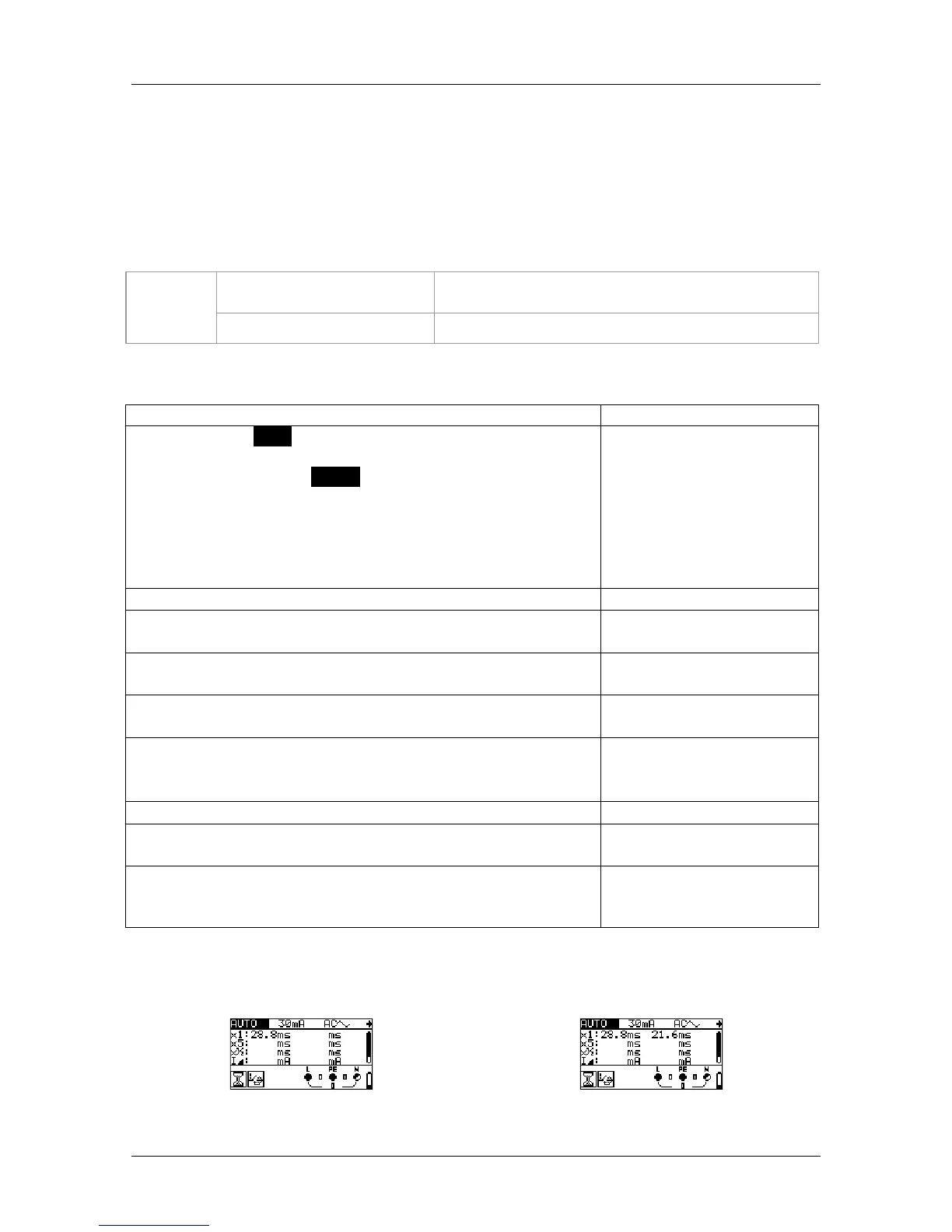
Result examples:
Step 1
Step 2



 To Next Page