17
Confi guring the Device
®
If you are using 384-well plates and the stage is not level
with the nozzle tips, the nozzles might not be properly
targeted with all the columns in the plate. Slide the stage
left and right. Then use a fl athead screwdriver to adjust the
nylon screws as described above.
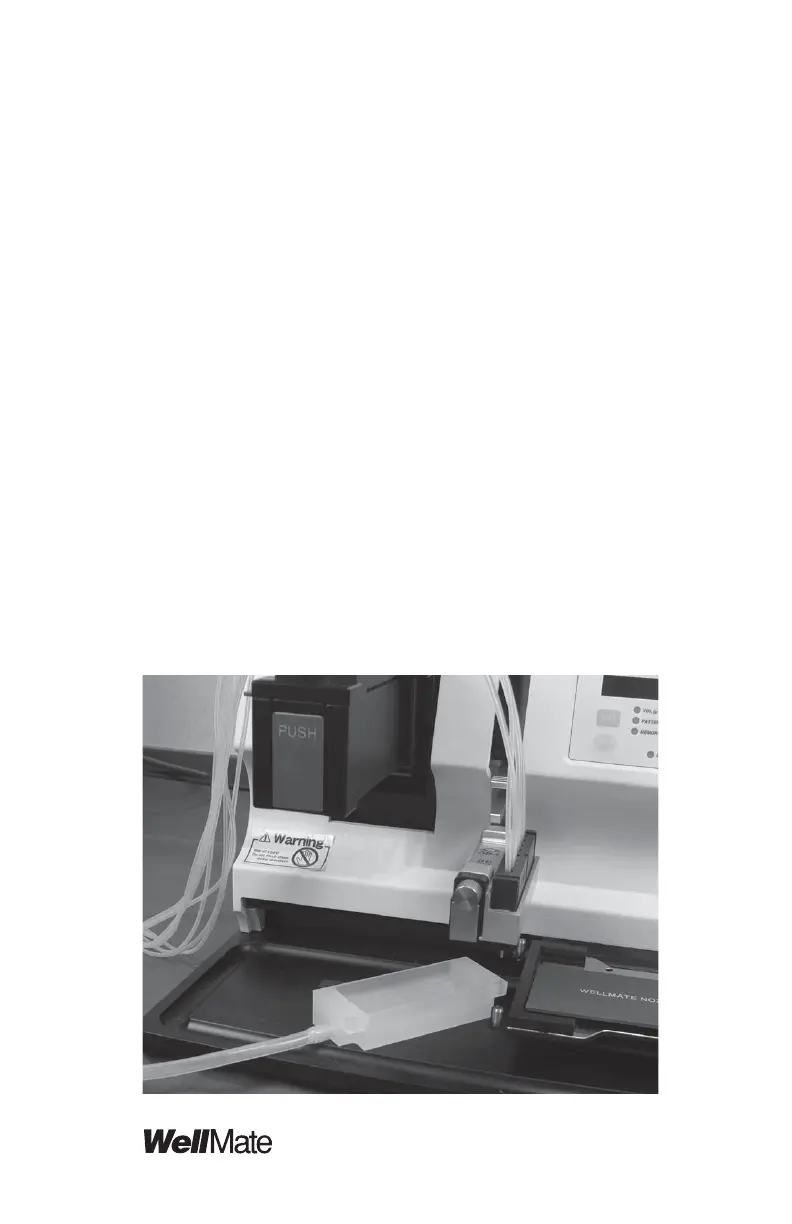
3. Attach the Waste-Fluid Vessel
Align the two holes on the top edge of the waste-fl uid
vessel over the posts extending upward from the fl ange on
the left side of the plate carriage, and drop the waste-fl uid
vessel over the posts. Place the open end of the tube into
a receptacle that sits below the surface of the instrument
base.
CAUTION: Ensure that the open end of the tubing remains
above any liquid in the receptacle; if it is immersed, the
vessel will not drain properly.
The fi rst of the following two photos shows the waste-fl uid
vessel detached from the plate carriage. It is very easy to
remove and replace the vessel. The second photo shows
the waste-fl uid vessel in place next to the plate carriage.



 To Next Page