23
Confi guring the Device
®
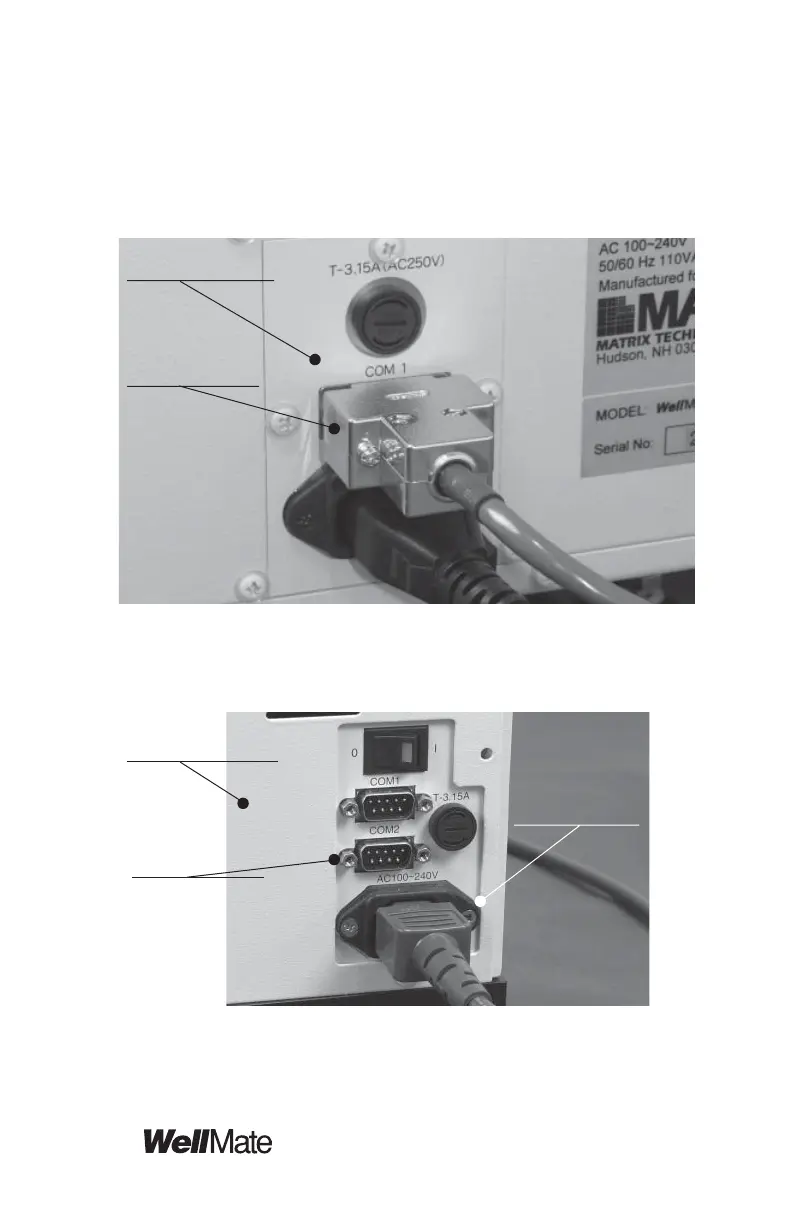
7. Connect the stacker base to the WellMate with the
connection cable provided. The stacker unit will
use the COM 1 port (see following fi gure) while the
WellMate uses the COM 2 port.
6. Attach the Power Cord
Plug the power cord into the power-cord receptacle on the
back of the WellMate unit.
The stacker is now installed. Go to page 31 to set up and
operate the stacker.
Stacker Back Panel
WellMate/Stacker
Cable at Com1
WellMate Back Panel
Stacker Cable at
Com2
WellMate Power
Cable



 To Next Page