16
BepopPC EX Software Installation
8
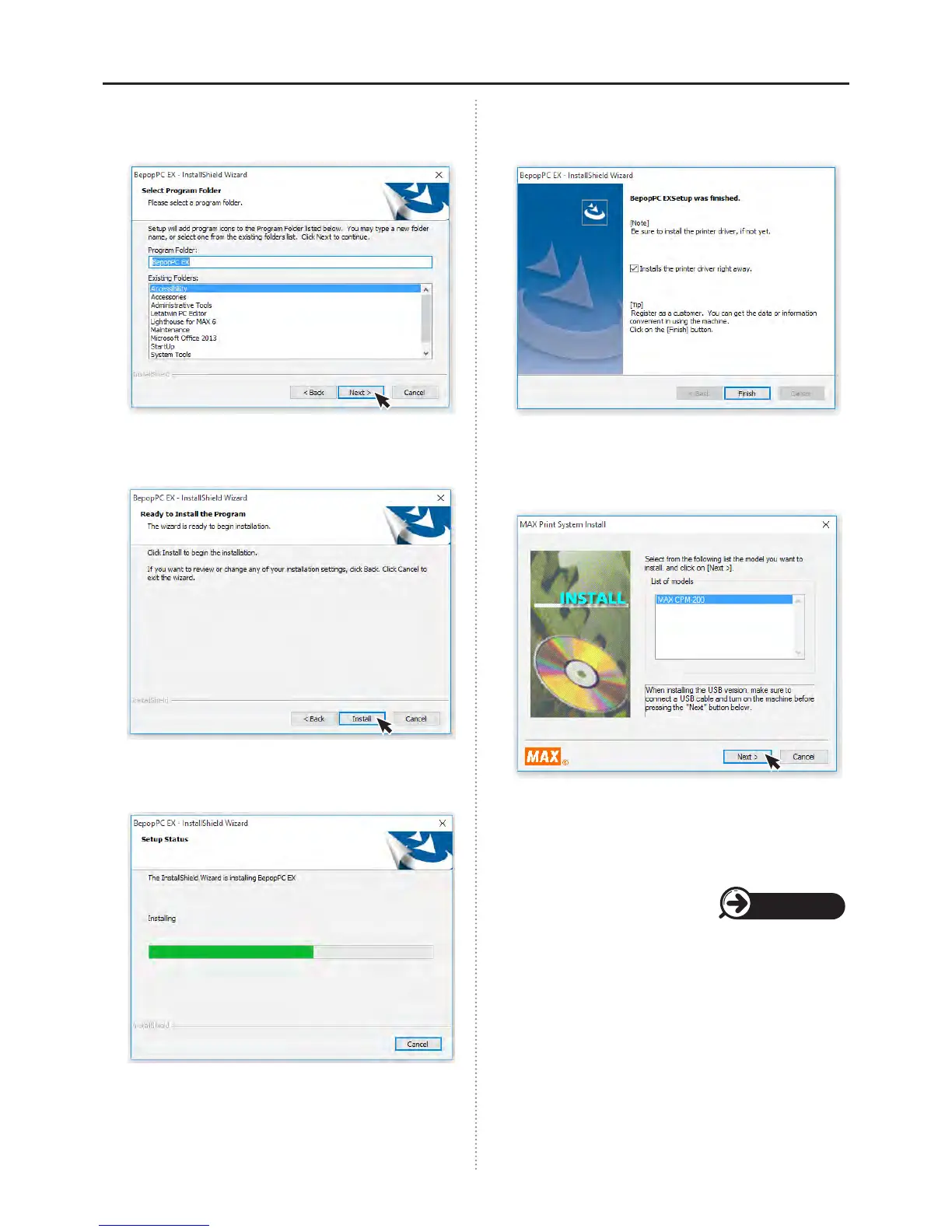
Check that the program folder is “BepopPC EX”,
and then select “Next”.
9
Click the “Install” button.
10
The installation process will begin.
11
Check the box next to, “Installs the printer driver
right away” and click “Finish”.
12
Select CPM-200 from the “List of models”, and click
“Next”.
13
Follow the appropriate procedure for “USB
Cable Driver Installation” or “LAN Cable Driver
Installation”.
Page 18/19



 To Next Page