22
BepopPC EX Software Installation
Firstlet’sgiveitatry!
Makeasignlayout.
This will explain how to make a sign using CPM-200.
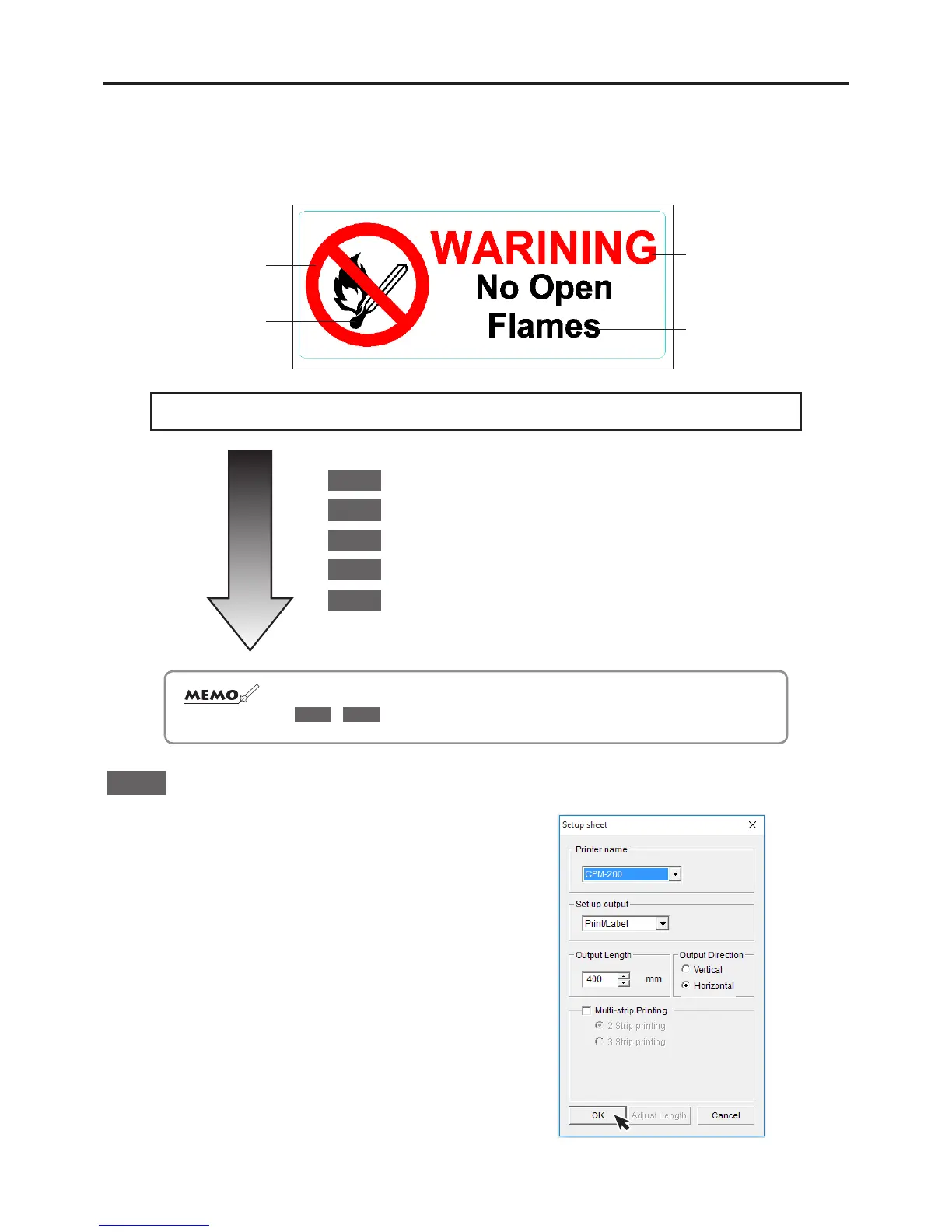
Let’s try to make the multi-color sign below:
red
black
red
black
GeneralFlow
1
StartyourBepopPCEXsoftware
2
Insertacolorsymbol
3
Inputtextdata
4
Inputacuttingline
5
Print(andcut!)
☆ Whentryingtomakeasigntoanexactmeasurement,reversetheorderofsteps
2
-
4
!
1
StarttheBepopPCEXsoftware
Please open the BepopPC EX Software
In the event that you are using multiple Bepop systems,
the “Tape Settings” menu will appear.
Choose the following settings:
Printer name
扌
CPM-200
Set up output
扌
Print/label
Click Okay



 To Next Page