17
Setting up
Connecting with your devices (continued)
LAN
INOUT
SDI
COMPUTER IN 2
REMOTE
CONTROLHDBaseTHDMI 1DVI-DHDMI 2
CONTROLVH
B/Cb/Pb
G/YR/Cr/PrCOMPUTER IN 1
12V OUTPUT
(OPTION)
SDI OUT
INFO
NETWORK
INTERACTIVE
(Wired)
Remote
control
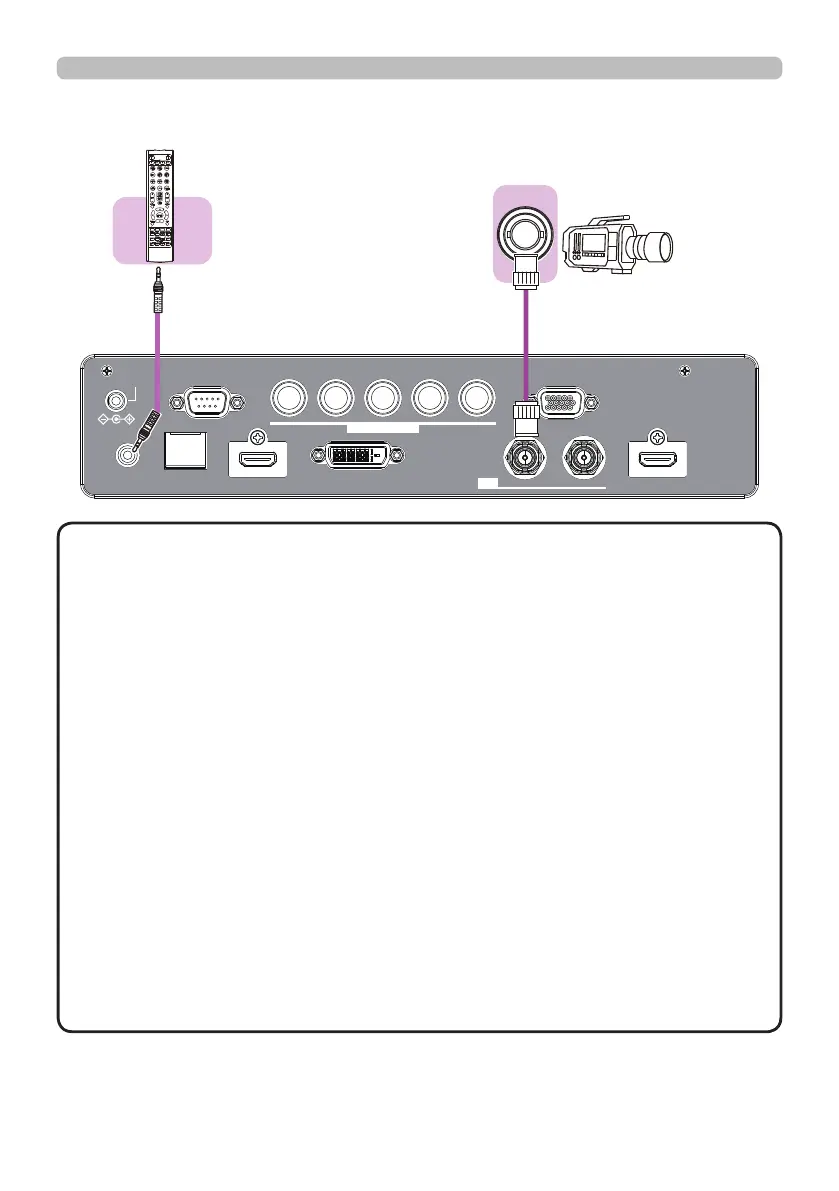
• To use a wired remote control, connect a wired remote control to
the REMOTE CONTROL port. This function is useful when a wireless remote
signal may not reliably reach the projector.
• The projector may not be operated correctly if they are operated from multiple
remote controls at the same time.
• The SDI port of this model supports the following SDI signals:
SD-SDI signal: conforming to SMPTE ST 259-C standard
YCBCR 4:2:2 10-bit
480i, 576i
Single link HD-SDI signal: conforming to SMPTE ST 292 standard
YPBPR 4:2:2 10-bit
720p@50/60, 1080i@50/60, 1080sf@25/30
3G-SDI Level-A signal: conforming to SMPTE ST 424 standard
YPBPR 4:2:2 10-bit
1080p@50/60
- This projector can be connected with another equipment that has SDI
connector, but with some equipments the projector may not work properly.
- Use a cable of 5CFB or greater (5CFB, 7CFB, etc.), or Belden 1694A or
greater to transmit the image properly. And use a cable with a length of 100m
or less.
- Setting by MENU is necessary depending on a connected device.
NOTE















 To Next Page