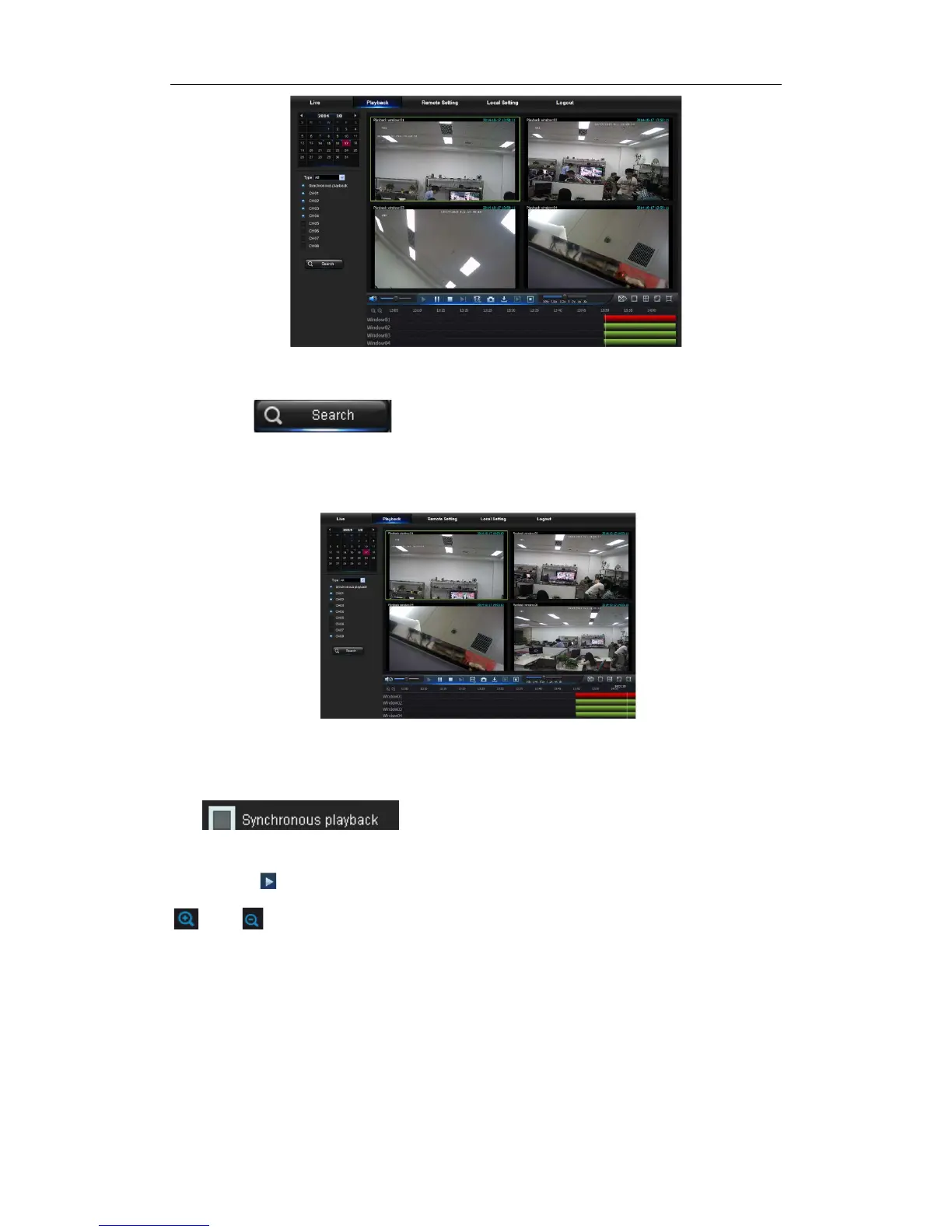
Picture 5-7
Secondly, select record type (Normal record, Alarm record and All) and channels, and
then click “ ”,and time axis panel will display specific time quantum,
as shown in Picture 5-7. On the time axis, red part stands for alarm record, yellow stands
for normal record and original part stands for no record during this period.
Picture 5-8
Before playback, choose to enable playback 4 channels synchronously. If you tick-select
“ ” , that means the selected channel will playback
synchronously; otherwise, you could separately control the channels playback.
Thirdly, click to start record playback. When mouse curse is moving on the time axis,
the time point of current position will be displayed on the time axis screen. Click the icon
or to zoom in/out the time bar display ratio, as shown in Picture 5-8.


 To Next Page