5.3.3.6 System
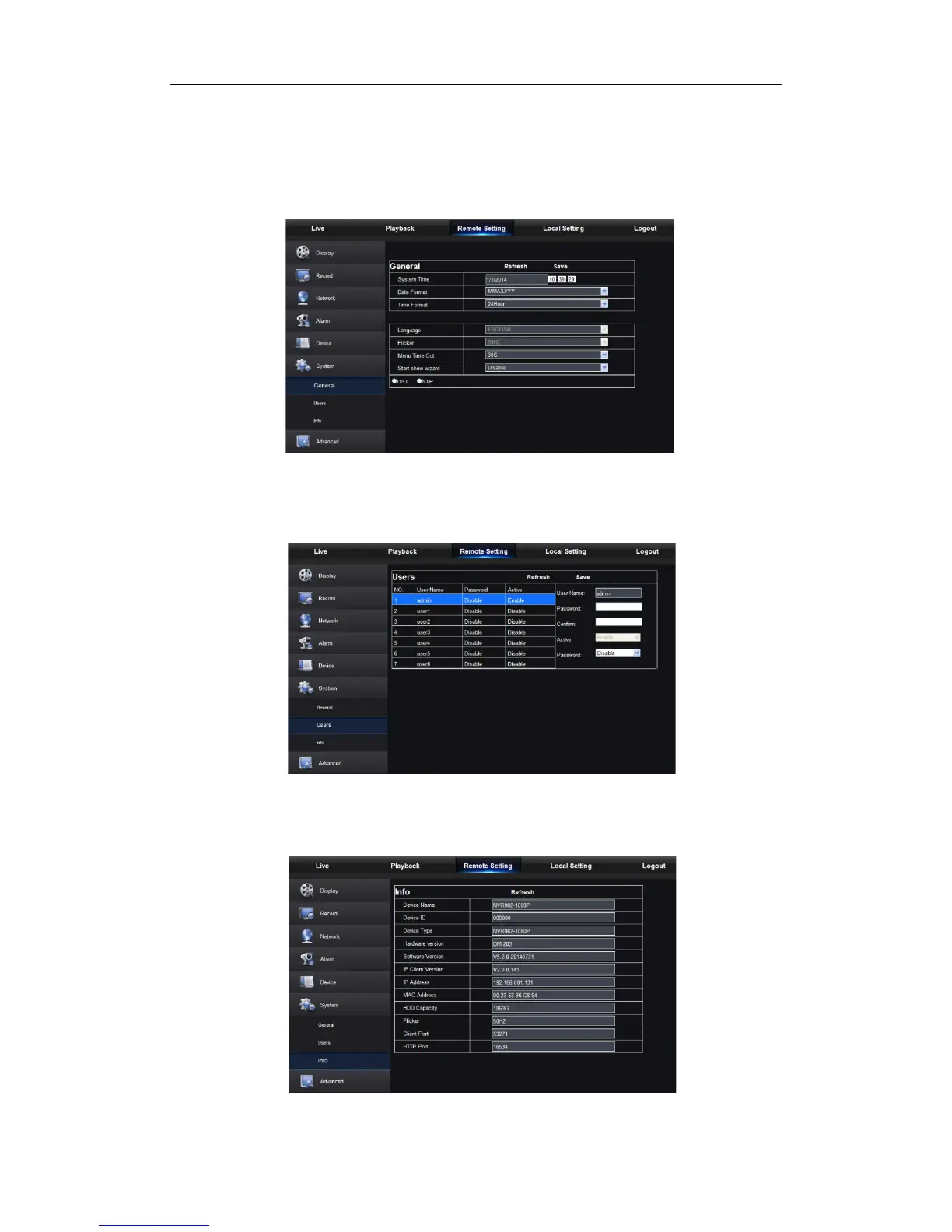
Click <System> option to unfold its sub-options: General, Users and information.
1. General
User may check NVR language and video system and set system time, date/time format,
menu display time, DST and NTP parameters shown as Picture 5-24. Detailed setting
should be consistent with NVR local setting.
Picture 5-24
2. Users
User may configure user name and password shown as Picture 5-25. Detailed setting
should be consistent with NVR local setting.
3. Information
User may search device name, device number, device type, MAC address, software
version, IE version and hardware version of NVR shown as Picture 5-26.
Picture 5-25


 To Next Page