175
Controls in detail
Control system
Instrument cluster submenu
Access the
INST. CLUS.
submenu via the
SETTINGS
menu. Use the
INST. CLUS.
sub-
menu to change the instrument cluster
display settings. The following functions
are available:
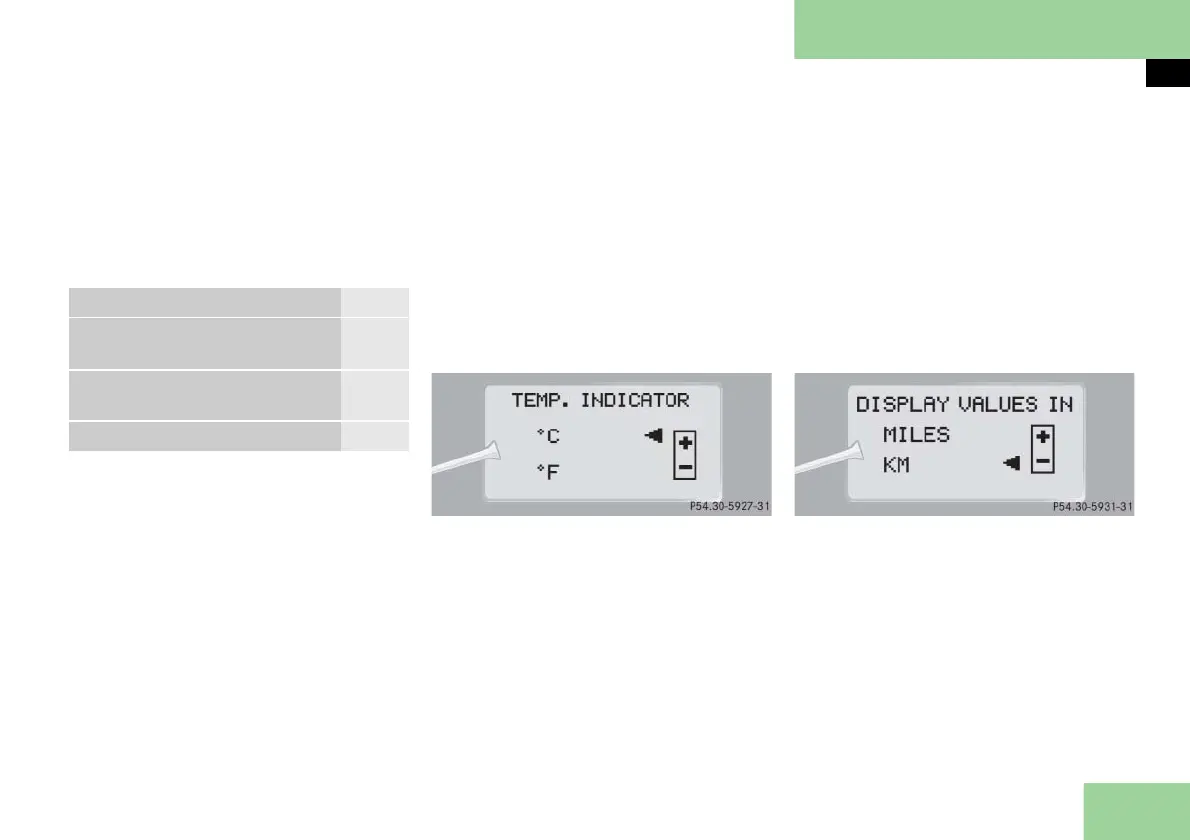
Selecting temperature display mode
Move the selection marker with
button æ or ç to the
INST.
CLUS.
submenu.
Press button j or k repeatedly
until you see
TEMP. INDICATOR
in the
multifunction display.
The selection marker is on the current
setting.
Press button æ or ç to set the
temperature unit to degrees Celsius
(°C) or degrees Fahrenheit (°F).
Selecting speedometer display mode
Move the selection marker with
button æ or ç to the
INST.
CLUS.
submenu.
Press button j or k repeatedly
until you see
DISPLAY VALUES IN
in the
multifunction display.
The selection marker is on the current
setting.
Press button æ or ç to set
speedometer unit to
MILES
or
KM
.
Function Page
Selecting temperature display
mode
175
Selecting speedometer display
mode
175
Selecting language 176



 To Next Page