Rewinder RW500
73
Operating and display elements, operating modes
Operating and display elements
5.1.9.2 <Main page / settings> page
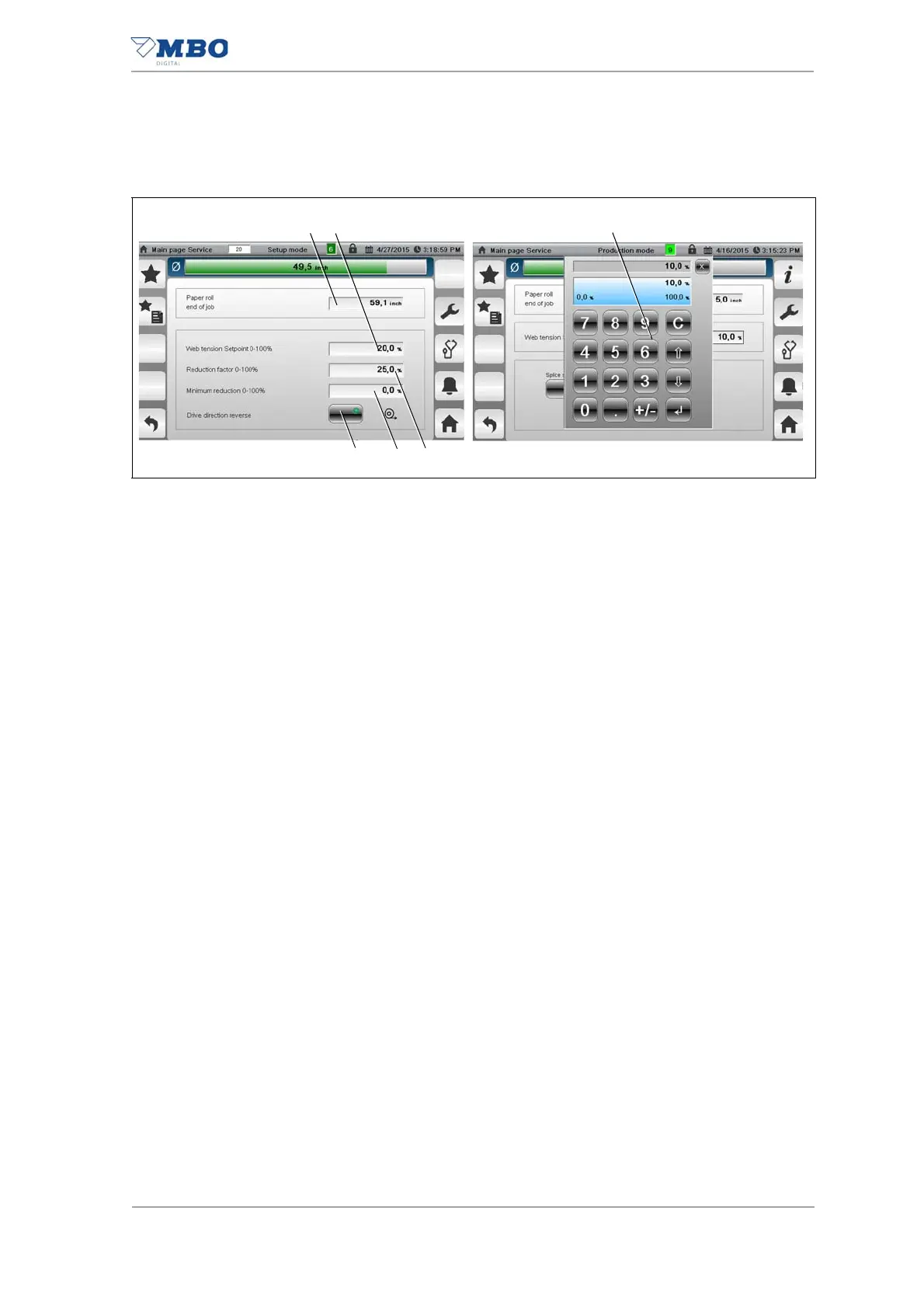
1 <Maximum roll diameter> input field.
Pressing the input field (1) displays a numeric keypad (3). Enter the
maximum roll diameter.
2 <Web tension set point value> input field.
Pressing the input field (2) displays a numeric keypad (3). Enter the required
web tension.
3 Numeric input field.
4 <Reduction factor> input field.
Pressing the input field (4) displays a numeric keypad (3). Enter the required
reduction factor.
5 <Minimum reduction factor> input field.
No function with Rewinder RW500.
6 <Set rewind direction> button.
With this button is used to set the winding direction of the winding drive.
Illustration 35: Main page, settings


 To Next Page