Rewinder RW500
79
Operating and display elements, operating modes
Error displays
5.2.2 Touchscreen
5.2.2.1 <Alarms> page
The <Alarm> page displays the current error messages.
The following pages can be selected via the function keys:
• <Alarms> page
• <History> page
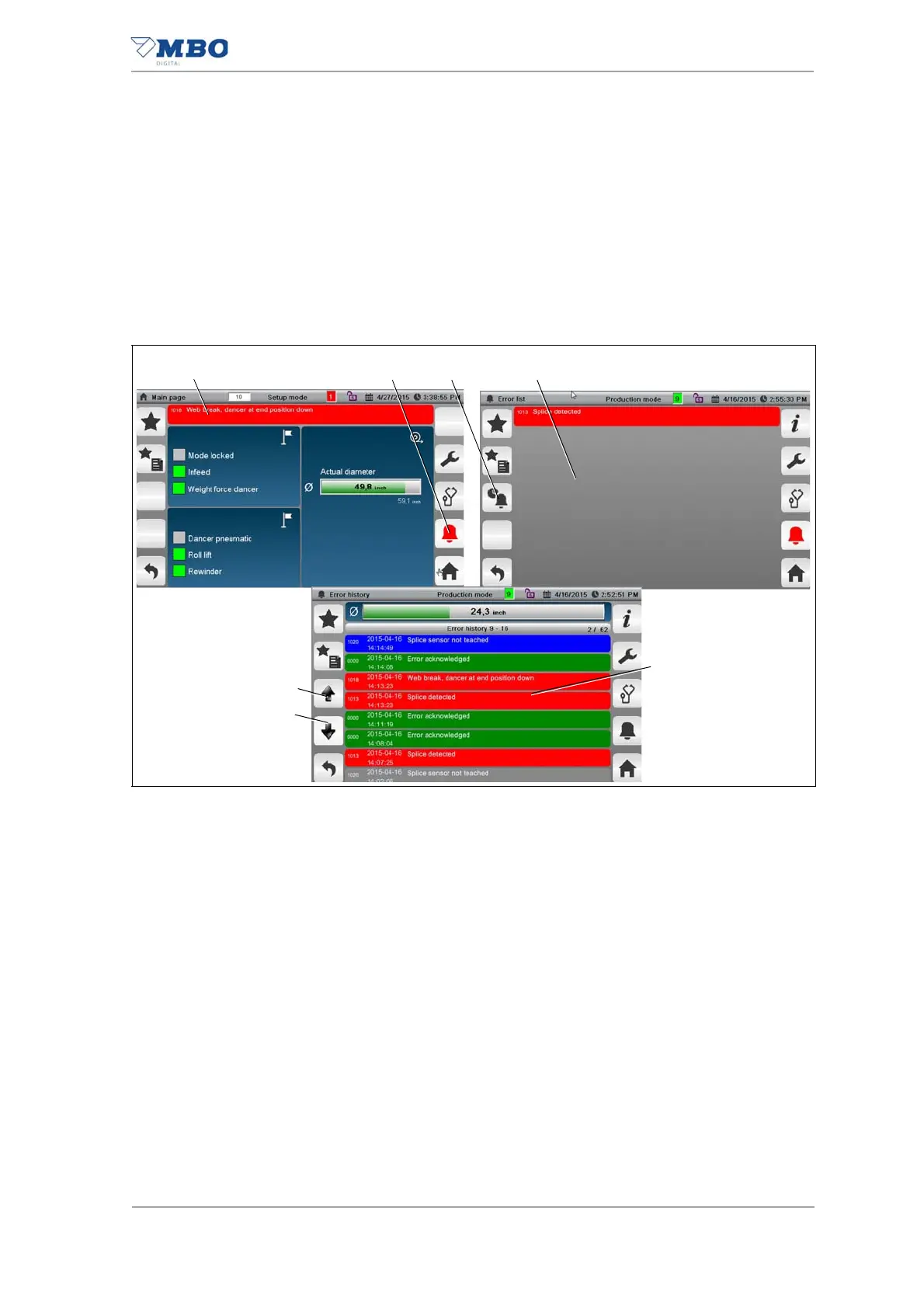
1 <Current web diameter, alarms, notices> display field
2 <Alarms> function key
3 <History> function key
4 <Alarm list> page
5 <History> page
6 <Scroll down> button
7 <Scroll down> button
Display
<Alarm list> page
Here’s how to display the <Alarm list> page:
Press the display field (1) or the <Alarms> function key (2).
The <Alarm list> page is displayed.
Display
<History> page
Here’s how to display the <History> page:
Press the <History> function key (3).
The <History> page is displayed.
Illustration 43: <Alarms> and <History> pages


 To Next Page