72
Rewinder RW500
Operating and display elements, operating modes
Operating and display elements
5.1.9 Description of the screens
5.1.9.1 <Start page / main page> page
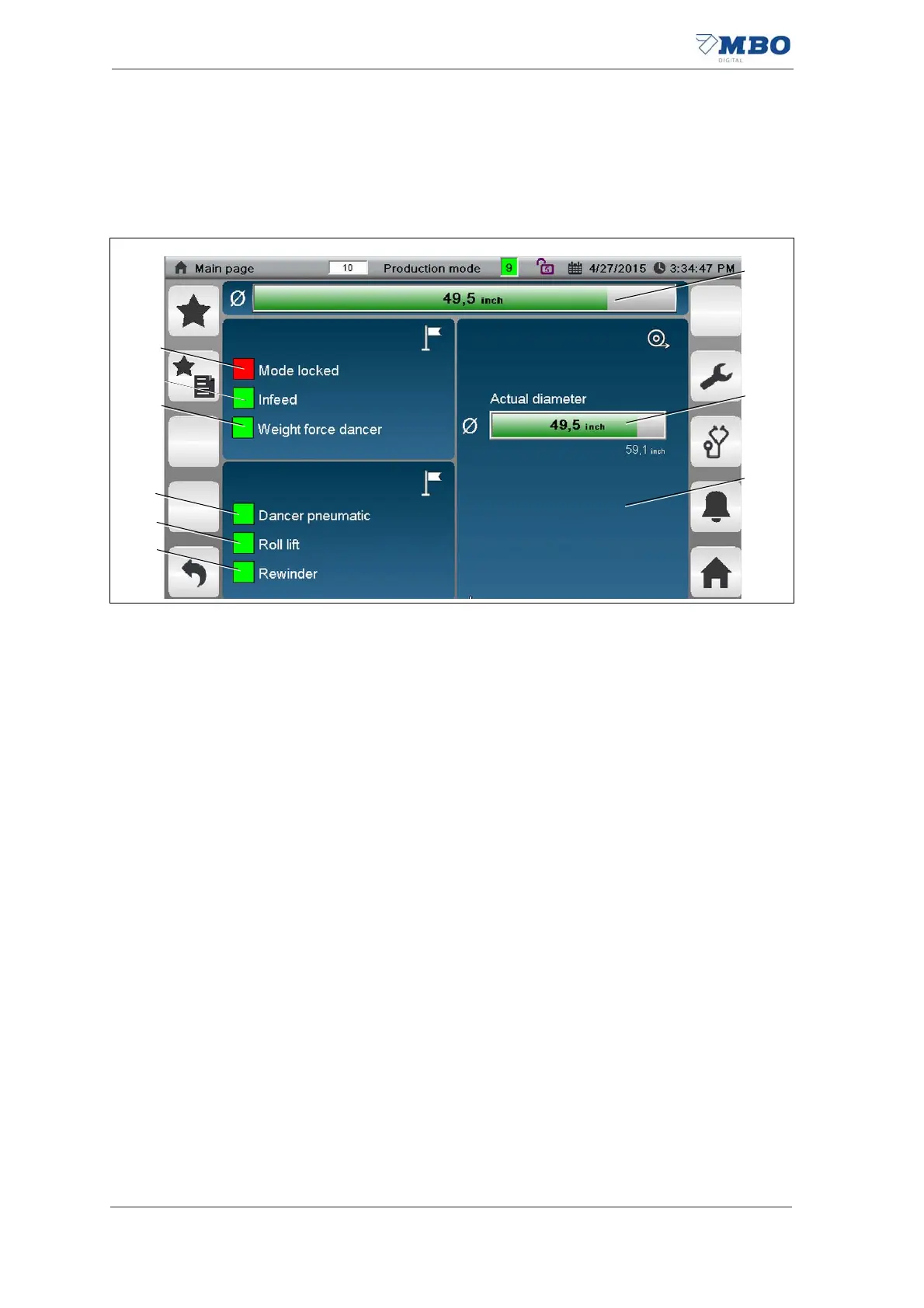
1 <Current roll diameter, alarms, notices> display field.
The following information is displayed according to the operating condition of
the machine:
- Current web diameter
- Current alarm
- Current notice
2 <Current roll diameter> display.
Displays the current roll diameter.
3 <Settings> input field.
See chapter "5.1.9.2 <Main page / settings> page"
4 <Rewinder ready> display.
The current operating condition of the rewinder is displayed.
Green = rewinder ready.
5 <Roll lift ready> display.
The current operating condition of the roll lift is displayed.
Green = roll lift ready.
6 <Pneumatic dancer ready> display.
The current operating condition of the pneumatic dancer is displayed.
Green = dancer ready
7 <Weight force dancer ready> display.
The current operating condition of the weight force dancer is displayed.
Green = dancer ready
8 <Infeed ready> display.
The current operating condition of the printer is displayed.
Green = printer ready.
9 <Production operating mode blocked> display.
The operating condition of production is displayed.
Gray = production operating mode is not blocked.
Red = production operating mode is blocked. In other words, it is not possible
to switch over to the <Setup> operating mode in this status.
Illustration 34: Start page / main page


 To Next Page