92
Rewinder RW500
Installation, commissioning
Making the stationary mains connection
7.3.4 Making the stationary mains connection on the main control cabinet
Procedure:
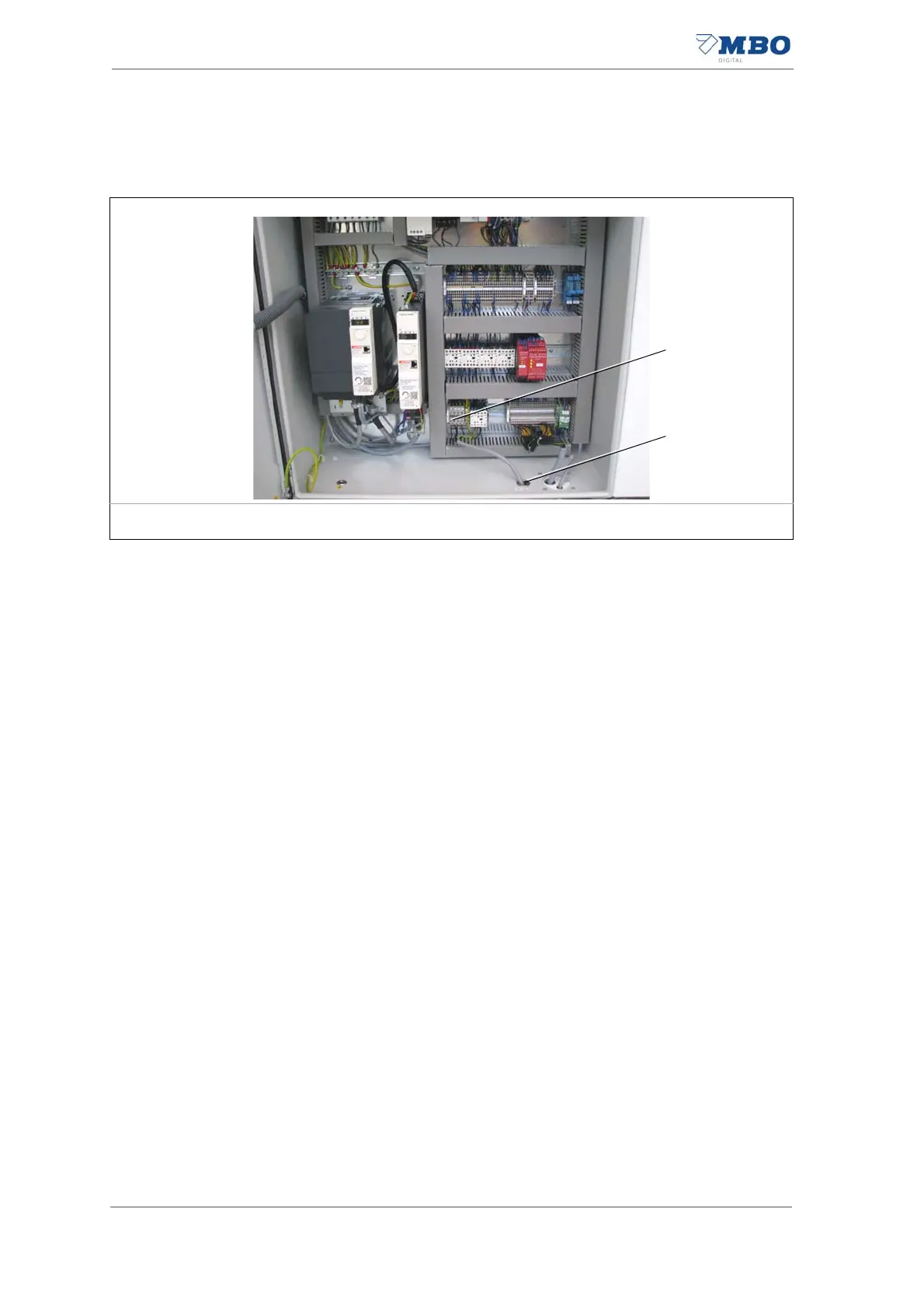
1) Insert the power cable into the main control cabinet through the cable
grommet (2).
2) Connect the power cable to the terminal strip for stationary mains con-
nection (1) according to the wiring diagram.
3) Ensure finger safety by fastening the yellow protective plate via the
open connection terminals.
Use the red plastic screws included to do this.
The stationary mains connection is complete.
1 Terminals strip for stationary mains connection 2 Cable grommet
Illustration 45: Stationary mains connection


 To Next Page