Rewinder RW500
75
Operating and display elements, operating modes
Operating and display elements
5.1.11 <Diagnosis> page
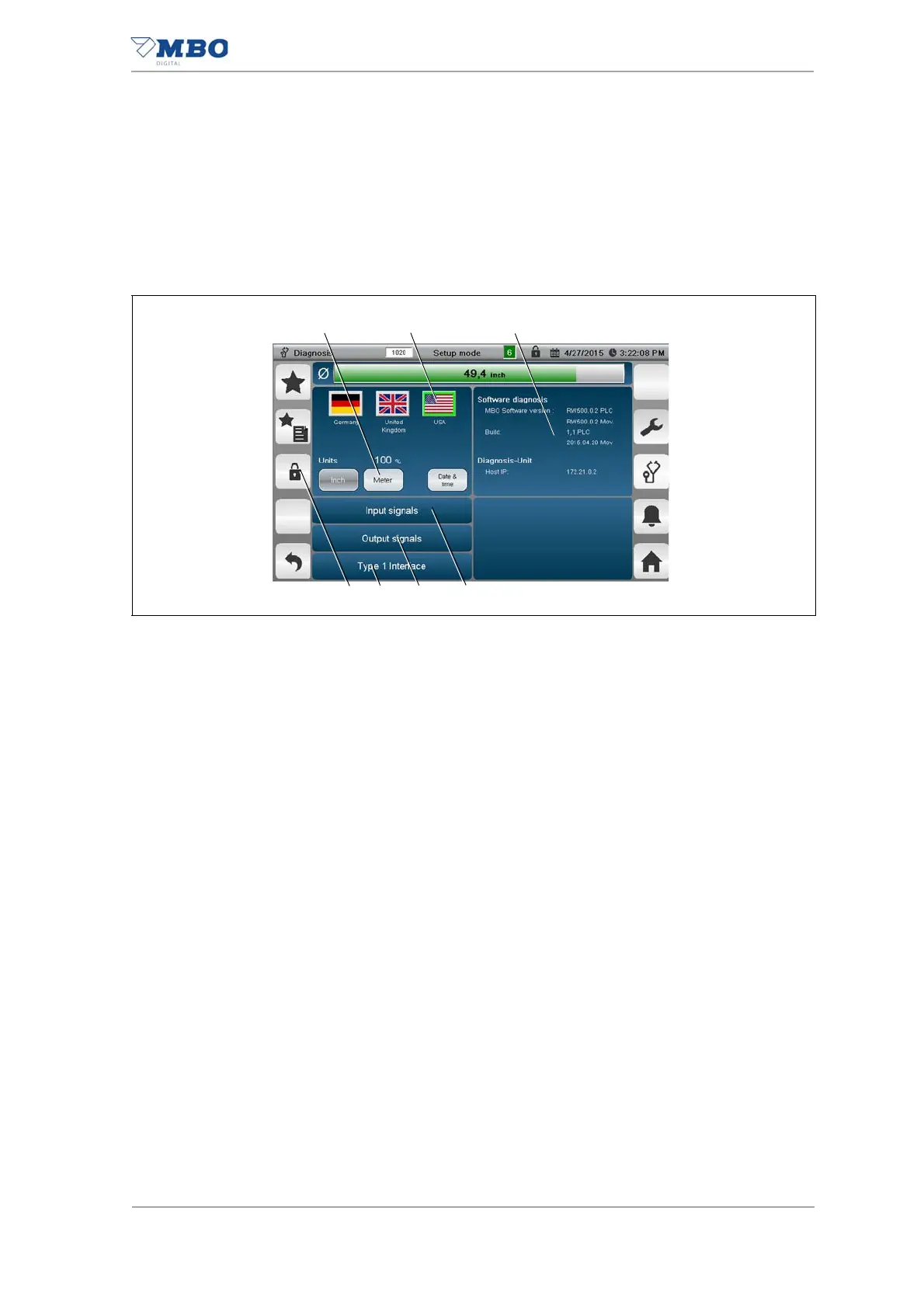
The <Diagnosis> page has the following functions:
• Selection of the display language, units of measurement and date for-
mats
• Branching to the various diagnostic pages.
1 <Units of measurement> buttons.
Press the buttons Inch, Metre, Date & Time to display the corresponding
national units of measurement (metric/Imperial) or date and time formats.
2 <Select language> buttons.
Pressing the flags displays the display texts in the relevant language.
3 <Software diagnosis> keypad.
Pressing the keypad opens the page for the software diagnostics.
See chapter "5.1.11.1 <Software diagnosis> page".
4 <Input signals> keypad.
Pressing the keypad opens the <Input signals> page.
See chapter "5.1.11.2 <Diagnosis/input signals> page".
5 <Output signals> keypad.
Pressing the keypad opens the <Output signals> page.
See chapter "5.1.11.3 <Diagnosis/output signal> page".
6 <Type 1 interface> keypad.
Pressing the keypad opens the <Type 1 interface> page.
See chapter "5.1.11.4 <Diagnosis/type 1 interface> page".
7 <Password management> keypad.
Pressing the keypad opens the <Password management> page.
Illustration 37: <Diagnosis> page


 To Next Page