4.3 Peripheral Device
4.3.1
Footswitch Connection
Warning
To avoid falling or dam age of the footswitch, do not place the footswitch on the
ultrasound system.
Do not use the footswitch other than those provided by the m anufacturer. Otherwise,
the ultrasound system or the footswitch malfunctions could result.
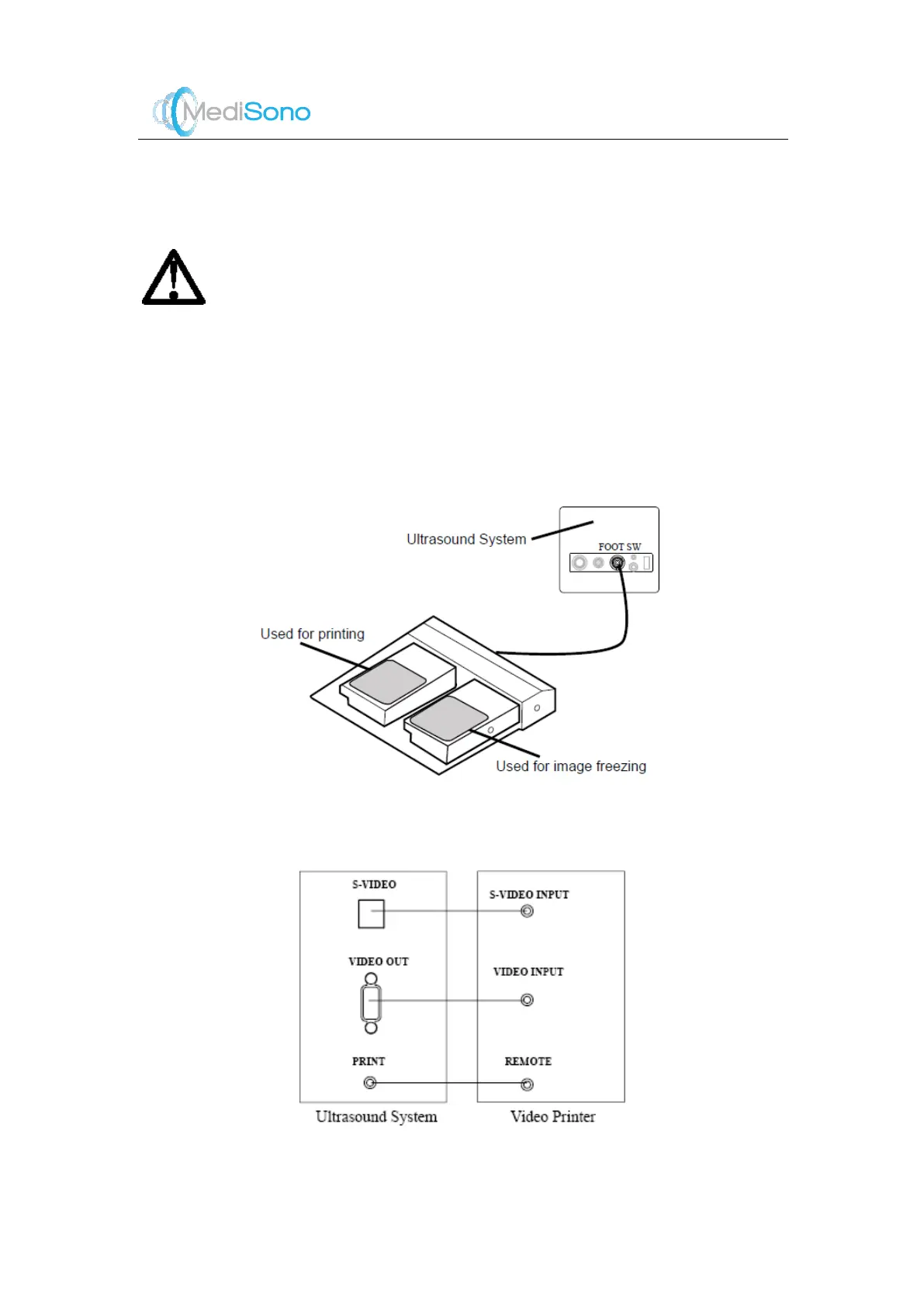
Connect the footswitch to the footswitch port of the ultrasound system as the figure shown
below.
4.3.2
Video Printer Connection
Connect the video printer to the ultrasound system by the S -VIDEO cable, BNC cable and



 To Next Page