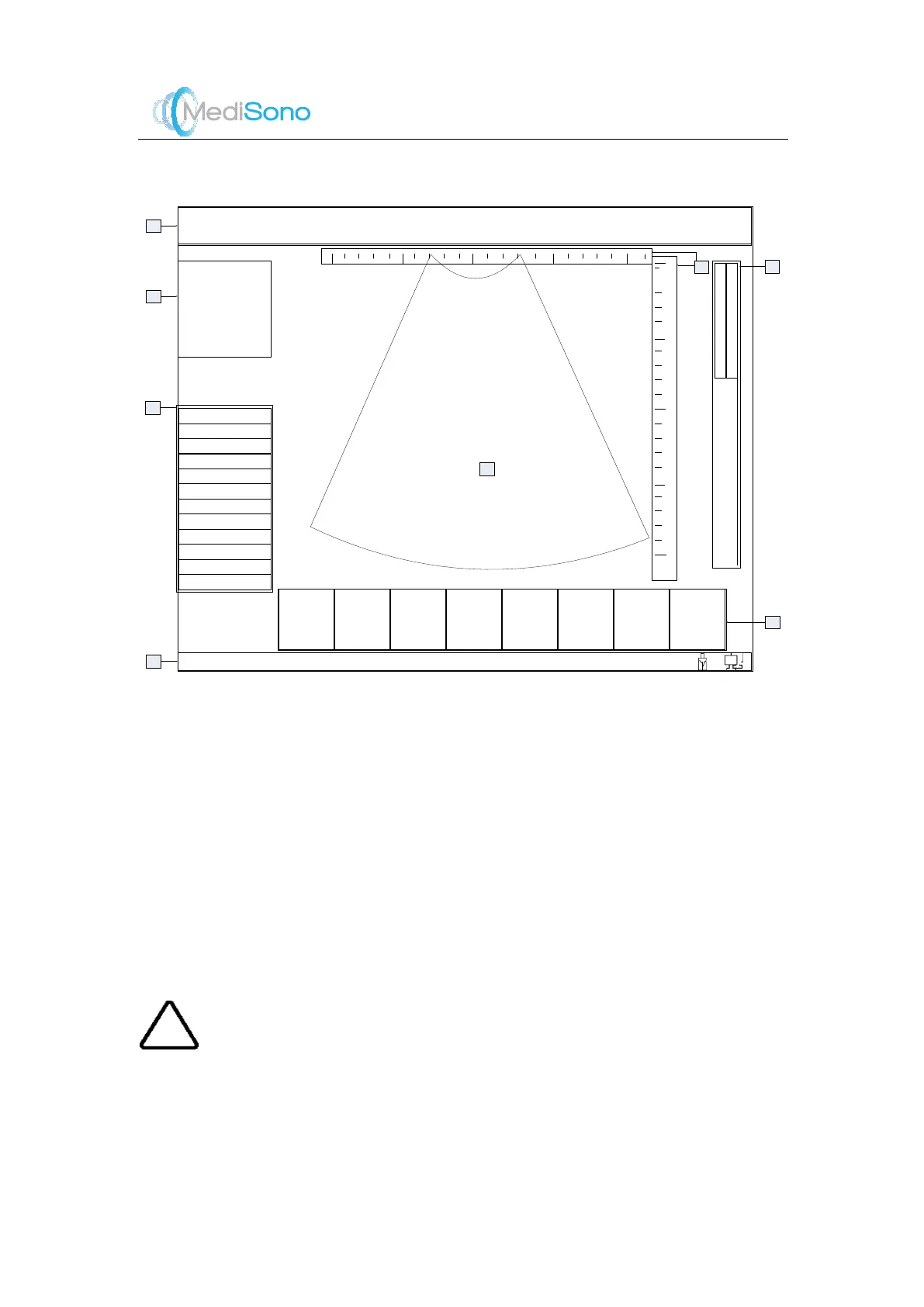
4.6 Main Screen
The main screen contains the following eight function zones:
1.
System information: includes manufacturer logo, hospital name, system time, patient
information, application mode and etc.
2.
Image param eters: includes current imaging mode, fram e rate, acoustic power, scan depth
and etc.
3.
Menu for imaging adjustment
4.
TGC, grayscale and color map
5.
Horizontal scale and depth scale
6.
Clipboard (visible when activated)
7.
Ultrasound image
8.
Status indication bar: includes hints and connection status of peripheral device or net work.
Caution
If no operation is perform ed in 30 minutes, the system automatically exits the real time scan
and returns to the
Exam
screen, and the probe stops transmitting signals to avoid long time
continuous work.



 To Next Page