Worklist
button to select a patient from a worklist. For details, refer to the section of
Acquire Patient Information from Worklist
.
Functions of Worklist, MPPS and DICOM can only be used after DICOM is set. For details,
refer to 5.7 DICOM.
The
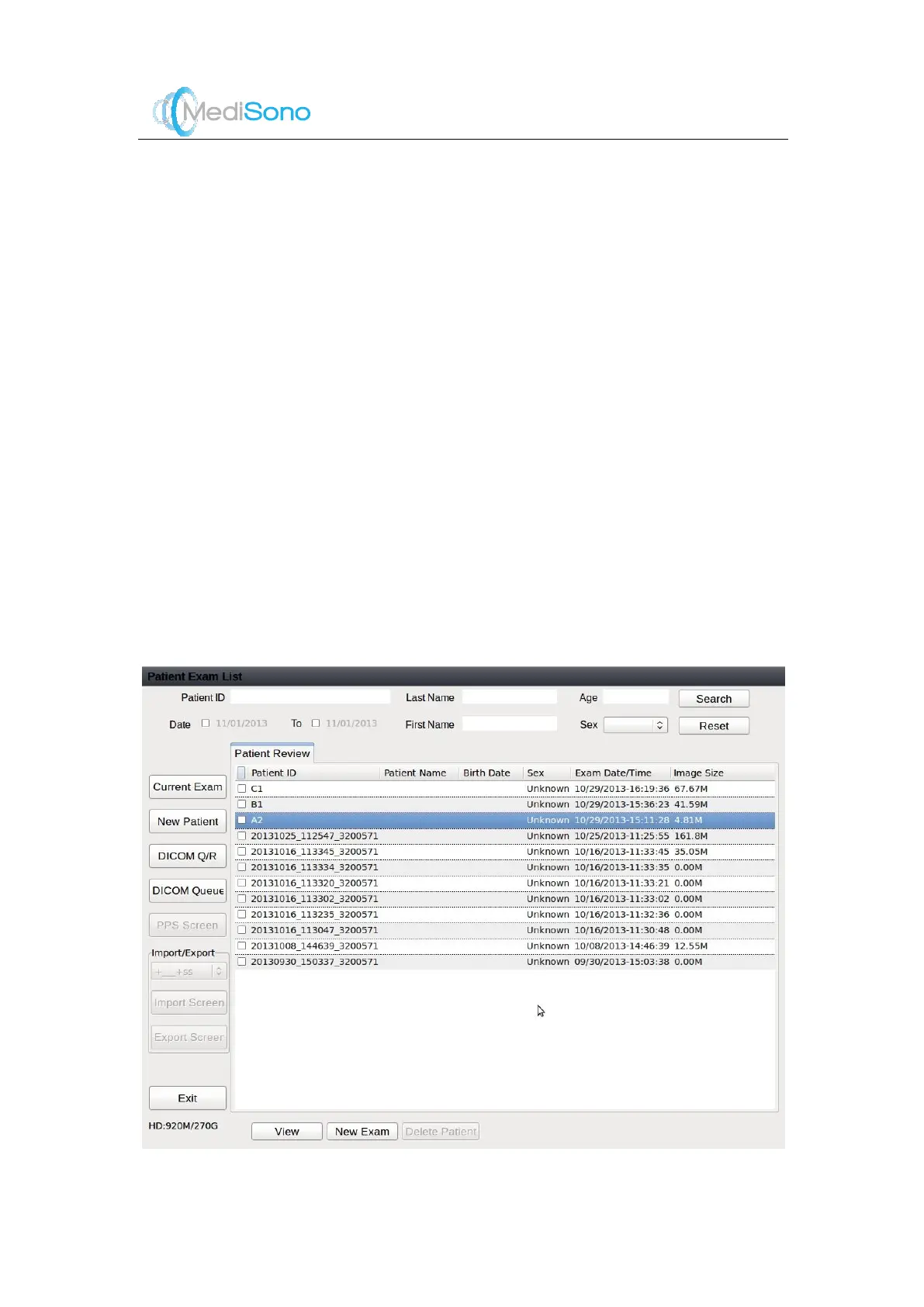
Patient Exam List
screen includes three main sections,
1.
Search
2.
Exam functions
3.
Patient operations
Search
1.
Search for the desired information
Select one search requirement, such as Patient ID, and input the relevant information in
the text box.
If no search requirem ent is input, click
Search
to view all patient information saved on
the system.
Click
Reset
to clear the search requirement input.
2.
Click
Search
to start search using the above defined search requirement.
3.
Double click the patient information to view all exam types of the patient.
Patient operations
Two user interfaces are provided for patient operations:
Patient Review
and
Exam Review
.
Figure 4-4 Patient Review Screen



 To Next Page