11 Medit T-series User Guide
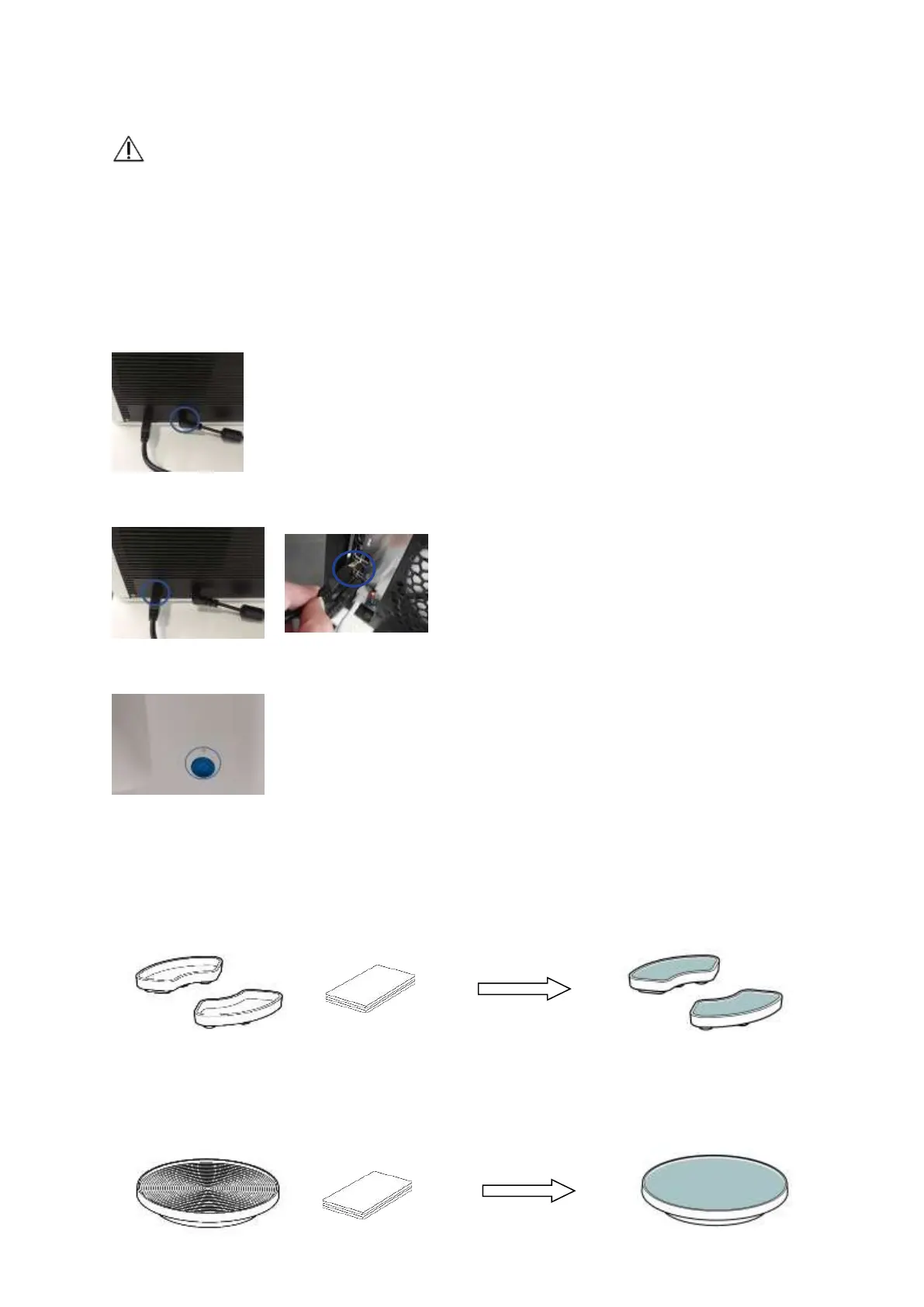
Caution: The scanner cables should be properly connected to the PC.
(The package includes a power cable and a USB cable.)
*Please use USB 3.0 port only while connecting the scanner to your PC.
1. Connect the power cable
2. Connect USB cable via USB 3.0 (indicated with Blue color) port. (*Important)
3. Turn on the switch located on the front of Medit 3D scanner device.
1.7.1 Accessories Preparation
1. Fill each of the Spray Supporters (2ea) with Blu Tack.
2. Prepare Blu Tack to use on the surface of the Flexible Multi-die.



 To Next Page