11
Section2. Install the NetAgent Mini with UPS and Network
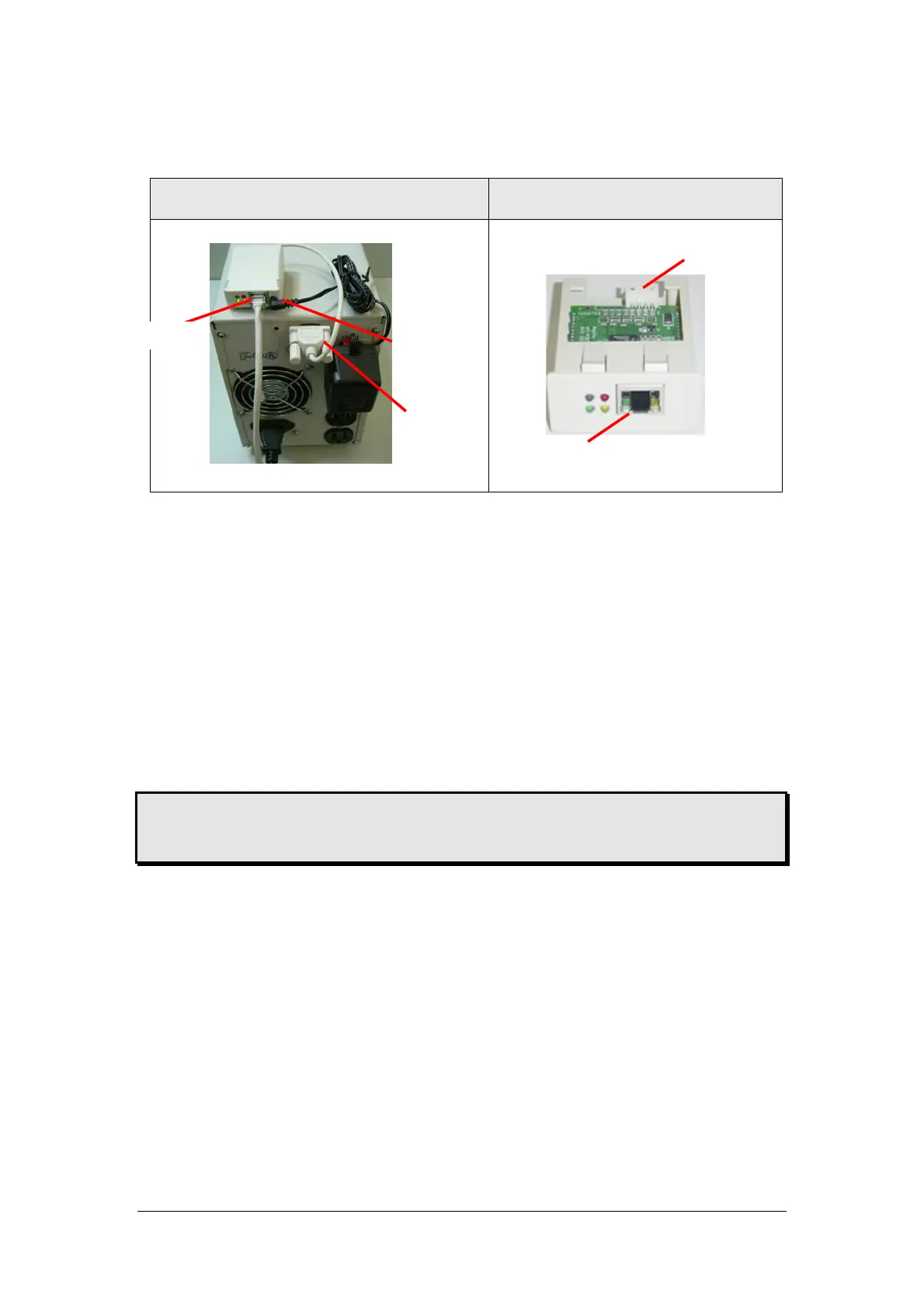
NetAgent Mini - External NetAgent Mini -Internal
2.1 For External NetAgent Mini
n Connect the NetAgent Mini to LAN, using the UTP port.
o Connect the cable from NetAgent Mini to the serial port of UPS.
p Plug the DC adapter to UPS outlet, the DC plug connected with NetAgent
Mini.
2.2 For Internal NetAgent Mini
n Please make sure the connector direction of the cable is correct before
connecting to the NetAgent.
o Connect the NetAgent module to LAN, using the UTP port.
Warning: Please make sure the input Voltage and Frequency of the DC power adapter
(NetAgent II – DC 9V / NetAgent Mini – DC 6V or 5.3V) is correct before plug the
power into!
nTo LAN
oTo UPS
pTo
DC Adapter
nTo LAN
oTo UPS



 To Next Page