21
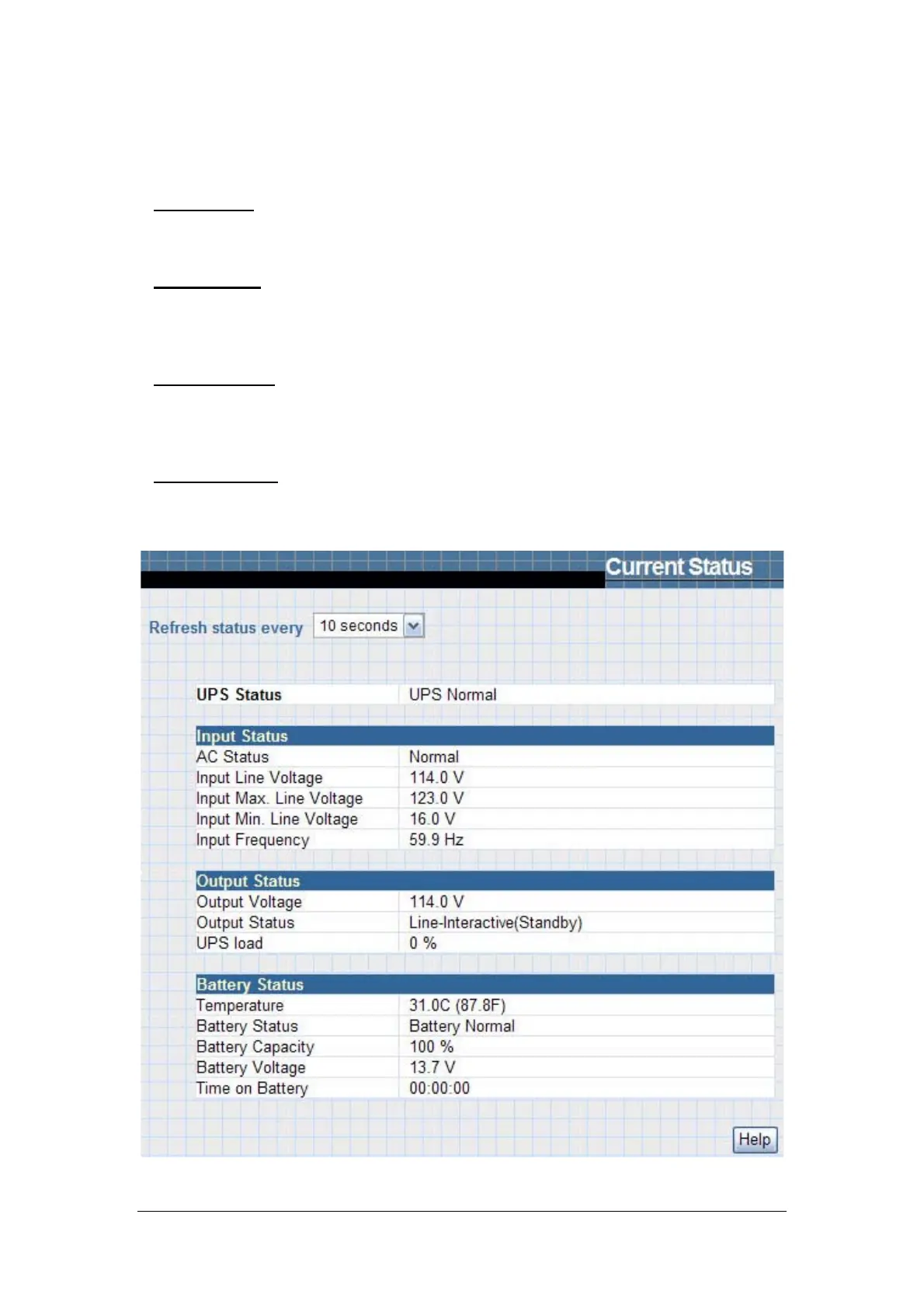
2.1.3 Current Status
This page is to show the UPS current status. Users can choose an interval
from the drop-down box to refresh the status readings.
UPS Status
This section is to show the UPS power status. The abnormal status will be displayed
in red when there is a power event.
Input Status
This section is to show the UPS input status, including AC Status/Input
Voltage/Input Frequency. Values here will be shown in red when an abnormal status
condition occurs.
Output Status
This section is to show the UPS output status, including Output Voltage/Output
Status/UPS Loading. Values here will be shown in red when an abnormal status
condition occurs.
Battery Status
This section is to show the UPS Battery Status, including Temperature/Battery
Status/Battery Capacity/Battery Voltage/Time on Battery. Values here will be shown
in red when an abnormal status condition occurs.
Fig.22 Current Status



 To Next Page