73
5.3 Tools(P)
Highlight NetAgent UPS device and configure.
5.3.1 Settings
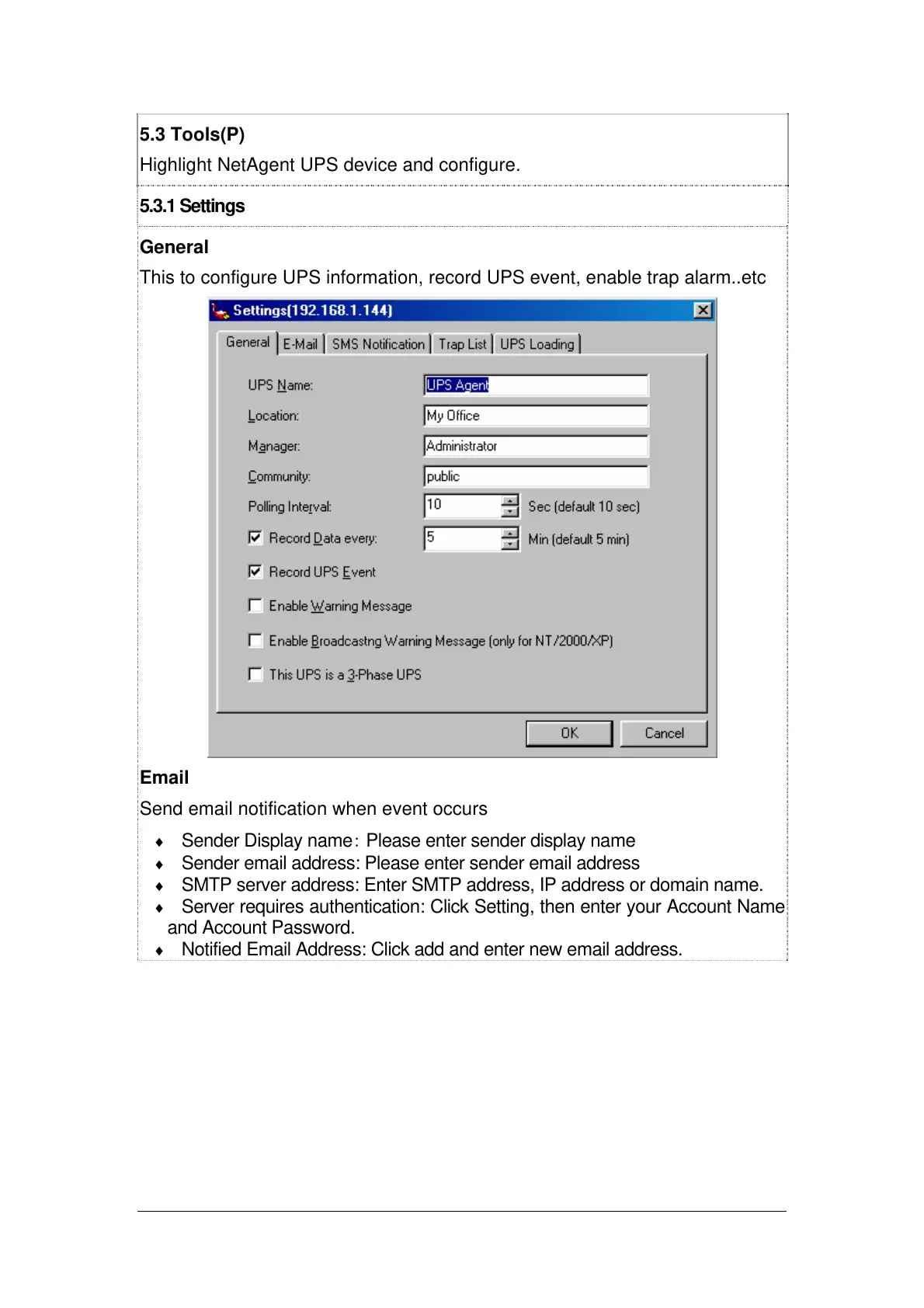
General
This to configure UPS information, record UPS event, enable trap alarm..etc
Email
Send email notification when event occurs
♦ Sender Display name: Please enter sender display name
♦ Sender email address: Please enter sender email address
♦ SMTP server address: Enter SMTP address, IP address or domain name.
♦ Server requires authentication: Click Setting, then enter your Account Name
and Account Password.
♦ Notified Email Address: Click add and enter new email address.



 To Next Page