56
Chapter 7. ClientMate - Windows Shutdown Utility
ClientMate is a utility for connecting to NetAgent. This utility is for the
Windows platform. When the ClientMate get the power failure signal from the
NetAgent. The ClientMate will save the files and shutdown the system
gracefully. When the hardware installation of the NetAgent has been
completed, you could install the ClientMate on any of the Windows system on
the network. When the ClientMate detects the AC Fail, Battery Low, Schedule
Shutdown signals from the NetAgent, it will save the file and shutdown the
system. Please check the operation description here below.
Section1. Install ClientMate
n Put the NetAgent Utility CD into the CD driver. And execute the “ClientMate”
program.
o After complete installation, there will be a ‘ClientMate’ group in the Windows
Start group.
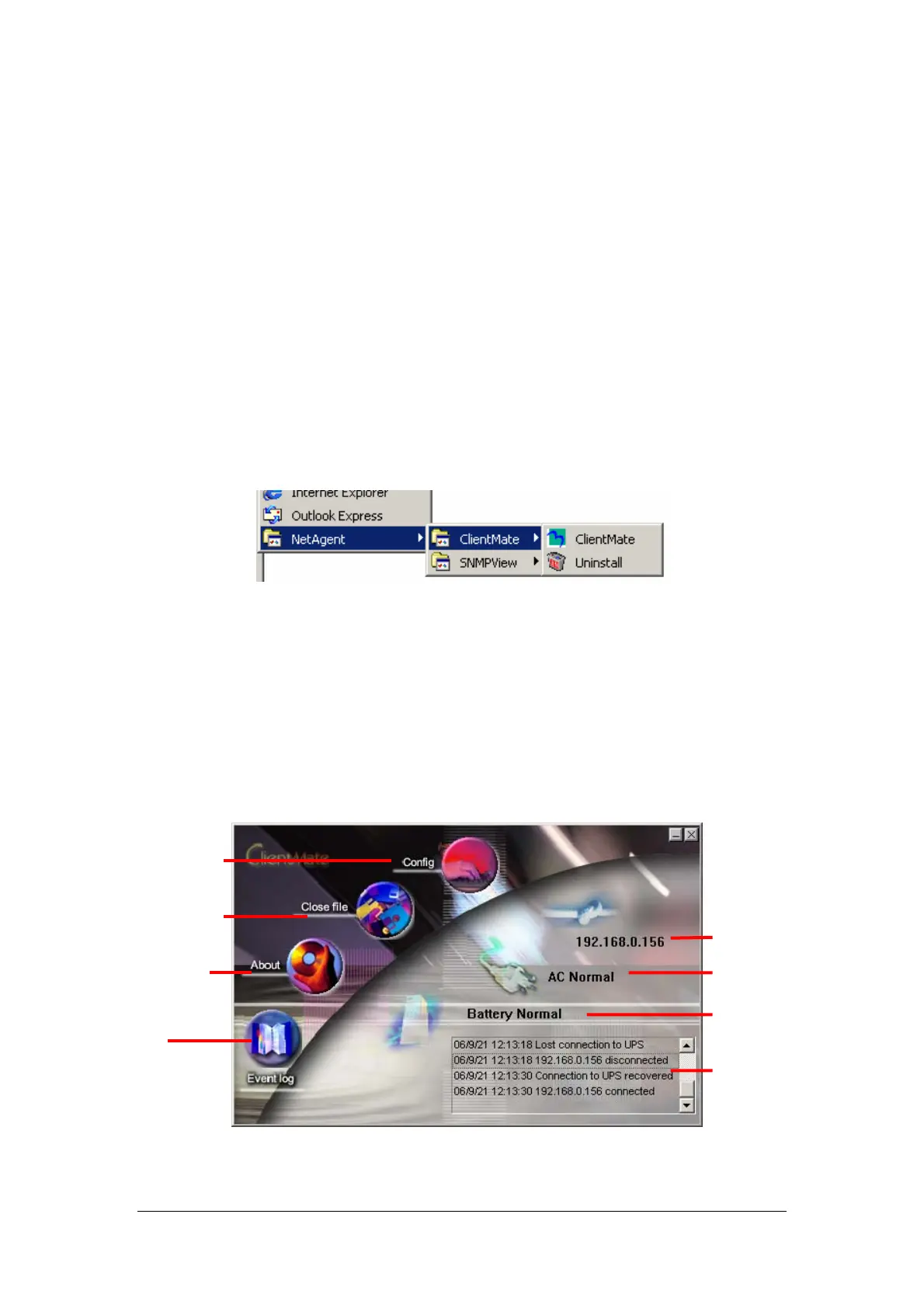
Fig.50 ClientMate Group
p Click “ClientMate” to initiate the ClientMate and start using the ClientMate.
Section2. Using ClientMate
Please find the ClientMate main window here below:press the left icon to enter
the configuration dialog. On the right of the window is the current status of the
UPS.
Fig.51 ClientMate main window
2.8 Event Histor
2.7 Batter
Status
2.6 AC
ower status
2.5 Connect IP address
2.3 About ClientMate
2.2 Closed Files
2.1 Confi
uration
2.4 Event lo



 To Next Page