www.megger.com
Megger Baker ADX User Guide
62
Assets
Adding Images
Creating asset images might include taking a picture of the asset with test leads connected, or taking a picture of the
asset’s connections within the switchgear. You can also capture screens from a PDF or other document that contains
relevant information. You can also create image files from MS PowerPoint slides that contain information you want to
convey to operators prior to testing.
Common file formats include .png and .jpg, which are typically smaller in size. Use the smallest possible file size to
avoid filling the database too quickly.
NOTE: MS PowerPoint slides can be saved as image files, so you can easily import them for use with
Sequences or Assets.
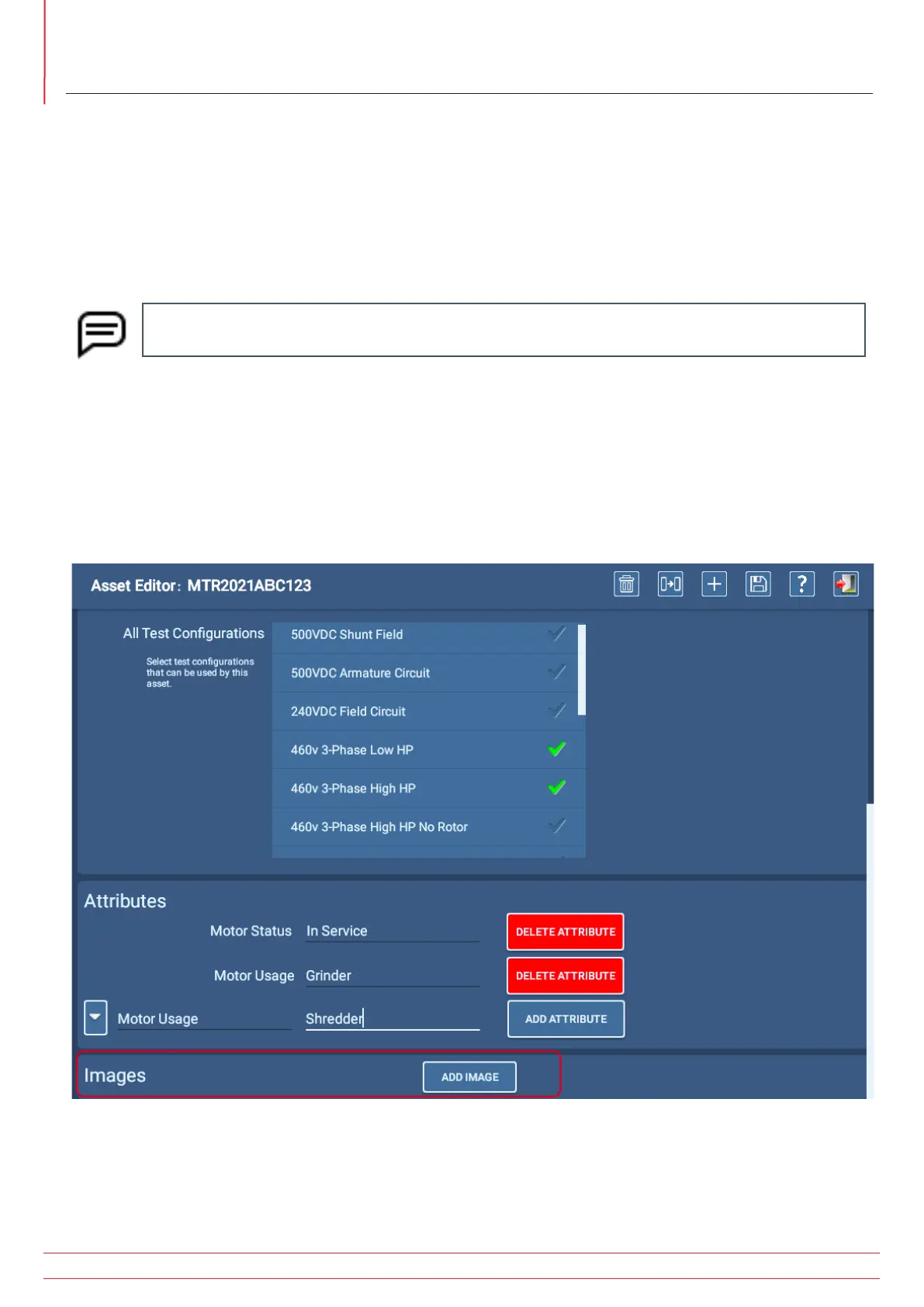
1. Just below the Attributes section, the Images section allows you to add up to two images of the asset that can be
used to help with identification, test lead connection, and more.
2. These images appear early in the testing process when a Sequence Test is used.
3. With the asset-related image(s) stored on a USB drive, plug the drive into one of the ADX USB connectors on the
front panel.
4. Click on the ADD IMAGE button to open a new screen in which you can select an image.
Fig 58: Asset Editor screen; adding images.


 To Next Page