www.megger.com
Megger Baker ADX User Guide
63
Assets
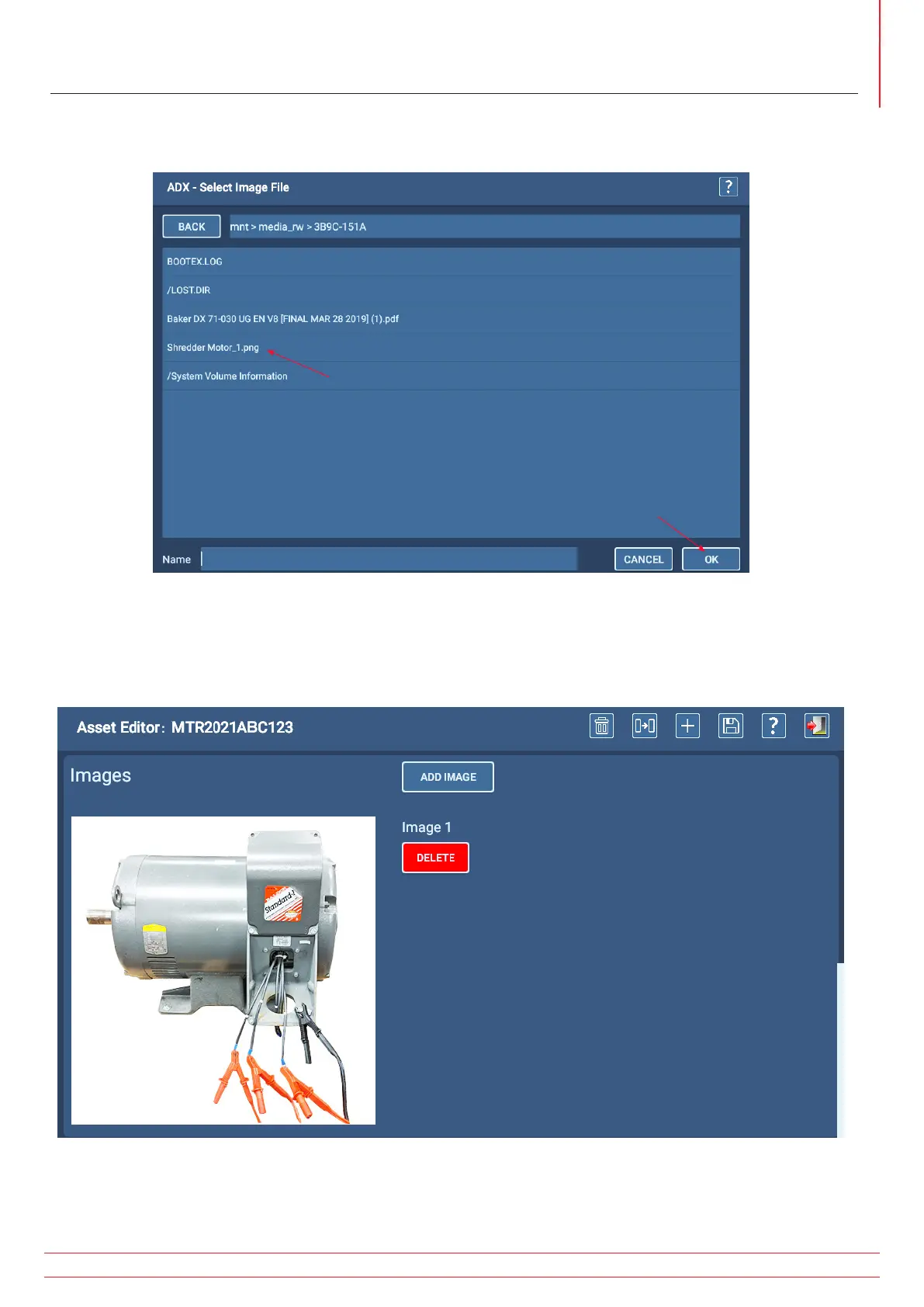
5. The software takes you directly to the USB drive contents list. You might need to select folders within the drive
depending on how you originally structured your files.
Fig 59: Selecting an image to add.
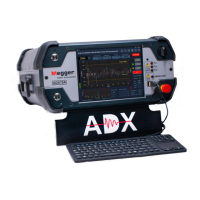
6. The following example shows an image added to the Asset being edited. These images appear within Sequenced
tests (as addressed in the “Test Sequence” section found below), describing connection and physical aspects of the
Asset. You can add up to three images for each Sequenced test.
Fig 60: Image added to selected Asset.


 To Next Page