14
FRAX User's Manual
© 2011 Megger Sweden AB
If the "Measurement type" "Use Measurement as Template" is used the Nameplate contains
the Template Nameplate as default, except the "Test Date" that is automatically added from
your PC system.
After enter Nameplate information and press "OK". A "Save As.." dialog where you can select
the file structure and a name of your choice . The default directory will be
My Docum ents
on
first start and then the directory you used last time. The file name will be formatted as
selected in default filename settings. Click Save to save the file.
Note that you can always add information to the "Nameplate" at any time. This feature
makes it possible to add notes during the measurement.
Fore more details see New Test in chapter FRAX Software, File menu.
2.5 Test Lead Connection
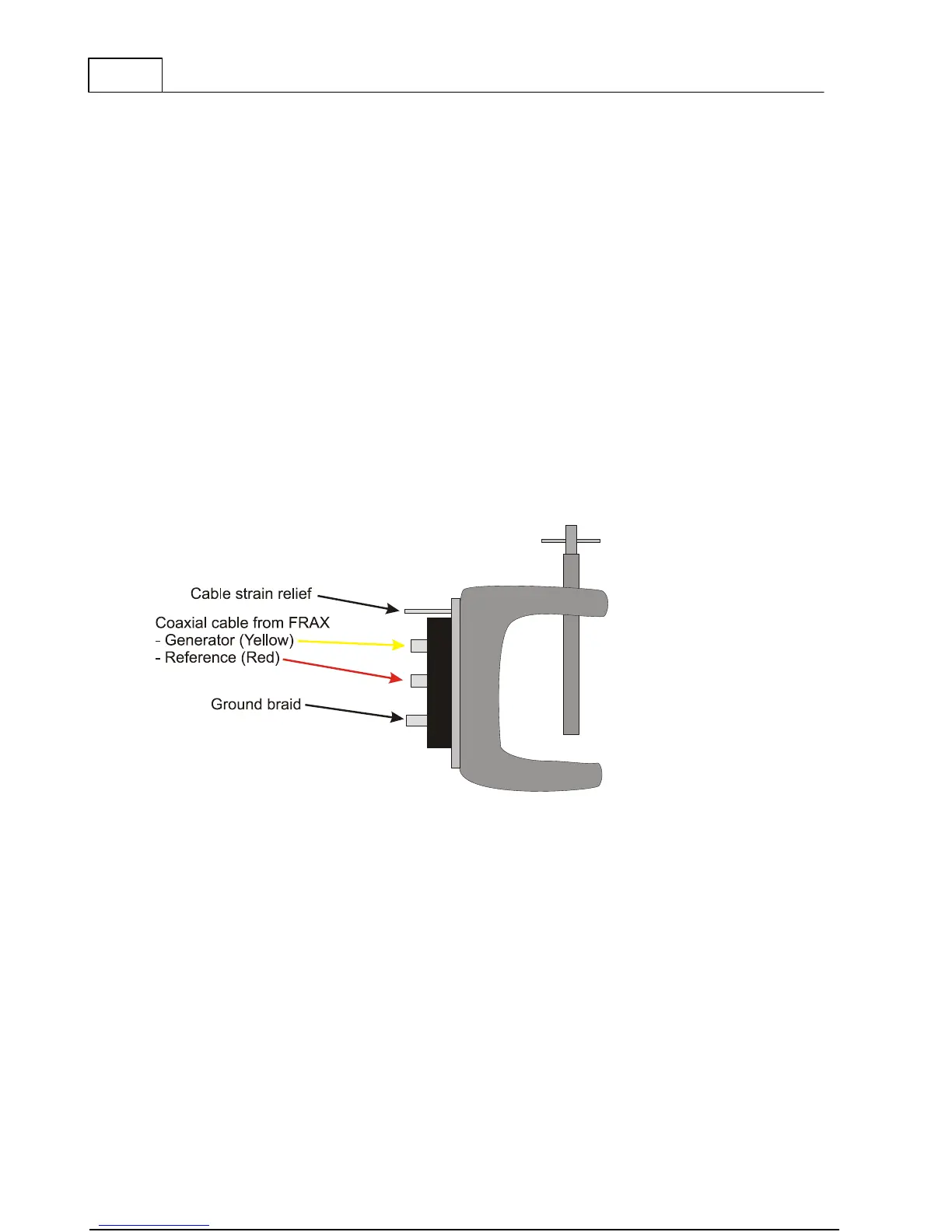
The new innovative FRAX clamp helps the user to connect and achieve repeatable test results
in the simplest way possible. It handles both round and flat connectors and is easy to attach
to any bushing. The firm grip allows heavy cables and accessories to be mounted near the
bushing without any risk of the clamp falling off. The new clamp offers all necessary
connectors (BNC, ground braid, cable strain relief) in one clamp. See Appendix E: FRAX cables
and clamps.



 To Next Page