19
Quick Start Tutorial
© 2011 Megger Sweden AB
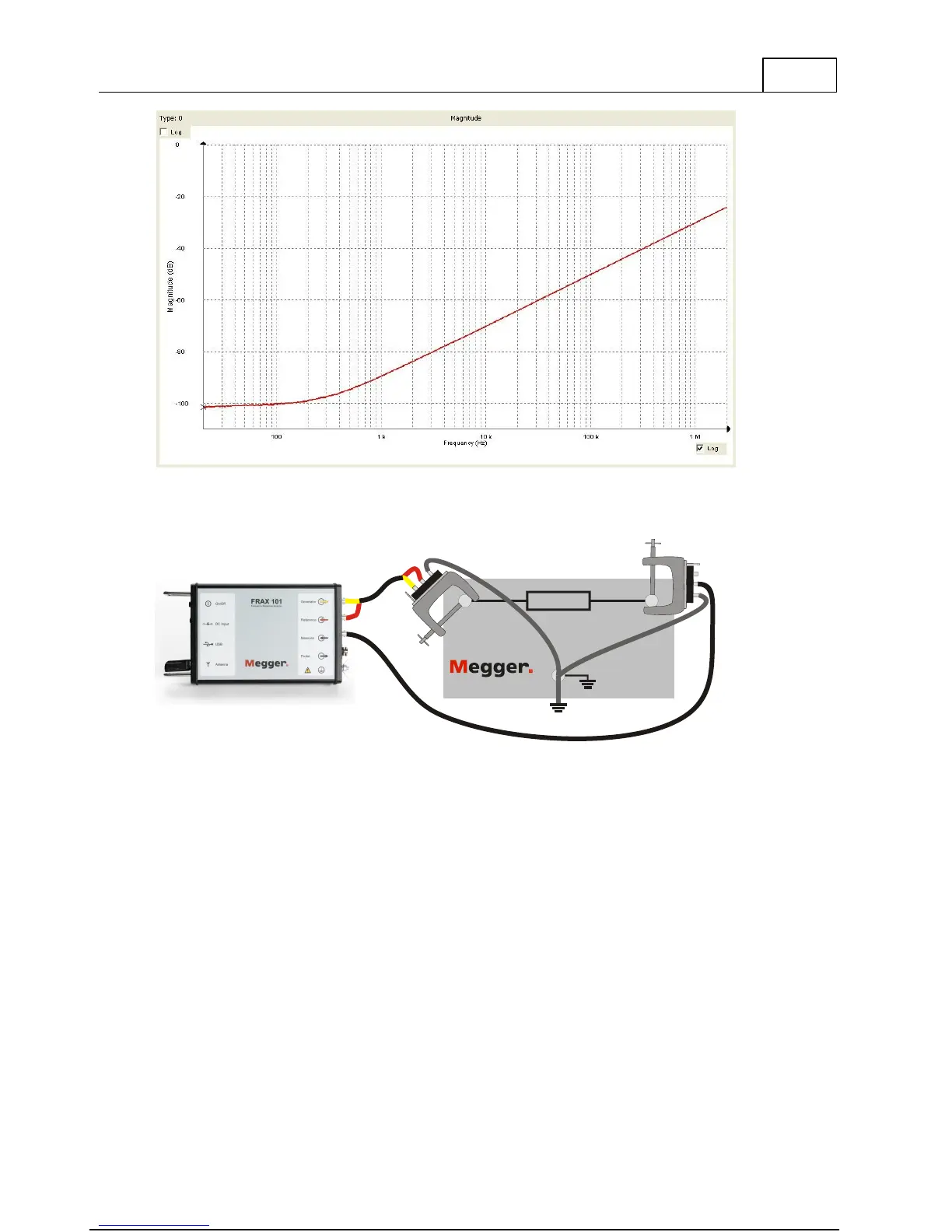
Use the FTB-101 and make a test sweep
1)
. If the hook-up and the equipment is in good
working order the sweep should look as the picture. You can compare the results with the
file
FTB-101.frax
that is shipped with the FRAX software.
REFERENCE
FTB 101
Field Test Box for FRAX
1) Connect the "Source"/"Reference" clip to the left-hand side connector and the braid from
the clip to the bottom connector. Connect "Measure" clip to the right-hand side connector
and the braid from the clip to the bottom connector. Also connect the bottom connector to
ground/earth (otherwise the system will face some interference at 50/60Hz).
2.7 Start Measurement
Execute measurement by selecting a measurement in the Legend at the left side. In the
picture below the blue color shows that H2-H1 (Open) is selected. Start the measurement by
pressing the Start button, F9-key or selecting Start under the File menu.



 To Next Page