65
Appendices
© 2011 Megger Sweden AB
Performing the calibration
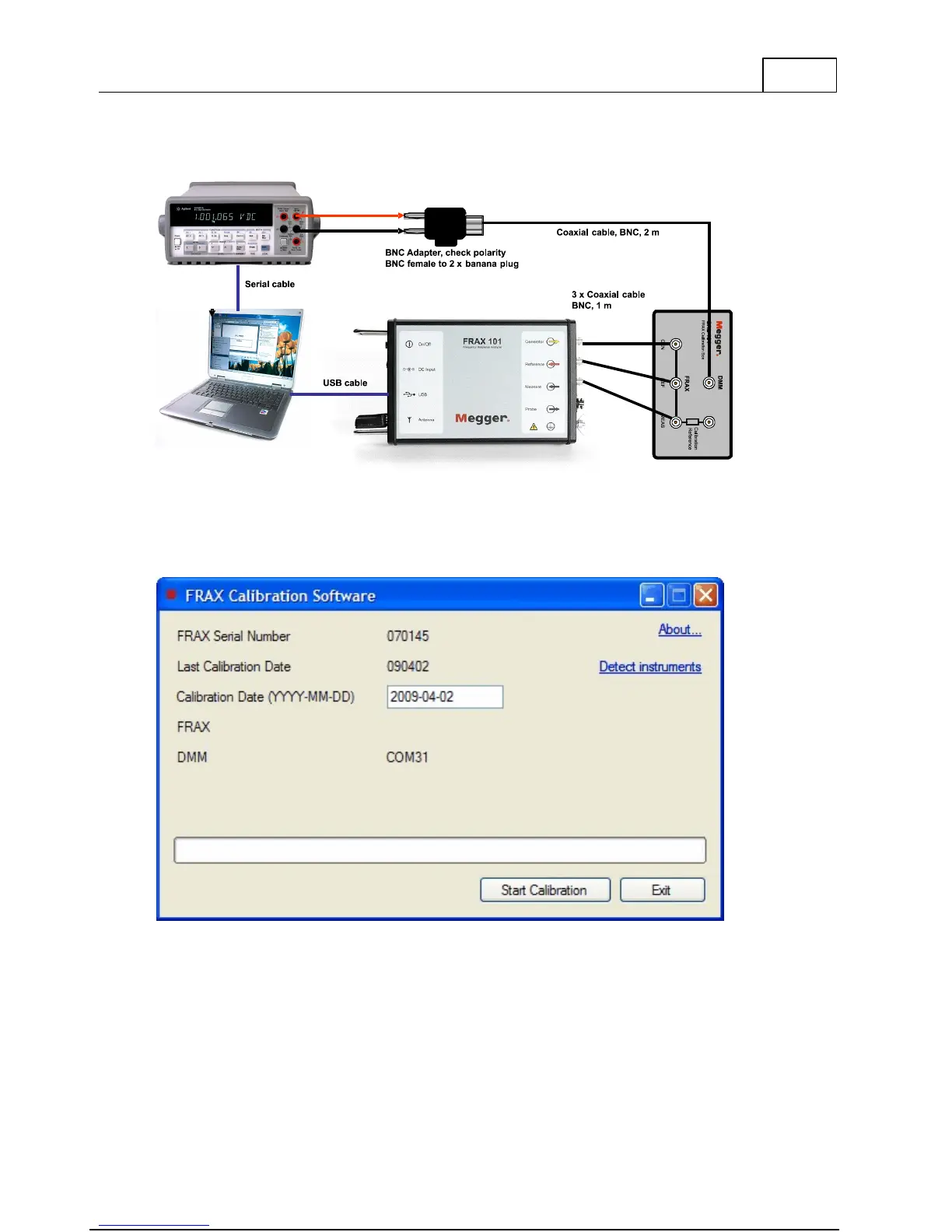
Start the FraxCal software by double clicking the FraxCal icon on your desktop. The start page
of the software is presented in the figure below.
The software will automatically detect the serial number of the FRAX unit and the last
calibration date. It will also automatically suggest current date to be the new calibration
date. The date can be changed by the user. The software will also automatically detect the
communication ports for the FRAX and the DMM.
To start the calibration, press “Start Calibration”.



 To Next Page