21
SVERKER 750/760
Programma Electric AB
ZP-CD01E R05A
4.4 Trip indicator
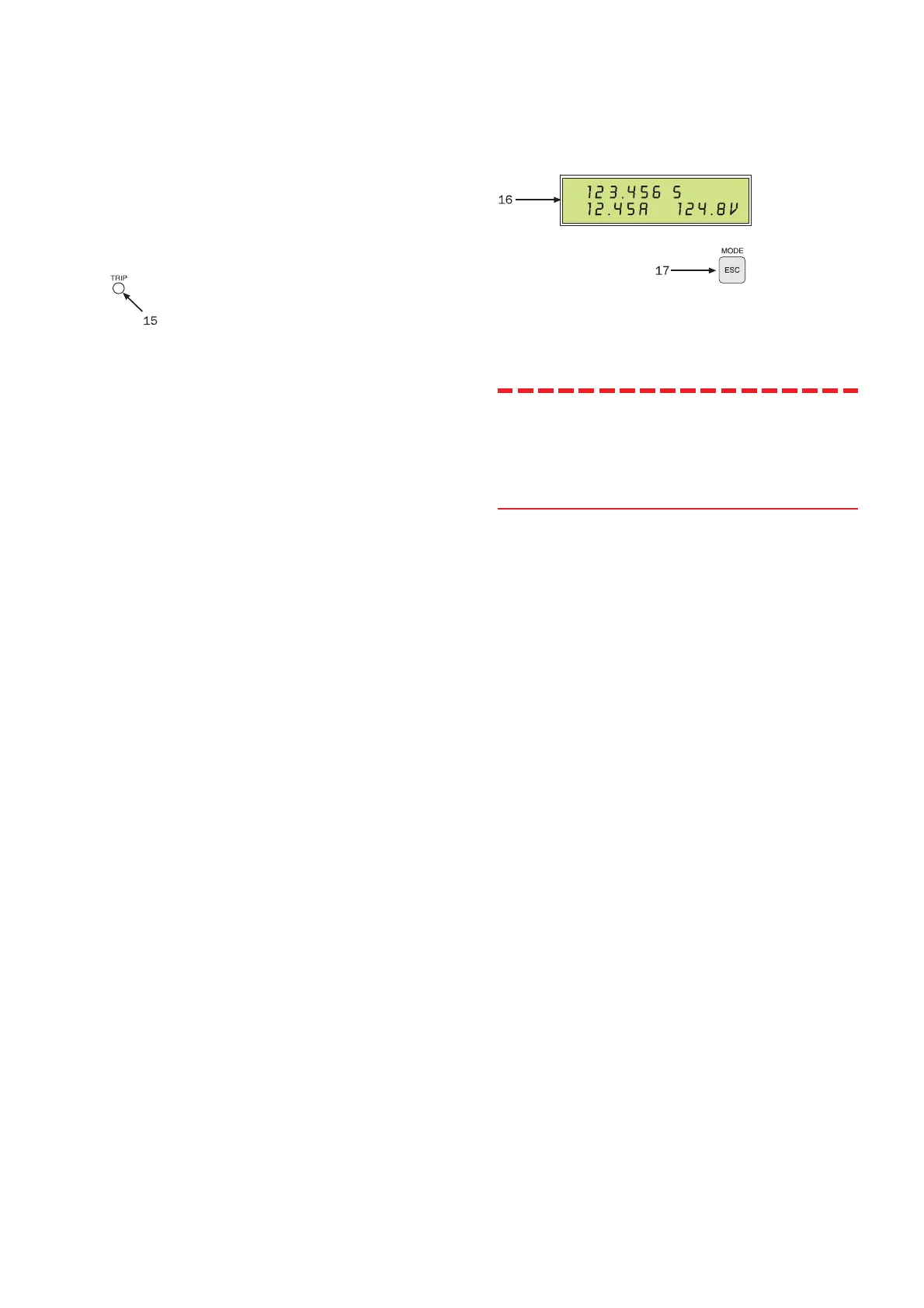
15. TRIP indicator. This indicates that the object
being tested has tripped. The fact that tripping
occurred indicates that the conditions imposed at the
timer’s stop input (item 14) are met. This indication
does not occur unless the object being tested is
connected to the stop input.
Steadily glowing indicator lamp: Indicates tripping
when the test is being conducted without timing
(start switch at the ON position).
Flashing indicator lamp: Indicates tripping when the
test is being conducted with timing (start switch at
the ON+TIME or OFF+TIME position). It also
indicates that timing is completed. Sverker then
returns automatically to the OFF state. You can
reset the flashing indicator lamp by pressing the
button marked HOLD (item 21) twice.
4.5 Display
16. Display.
17. Button marked MODE. This button changes
the display from the measurement mode
(normal mode) to the setting mode and
vice versa.
Note! In the setting mode (MODE activated):
The ESC (blue text) button leaves the
present menu option unchanged and
proceeds to the next higher menu
option.








 To Next Page