EasyManua.ls Logo

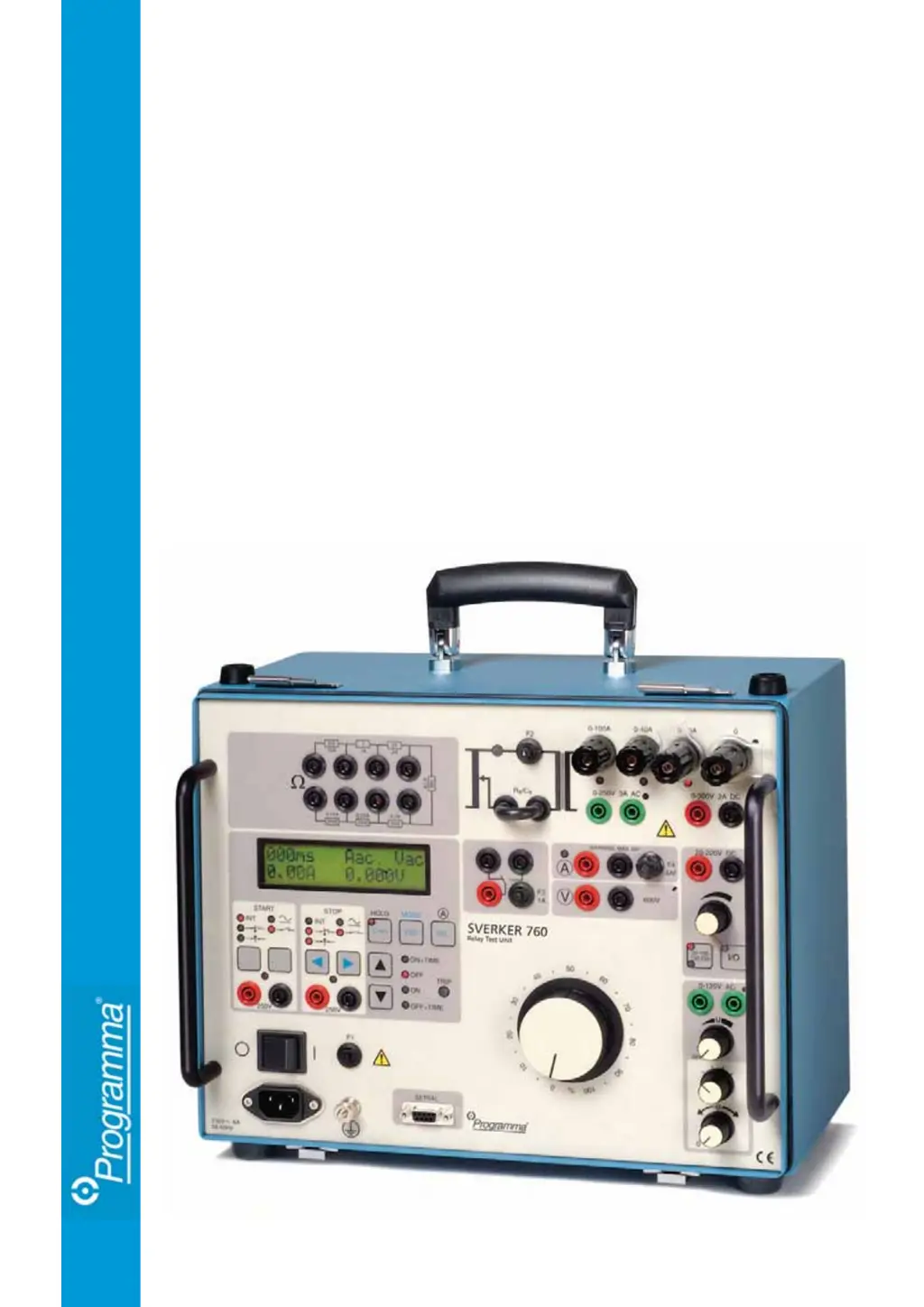
Megger Programma Sverker 760 - User Manual

Megger Programma Sverker 760
76 pages
Print Icon
To Next Page IconTo Next Page
Loading...
SVERKER
750/760
User's manual
Relay Test Unit

Table of Contents

Questions and Answers

  • N
    Nicole FlemingAug 19, 2025
    How to fix no output current from Megger Test Equipment Sverker?
    • P
      pricenicholasAug 19, 2025
      If there's no output current from your Sverker, here's what you should check: * Make sure the power cord is properly plugged in. * Check miniature circuit breakers F1 and F2, as they may have tripped. * The thermal cut-out may have tripped due to an overload. This resets automatically after some time.
  • R
    Ryan BrooksAug 21, 2025
    What to do if Megger Test Equipment displays abnormal current readings?
    • C
      clarkjacquelineAug 22, 2025
      If you are seeing abnormal current readings on your Megger Test Equipment, it's likely that the current is being measured at the wrong test point. Ensure that you have selected the correct test point for the ammeter.
  • M
    mary08Aug 23, 2025
    What does O.F. mean on Megger Programma Sverker 760?
    • T
      Taylor JacksonAug 25, 2025
      O.F. means overflow and indicates that the range being used has been exceeded. One possible cause is that the measurement cycle proceeded too rapidly to permit the range to be switched automatically. You should repeat the measurement. Since range switching data is stored in a memory, your second try may very well be successful.
  • M
    Michael PriceAug 26, 2025
    What to do if no current reading appears on Megger Programma Sverker 760 Test Equipment?
    • K
      khanzacharyAug 26, 2025
      If no current reading appears when measurements are made via the ammeter’s panel input, the miniature circuit breaker F4 may have tripped because the measured current exceeded 6 A. Check the miniature circuit breaker.
  • B
    Bonnie MitchellAug 28, 2025
    How to fix no voltage reading on Megger Programma Sverker 760 Test Equipment?
    • S
      Sharon JohnsonAug 28, 2025
      If no voltage reading appears, the voltmeter panel input is not connected. Connect the voltmeter input.
  • E
    Emily BrooksAug 30, 2025
    Why is there no phase-angle reading or jumping values on my Megger Test Equipment?
    • M
      mitchelllawrenceAug 30, 2025
      If you're getting no phase-angle reading or jumping values, it means no current is being generated. Both current and voltage must be generated. Press 'ON' to generate the current.
  • M
    Mark HoustonAug 31, 2025
    Why are operating times unexpectedly short on Megger Programma Sverker 760 Test Equipment?
    • J
      jackiecampbellAug 31, 2025
      If you are seeing unexpectedly short operating times, it's because contact bounces are occurring in the protective relay equipment. To resolve this, connect the Sverker capacitor in parallel with the test object.
  • E
    Erin RobinsonSep 3, 2025
    What causes make/break contact malfunctions in Megger Test Equipment?
    • K
      kristin88Sep 3, 2025
      If the make/break contact malfunctions, the miniature circuit breaker F3 may have tripped. Check the miniature circuit breaker.
  • C
    cortezjesseSep 5, 2025
    Why does Megger Test Equipment show fewer reclosings than desired?
    • D
      David SilvaSep 5, 2025
      If fewer than the desired number of times appear in the time table after measuring reclosings, the 'delay off' function is activated (time that elapses after tripping before generation is stopped) and start and stop pulses are issued during the 'delay off' period. Shorten the 'delay off' period or set it to 0.
  • C
    Cody OwensSep 7, 2025
    What causes the separate AC voltage source to malfunction on Megger Programma Sverker 760?
    • J
      Jason WatsonSep 7, 2025
      The PTC resistor that serves as a thermal cut-out may have tripped because of an overload. Wait. This cut-out is reset automatically after a certain amount of time has elapsed.

Summary

Safety Regulations

Introduction to Sverker 750;760

Applications of Sverker 750;760

Details the types of relay protection equipment that can be tested.

Design and Construction of Sverker 750;760

Describes the internal components and features of the Sverker 750/760.

Sverker 750;760 Description

Sverker Current Source

Explains the main current source capabilities and operation.

Sverker Timer

Details the timer functions, start/stop conditions, and modes.

Sverker Ammeter & Voltmeter

Explains the ammeter and voltmeter functions and measurements.

Sverker AC Voltage Source

Describes the AC voltage source capabilities for Sverker 750 and 760.

Sverker Auxiliary Voltage Source

Details the auxiliary DC voltage source and its specifications.

Sverker 750;760 Control Panel

Sverker 750 Control Panel Layout

Identifies and labels components on the Sverker 750 control panel.

Sverker 760 Control Panel Layout

Identifies and labels components on the Sverker 760 control panel.

Control Panel: Current Source

Details the controls for the current source.

Control Panel: Timer

Details the controls for the timer.

Control Panel: Ammeter & Voltmeter

Explains the controls for the ammeter and voltmeter.

Control Panel: AC Voltage Source

Describes controls for the AC voltage source.

Control Panel: Auxiliary Voltage Source

Describes controls for the auxiliary DC voltage source.

Making Settings on the Display

Entering and Exiting Setting Mode

Instructions on how to enter and return from the setting mode.

Sverker Button Functions

Button Functions in Setting Mode

Details the function of buttons when Sverker is in setting mode.

Sverker Direction Indicator

Changing Numerical Values

Step-by-step guide on changing numerical values in menus.

Sverker Menu System Overview

Test Mode Settings

Settings for Normal, Trip+pulse time, and Reclose test modes.

Injection Settings

Settings for Maintained, Momentary, Max time, and External Start injection.

Ammeter Settings

Settings for AC/DC measurement, units, and ranges.

Voltmeter Settings

Settings for AC/DC measurement, units, and ranges.

Extra Measurement Functions

Options for measuring Z, φ, W, VA, etc.

Timer Settings

Settings for time units (seconds/cycles).

Sverker Ammeter Settings

Sverker Voltmeter Settings

How to Operate Sverker

General Rules for Injecting Current

Rules of thumb for injecting current during relay testing.

Setting the Desired Current

Finding Pick-up;Drop-out Limits (Overcurrent;Voltage)

Method 1 a: Normal Injection (Gradual Increase)

Procedure to find pick-up/drop-out by gradually increasing current.

Method 1 b: Using HOLD Function

Finding limits using the HOLD function for freezing readings.

Method 2: Manually-controlled Injection

Procedure for finding limits with momentary injection.

Finding Pick-up;Drop-out Limits (Undercurrent;Voltage)

Measuring Operating Times (Overcurrent;Voltage)

Method 1: Normal Injection for Operating Times

Measures operating times with continuous generation.

Method 2: Manually-controlled Injection for Operating Times

Measures operating times with momentary generation.

Method 3: Time-limited Injection for Operating Times

Measures operating times with time-limited generation.

Measuring Operating Times (Undercurrent;Voltage)

Testing Voltage Relays (Pre-fault and Fault Voltages)

Changing Current and Voltage Phase Difference

Measuring Phase Angle with Sverker

Testing Automatic Reclosers

Sverker 750;760 Application Examples

Testing Voltage Relays

Procedures for testing pick-up, drop-out, and operating time of voltage relays.

Testing Over-Current Relays

Procedures for testing pick-up, drop-out, and operating time of over-current relays.

Testing Directional Relays and Ground-Fault Systems

Sverker 760 Specific Tests

Testing Pick-up and Drop-out Functions (I>; U>)

Testing pick-up and drop-out for current and voltage.

Testing Operating Time (I> ON + TIME DELAY)

Measuring operating time for I> relays.

Testing Pick-up and Drop-out Functions (U>)

Testing pick-up and drop-out for voltage relays.

Testing Power Relays

Testing Under-Voltage Relays

Testing Motor Overload Releases and Overcurrent Cut-outs

Sverker 750;760 Troubleshooting Guide

General Troubleshooting

Common faults and their possible causes and remedies.

Troubleshooting Error Messages

Common error messages and their remedies.

Sverker 750;760 Technical Specifications

Sverker Measurement Specifications

Sverker Maintenance Procedures

Megger Programma Sverker 760 Specifications

General IconGeneral
BrandMegger
ModelProgramma Sverker 760
CategoryTest Equipment
LanguageEnglish

Related product manuals