47
SVERKER 750/760
Programma Electric AB
ZP-CD01E R05A
6.13 Setting an
auxiliary voltage
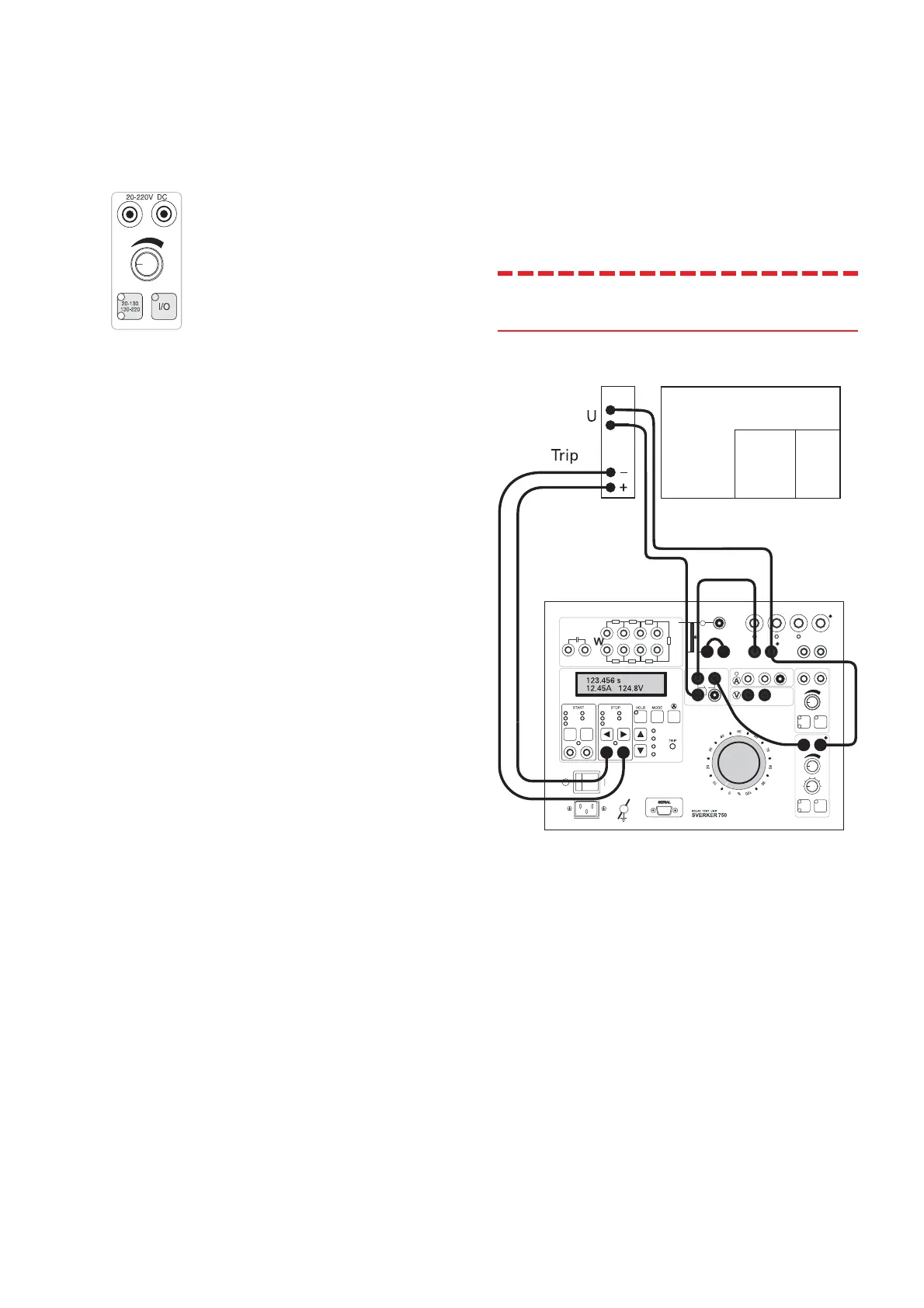
1. Connect the Sverker voltmeter input to the
output of the auxiliary voltage source.
Auxiliary voltage source
2. Set the voltmeter to measure DC (see
explanation of settings in Chapter 5).
3. Select the range to be used for the auxil-
iary voltage (20-130 V or 130-220 V).
4. Turn on the auxiliary voltage source and set
the desired value.
5. Turn off the auxiliary voltage source.
6. Connect the auxiliary voltage to the relay.
7. Turn on the auxiliary voltage source. Check
the voltage on the Sverker voltmeter.
6.14 Testing voltage
relays – both pre-fault
and fault voltages
Only for SVERKER 750
Note! This connection will damage a
SVERKER 760.
Sometimes it is necessary to change between two
voltage levels and measure the time that elapses
until operation. This can be done using the Sverker
make/break contact.
1. Connect the voltmeter input to the 0-250 V
output. Activate ON using the start switch.
Set the voltage that corresponds to the
pre-fault voltage.
2. Set the start switch to OFF.
3. Connect the voltmeter input to the 0-120 V
AC voltage source. Turn on the AC voltage
source and set the voltage that corre-
sponds to the fault voltage.
4. Turn off the AC voltage source.








 To Next Page