10 Settings
46
Explanation of the possible settings for graphic recording:
Interval Explanation
CF card (CFC) recording interval in seconds – Indicates the time intervals in which the program
curve is recorded on the CF card. The smaller the time interval,
the more exact the curve. In the example, the time interval is set
at 1 second.
PC recording interval in seconds – Indicates the time intervals in which the program
curve is recorded, if the computer is selected as output medium.
The smaller the time interval, the more exact the curve. In the
example, the time interval is set at 1 second.
PC backup interval in seconds – Indicates the time interval in which the graphic data
from the steam sterilizer is saved on the computer. In the
example, the backup interval is set to 1 second.
Log output in English
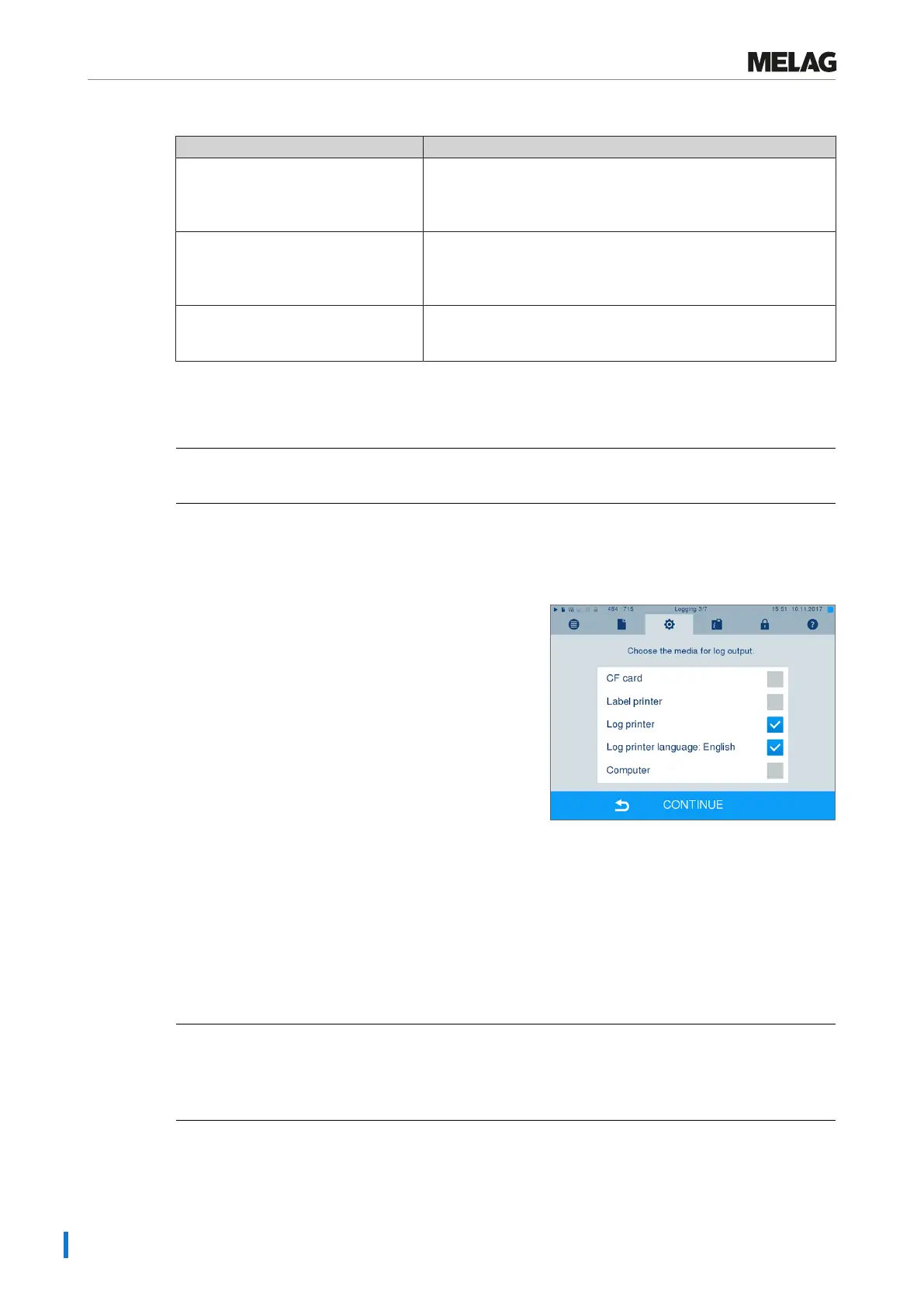
If you want to print all text logs on the MELAprint log printer in English, proceed as follows:
ü
The text log is to be printed in English, regardless of the language of the graphical user interface.
ü
You are in the menuSettings >Logging.
1. Press repeatedly on CONTINUE until you reach the
log output menu.
2. Select theLog printer as an output medium.
3. In addition, selectLog printer language:
English.
4. Press repeatedly on CONTINUE until you come to
the summary window.
5. Press SAVE to save the setting.
Ê The output of the text logs on the MELAprint log printer is in English.
Using the computer as an output medium
Log transmission can be performed via an FTP server / service or TCP. The following section shows how
to set the desired connection:
ü
You are in MenuSettings >Logging.
ü
The steam sterilizer is connected to a computer via a network cable (RJ45).
ü
Depending on the output type, an FTP server / service or a suitable program e.g. MELAtrace /
MELAview is installed.











 To Next Page