10 Settings
56
Date and time
Correct batch documentation requires the correct date and time setting on the steam sterilizer. Ensure that
you take into account the clock change in autumn and summer, as this is not adjusted automatically. Once
the time has been set on the steam sterilizer, it is very accurate. Set the date and time as follows:
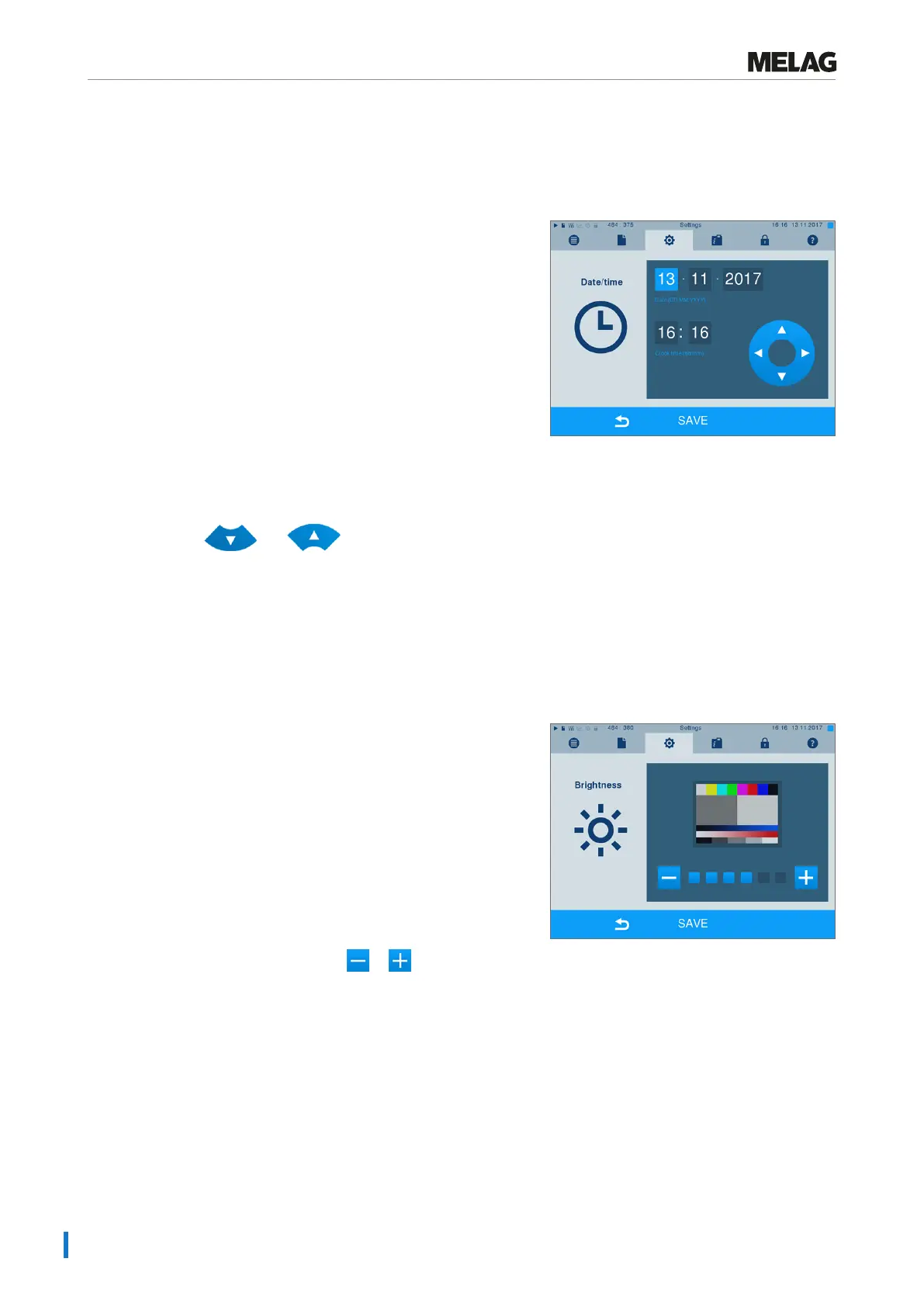
1. Select menuSettings >Date & time. The
display switches to the settings window.
2. Select the parameters which you wish to change
(day, month, year / hour, minute). The marked
parameter is depicted light blue, here e.g. the day.
3. Change the respective value via the pushbuttons.
and Repeat this step for all the
parameters which you wish to change.
4. Confirm the changes with SAVE.
Ê The display will be restarted after saving and then changes automatically to menuPrograms &
Tests.
Brightness
1. SelectSettings >Brightness. The display
switches to the settings window.
2. Press the pushbuttons or to adjust the
brightness and contrast on the display.
3. Accept all the settings with SAVE and then leave
the menu.











 To Next Page