Operation and Control
26 D30374 11/2023
13 Activation key for adjustment of temperature
monitoring
14 Monitoring display
15 Graphic representation 16 Activation key for graphic representation
6.4.2 Basic Operation
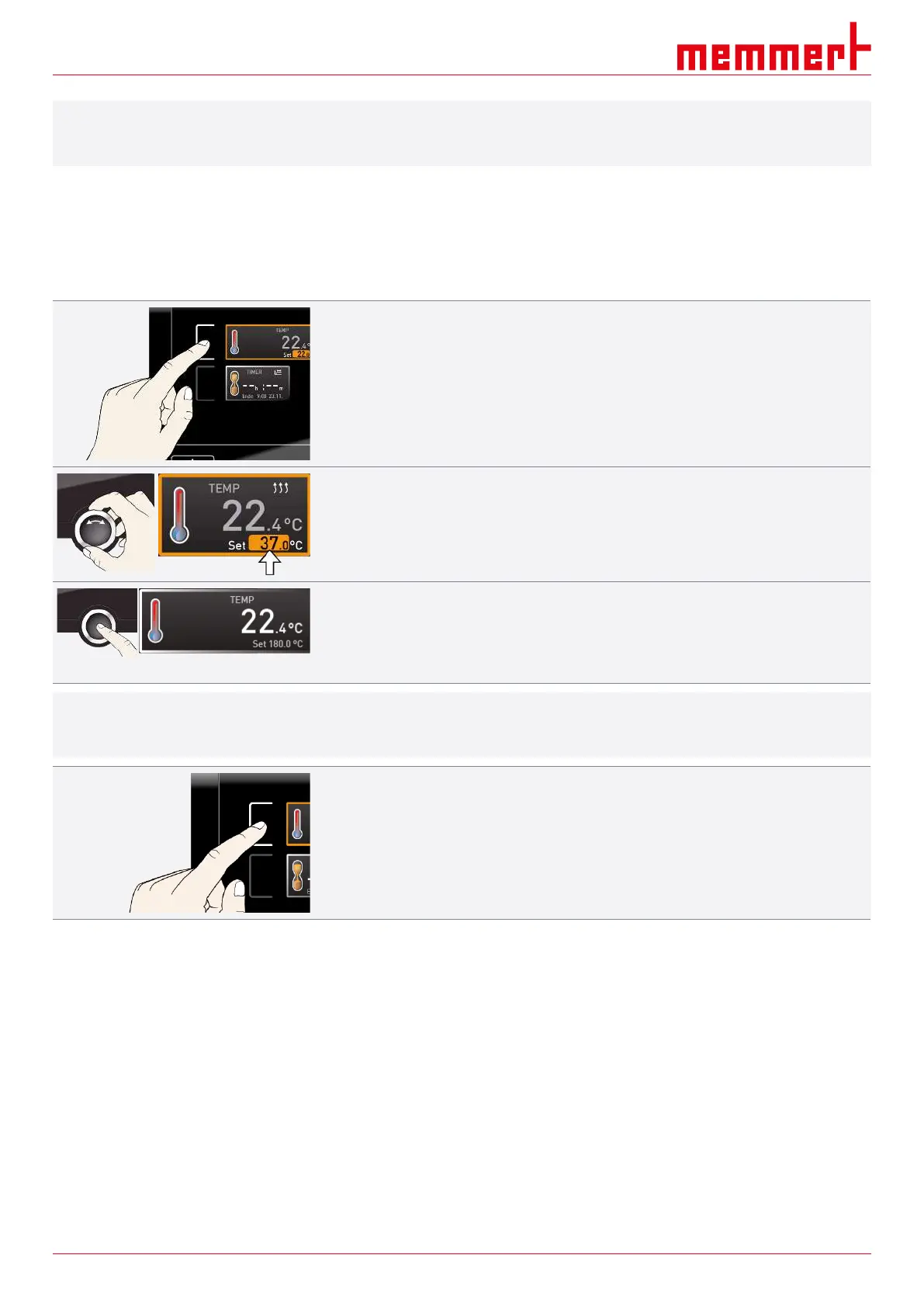
In general, all settings are made as follows:
Activate the desired parameter (e.g. temperature):
1. To do so, press the activation key to the left or right of the respective display.
ð The activated display is outlined in colour, the other displays are dimmed.
ð The setpoint value (Set) is highlighted in colour.
2. To adjust the setpoint value (e.g. to 37.0°C), turn the turn control clockwise or anti-
clockwise.
3. Save the set value by pressing the confirmation key.
ð The display returns to normal and the appliance starts controlling with reference to
the defined setpoint value.
ð Additional parameters and functions (pressure) can be set accordingly.
i
If no new values are entered or confirmed for approx. 30 seconds, the appliance
automatically restores the former values.
If you want to discard the settings:
4. Press the activation key on the left or right of the display that you want to exit.
ð The appliance restores the former values.
ð Only the settings that you have saved by pressing the confirmation key will be applied.
6.5 Operating Modes
Manual mode
The appliance runs continuously with the values set at the ControlCOCKPIT.
■ See }6.5.1Manual Mode
Timer mode
Operation with digital backwards counter with target time setting, adjustable from 1
minute to 99 days (Timer): The appliance runs at the values set until the set time has
elapsed.
■ See }6.5.2Digital Backwards Counter



 To Next Page