Menu Mode
41 D30374 11/2023
4. Confirm the selection by pressing the confirmation key.
ð The next three digits of the IP address are automatically marked.
ð They can now also be set according to the description above.
5. After setting the last three digits, confirm the new IP address by pressing the
confirmation key.
ð The overview is displayed once again.
ð The subnet mask can be set in the same way.
8.3.3 Unit
Here, you can choose whether the temperature is displayed in °C or °F.
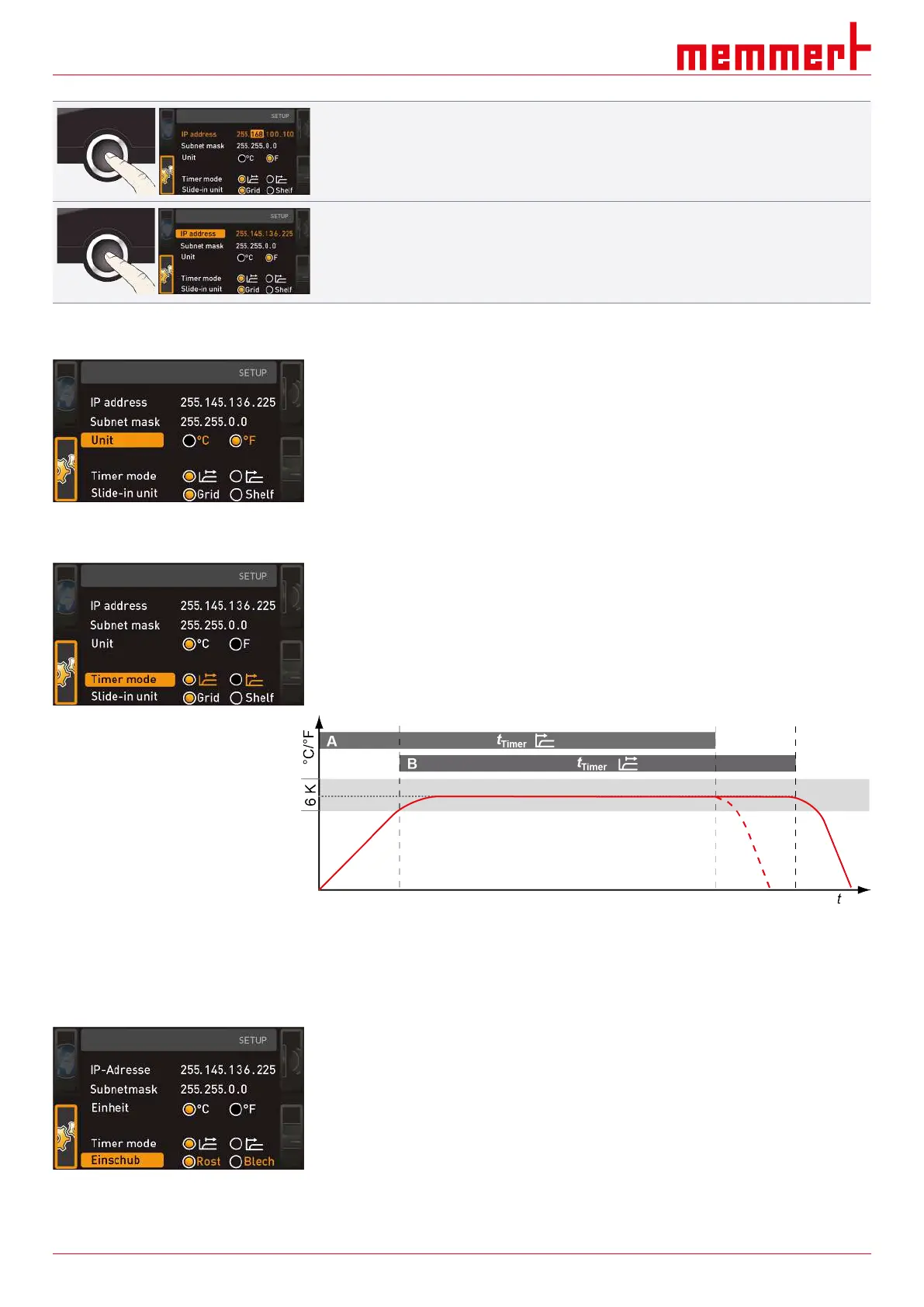
8.3.4 Timer Mode
Here, you can choose whether the digital backwards counter with target time setting (see
}6.5.2Digital Backwards Counter) should be setpoint-dependent or not – in other words,
whether the timer should not start until a tolerance band around the setpoint temperature
is reached Ⓑ or if it should start right after activation Ⓐ.
See also
2 Digital Backwards Counter [}28]
8.3.5 Shelf Type (Grid or metal plate)
Here, you have to set the type of shelf (grid or metal panel) used. The selection Metal
panel enables you to adjust the closed-loop control function to the different air flow
characteristics in the chamber when using optional shelves instead of the grids provided
as standard.



 To Next Page