Menu Mode
46 D30374 11/2023
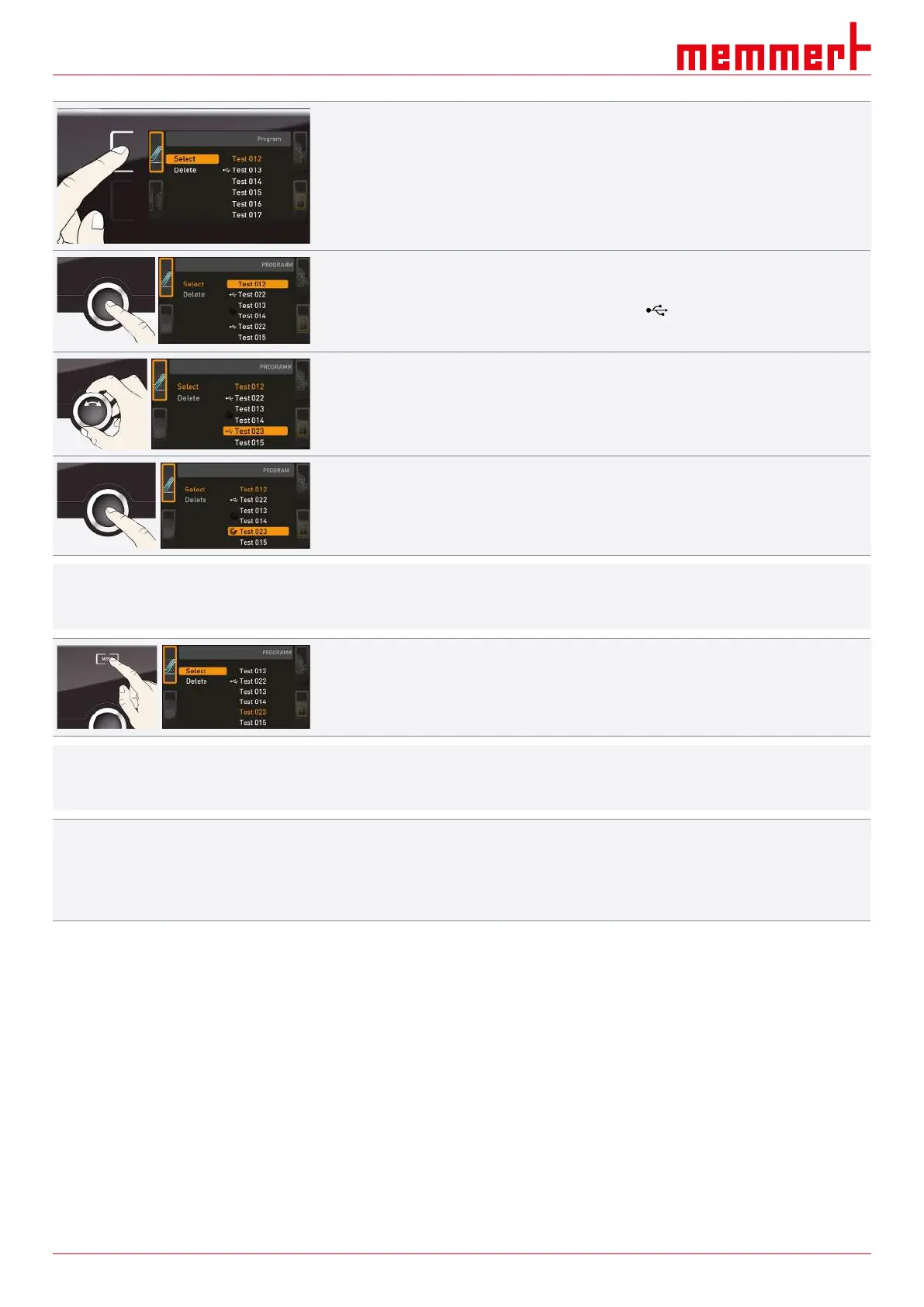
2. Press the activation key on the left of the Prog display.
ð The display is enlarged and the Select entry is automatically highlighted.
ð The programmes available for activation are shown on the right.
ð The programme currently available for use – in this example Test 012 – is
highlighted in orange.
3. Press the confirmation key to access the Select function.
ð All available programmes are displayed, including the ones saved on the USB data
storage medium (identified by the USB symbol ).
ð The programme currently available for use is highlighted in orange.
4. With the turn control, select the programme you want to use.
5. Confirm the selection by pressing the confirmation key.
ð The programme is now loaded, as indicated by the progress display.
i
As soon as the programme is ready, Select is highlighted once again.
To start the programme:
6. Return to the operating mode by pressing the MENU key again.
7. Start the programme as described in }6.5.3Programme Mode.
i
You can now remove the USB storage medium.
To delete a programme:
8. select the programme to be deleted the same way you can select a programme for
activation.
9. Select Delete with the turn control.
See also
2 Programme Mode [}29]
8.7 Acoustic Signals
In the SOUND display, you can define whether or not the appliance should emit acoustic
signals and, if yes, for which events:
■ on the press of a key
■ at the end of a programme
■ in the event of an alarm
■ if the door is open



 To Next Page