Operation and Control
27 D30374 11/2023
Programme Mode
The appliance automatically runs programme sequences which have been defined using
AtmoCONTROL software at a computer / laptop and then transferred to the appliance from
a USB stick or via Ethernet.
■ See }6.5.3Programme Mode
Remote control mode
Via remote control
■ See }8.3.7Remote Control
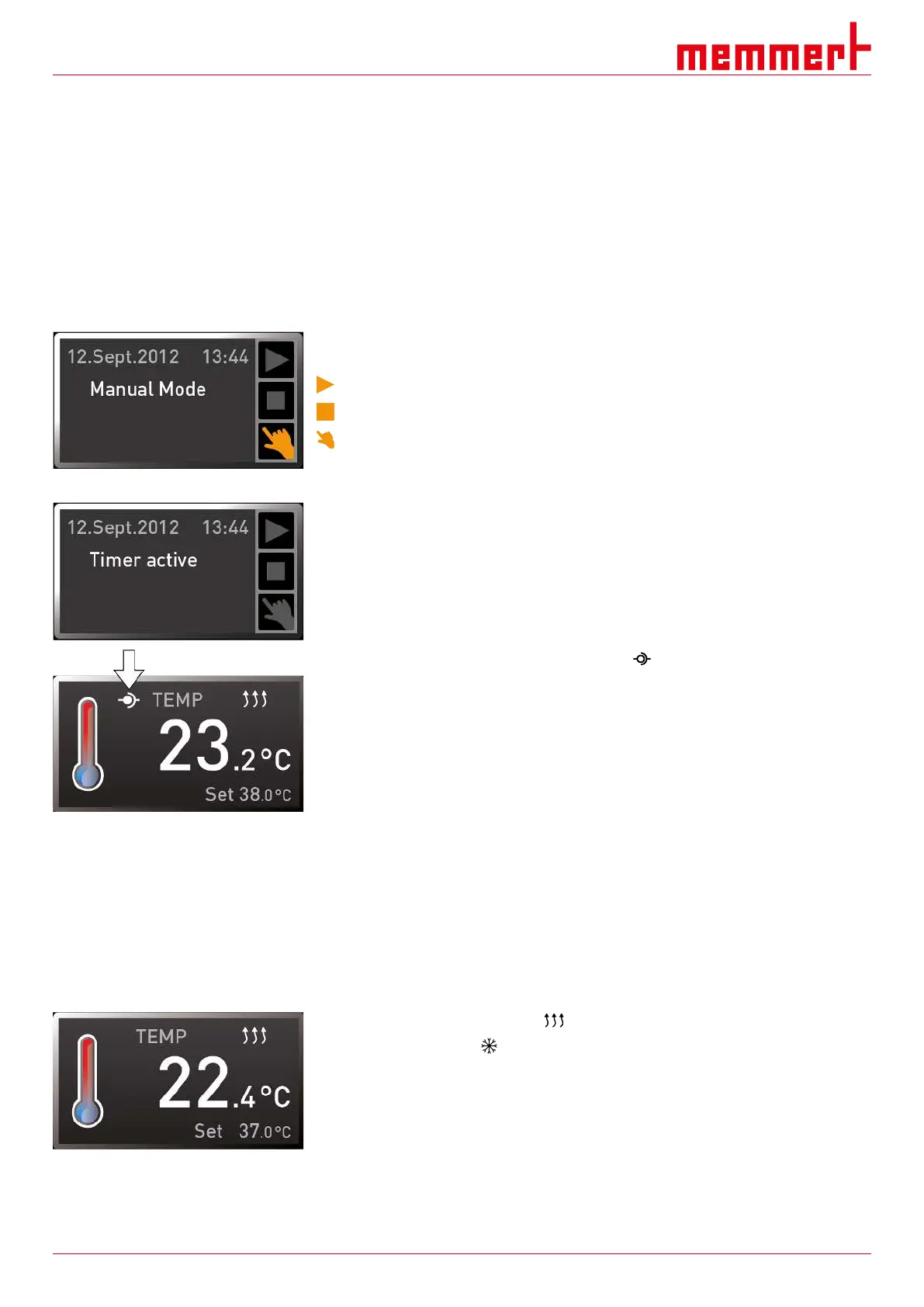
The status display shows the current operating mode or operating state of the appliance.
The current operating state is indicated by colour and text display:
Appliance is in programme mode
Programme stopped
Appliance is in manual mode
The example on the right shows the appliance in manual mode, as indicated by the
coloured hand symbol.
When the appliance is in timer mode, Timer active is displayed.
When the appliance is in remote control mode, the symbol appears in the temperature
display.
See also
2 Manual Mode [}27]
2 Digital Backwards Counter [}28]
2 Programme Mode [}29]
2 Remote Control [}42]
6.5.1 Manual Mode
In this operating mode, the appliance runs continuously with the values set on the
ControlCOCKPIT.
As described in chapter }6.4.2Basic Operation, you can set the following parameters after
pressing the corresponding activation key (in any sequence):
Temperature
Heating operation is indicated by the symbol.
Cooling is indicated by the symbol.
You can display the temperature in °C or °F.
Adjustment range depends on appliance (see }3.6Nameplate and
}3.7Technical Data).



 To Next Page