Menu Mode
43 D30374 11/2023
8.4 Date and Time
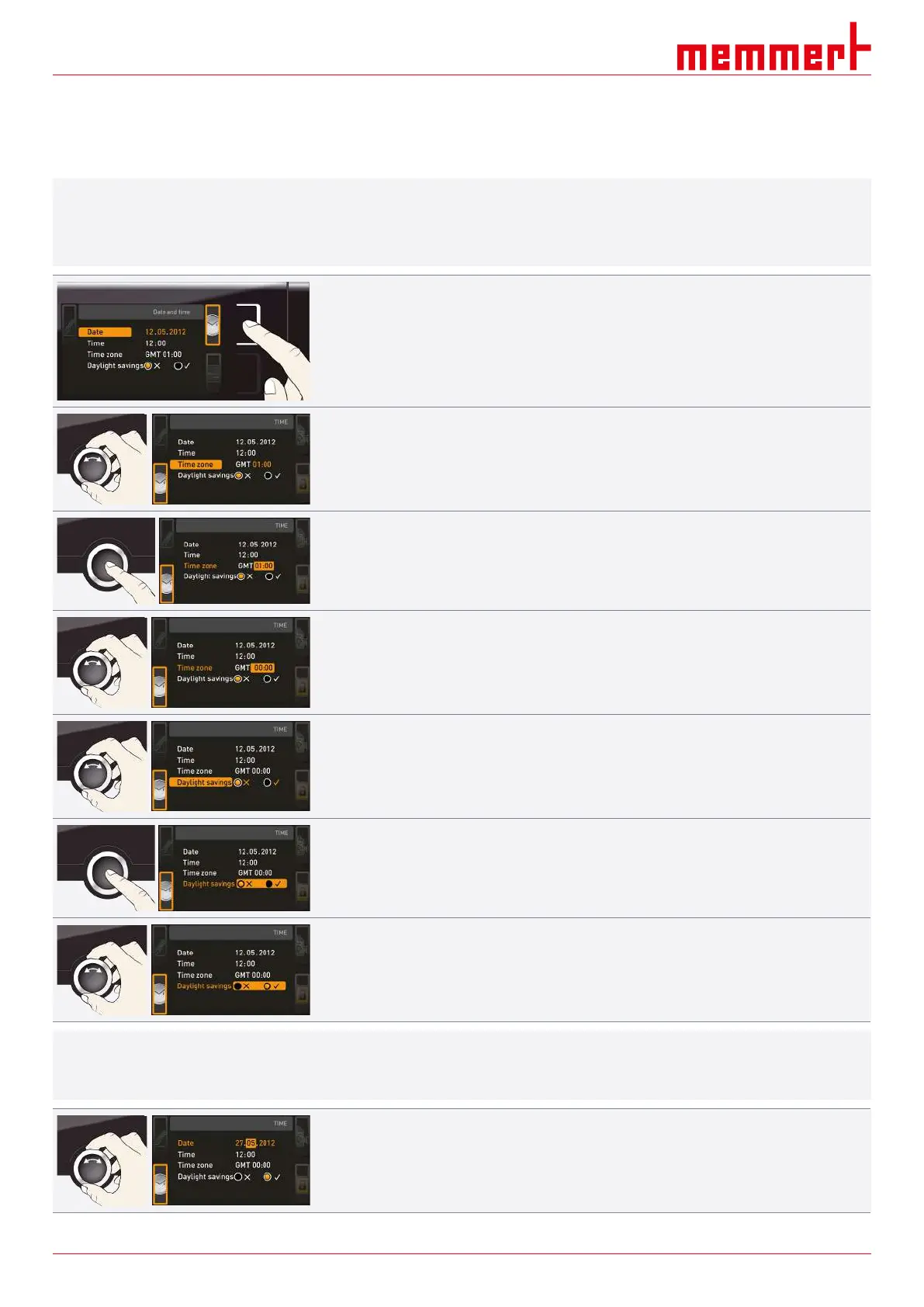
In the TIME display, you can set date and time, time zone and summer time. Changes can
only be made in manual operating mode.
i
Always set the time zone (and summer time yes/no) before you set the date and time.
Avoid changing the set time after that since this can lead to gaps or overlapping when
recording measured values. If you still need to change the time, you should not run a
programme immediately before or after doing so.
1. Press the activation key to the right of the TIME display.
ð The display is enlarged and the first adjustment option (Date) automatically
highlighted.
2. Turn the turn control until Time zone is highlighted.
3. Confirm the selection by pressing the confirmation key.
4. Set the time zone of the installation site with the turn control (e.g. 00:00 for Great
Britain, 01:00 for France, Spain or Germany).
5. Confirm the selection by pressing the confirmation key.
6. With the turn control, select the Summertime entry.
7. Confirm the selection by pressing the confirmation key.
ð The adjustment options are highlighted.
8. Set summertime to off (
✕
) or on (
✓
) with the turn control – in this case on (
✓
).
9. Save the setting by pressing the confirmation key.
i
The changeover between summer and winter time does not take place automatically. For
this reason, please remember to adjust the setting at the start and end of the summer
time.
10. Set the date (day, month year) and time (hours, minutes).
11. Confirm the setting by pressing the confirmation key.



 To Next Page