Menu Mode
39 D30374 11/2023
i
If no new values are entered or confirmed for approx. 30 seconds, the appliance
automatically restores the former values.
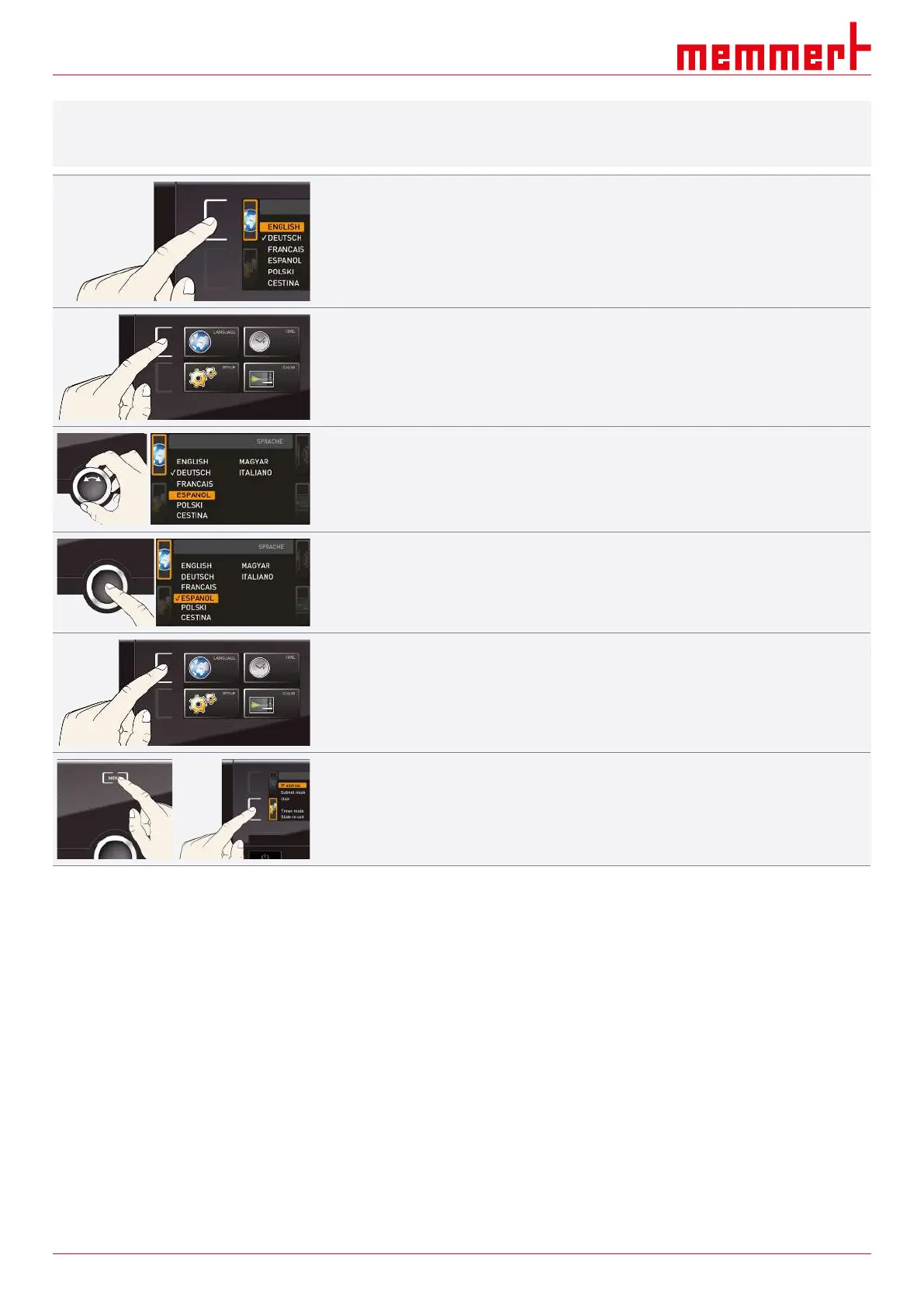
Activate the desired setting (in this example the language):
1. To do so, press the activation key to the left or right of the respective display.
ð The activated display is enlarged.
2. If you want to discard the settings or exit the dialogue, press the activation key again.
ð The appliance returns to the menu overview.
ð Only the settings that you have saved by pressing the confirmation key will be
applied.
3. Select the desired new setting, e.g. Spanish (ESPANOL) using the turn control.
4. Save the setting by pressing the confirmation key.
5. To return to the menu overview, press the activation key again.
You can now
■ activate another menu function by pressing the corresponding activation key or
■ return to the operating mode by pressing the MENU key.
8.3 Setup
8.3.1 Overview
In the SETUP display, you can set the following parameters:
■ the IP address and subnet mask of the appliance’s Ethernet interface (for connection to a
network)
■ The units of the temperature display (°C or °F, see }8.3.3Unit)
■ The mode of operation of the digital backwards counter with target time setting (Timer
Mode,
see }6.5.2Digital Backwards Counter)
■ The automatic defrosting system (defrost, see }8.3.6 Automatic Defrosting System
(Defrost))
■ Remote control (see }8.3.7Remote Control)



 To Next Page