Menu Mode
47 D30374 11/2023
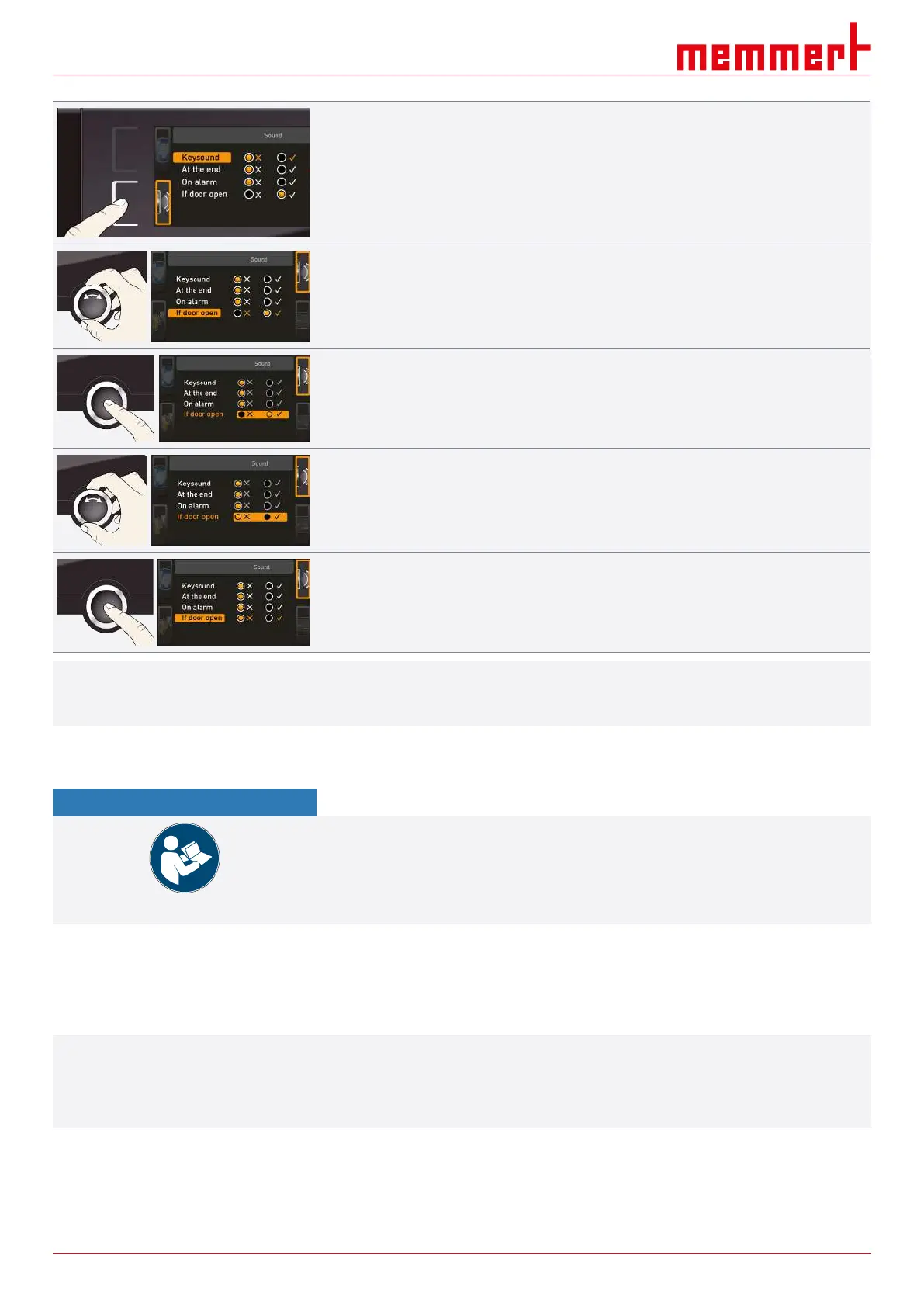
1. Press the activation key to the left of the SOUND display.
ð The display is enlarged.
ð The first category (in this case Keysound) is automatically highlighted.
ð The current settings are shown on the right.
If you want to edit another list entry:
■ Turn the turn control until the respective entry – e.g. if the door is open (special
configuration) – is highlighted in colour.
2. Confirm the selection by pressing the confirmation key.
ð The adjustment options are automatically highlighted.
3. With the turn control, select the desired setting – in this example OFF (
✕
).
4. Save the setting by pressing the confirmation key.
i
If an acoustic signal sounds, it can be turned off by pressing the confirmation key.
8.8 Log
NOTICE
The supplied manual for AtmoCONTROL describes how
– to import exported log data into AtmoCONTROL,
– exported log data can be processed further in AtmoCONTROL,
– log data can be read out via Ethernet.
The appliance continually logs all relevant measured values, settings and error messages
at 1-minute intervals. The internal log memory is a continuous memory type. The log
function cannot be switched off and is always active. The measured data are stored in the
appliance, safe from manipulation. If the power supply is interrupted, the time of the power
failure and when the power was restored are stored in the appliance.
i
You can export the log data for different periods to a USB storage medium via the USB
interface, or export the data via Ethernet and reimport it in the AtmoCONTROL software
for graphic display, print-out or storage.
The log memory of the appliance is not modified or deleted by reading it out.



 To Next Page