Operation Manual Menzi Muck A91 Page 85
Control and Display elements
6.8 Covers
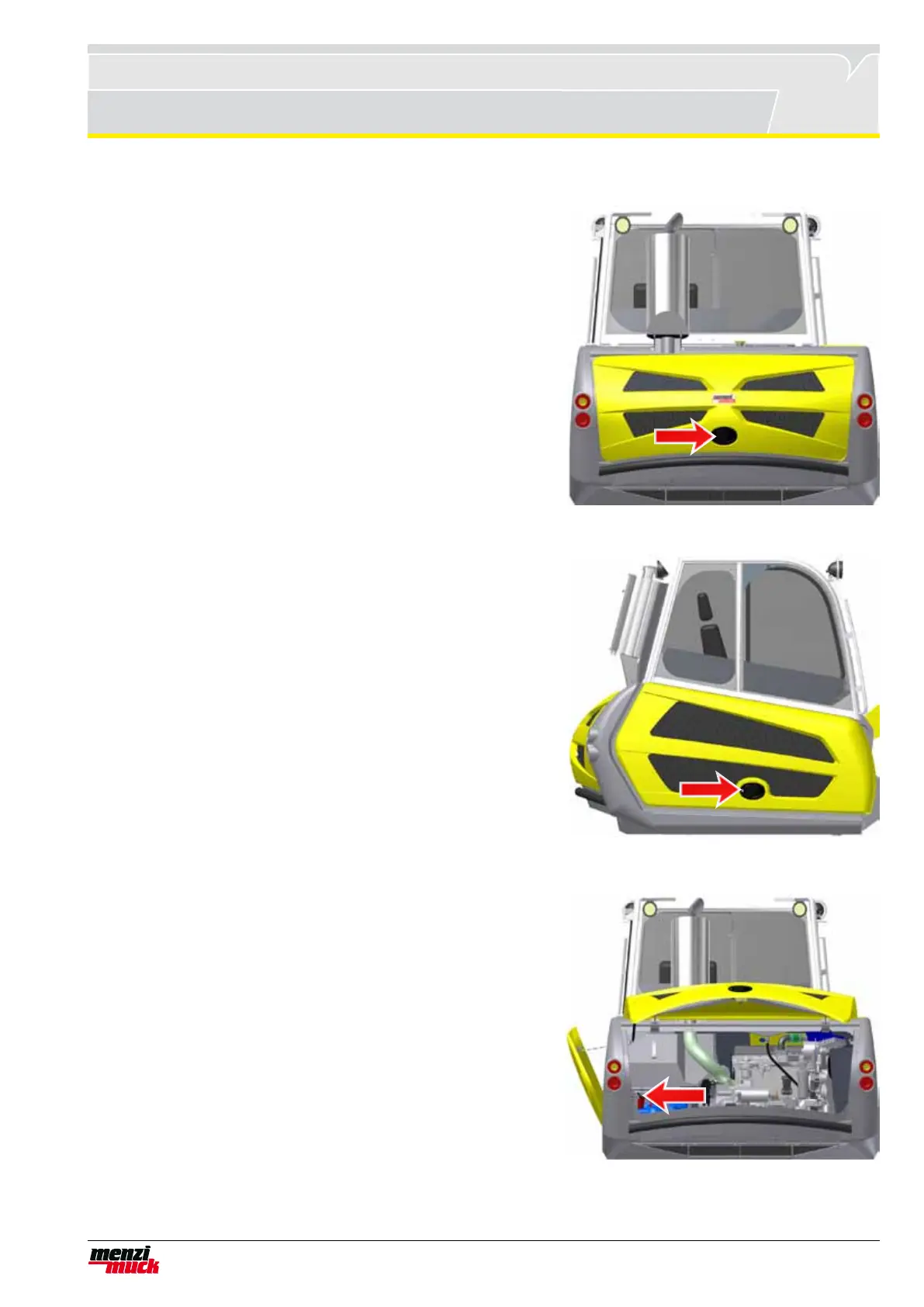
6.8.1 Rear cover
Open: Open the rear cover lock by turning the ignition key. Then
actuate the lock and open the rear cover. It is kept open by gas
pressure springs.
Close: Fold the rear cover downwards until it engages into the lock.
The rear cover can be locked using the ignition key.
6.8.2 Right side cover
Open: Open the right side cover lock by turning the ignition key.
Then actuate the lock and open the right side cover. It is kept open
by gas pressure springs.
Close: Fold the right side cover downwards until it engages into the
lock. You can lock the right side cover with the ignition key.
6.8.3 Left side cover
Open: First open the rear cover as shown in the above diagram. The
lift the unlocking button to open the side cover. It jumps open, but
is held by the safety chain. You can now unhook the snaphook from
the safety chain and lift away the cover.
Close: Lift eh side cover in its attachment and hook on the safety
chain. Now press the left side cover into the lock. Close the rear co-
ver.



 To Next Page