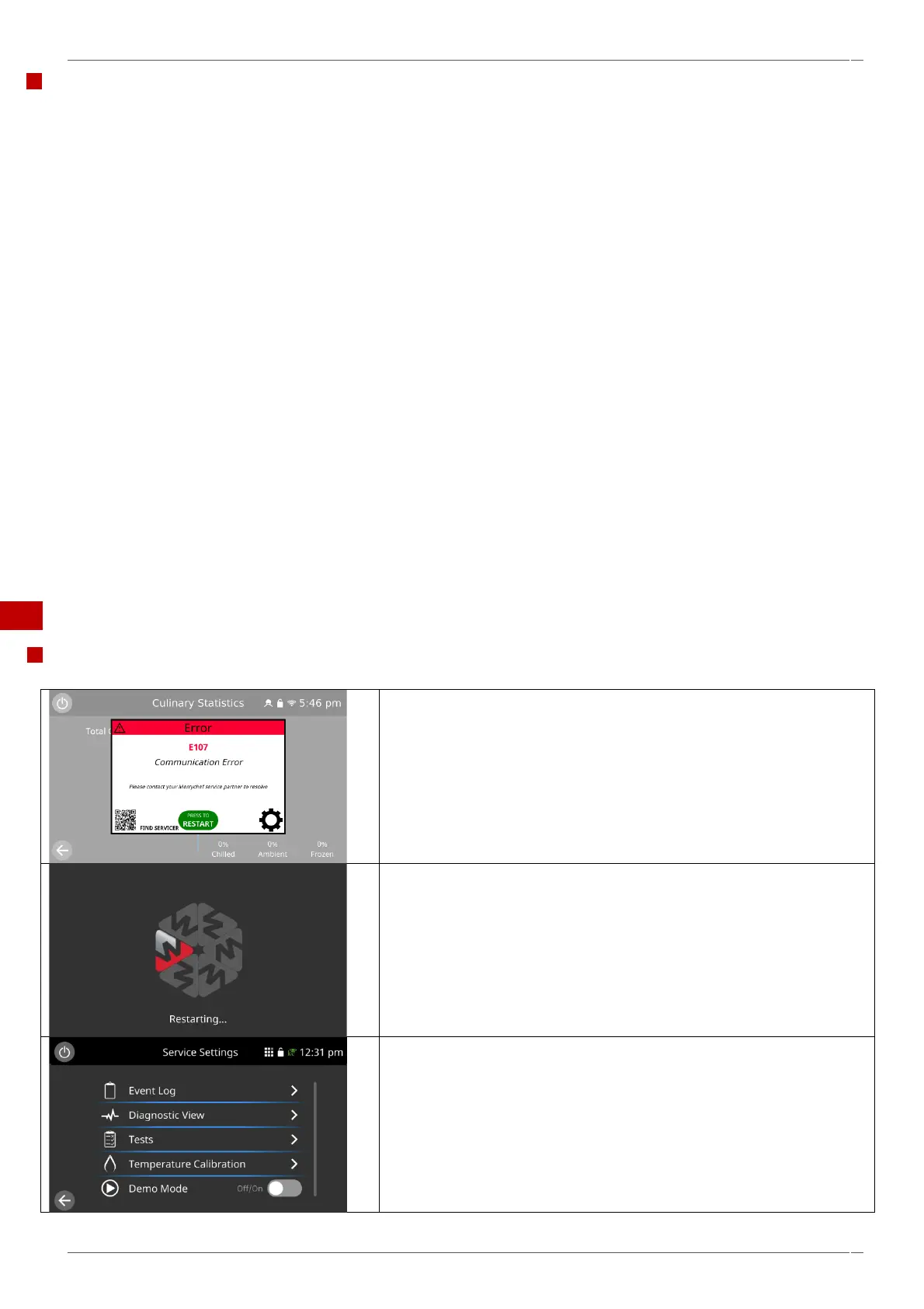
Functions of the service settings
Event Log
Check the Event Log for error log information and error codes.
Diagnostic View
Check the operational of the ovens main components by selecting the component on the screen.
NOTE – Always ensure there is a load inside the cavity when running the magnetrons.
Check the supply voltage & frequency and ambient temperatures.
Tests
Tests the functions of your microwave combination oven as described in the “Testing selected components”, see section
5.6 of this manual.
If required, refer to the “Replacing components” section 6 for any repairs needed before continuing with the tests, follow
the procedures in the recommissioning test before using the appliance for use, these tests should be completed before
and after all repair and maintenance procedures.
Temperature Calibration
To enter the oven cavity temperature calibration mode – Password is (tcomp).
Demo Mode
Directly selectable using the slide ‘on/off’ button to place the oven in demonstration mode. In demonstration mode the
appliance operates normally but does not engage the microwave or heater circuits.
5.2 Errors and diagnostics.
Error messages.
A code number and description of the type of error is shown. Refer to the
error codes (“Fault finding” within section 5.3 of this manual) for more
details.
The displayed QR code can be scanned with a smart phone to
access the Merrychef technical support website.
The ‘Restart’ button can be selected to ‘reboot’ the appliance.
If the fault remains, the appliance will display the error again and prevent
operation of the oven.



 To Next Page