Merrychef conneX
®
service and repair manual
5 Service information.
5.1 Service procedure.
Servicing procedure:
1. Disconnect and isolate the appliance from the power supply, (LOTO).
2. Check the appliance is correctly installed as described in the service manual.
3. Visually check the cleanliness & condition of the power supply cable, casing, cavity and door of the appliance for signs
of wear, damage, distortion etc, if required, refer to the “Replacing components" section of this manual (section 6).
4. Complete an "Earth/Insulation test" (see section 5.6 of this manual) on the appliance before switching on.
5. Check the display for error messages, if an error is shown, refer to the “Fault Finding” within section 5.3 of this manual.
6. If a firmware update is required refer to page 35.
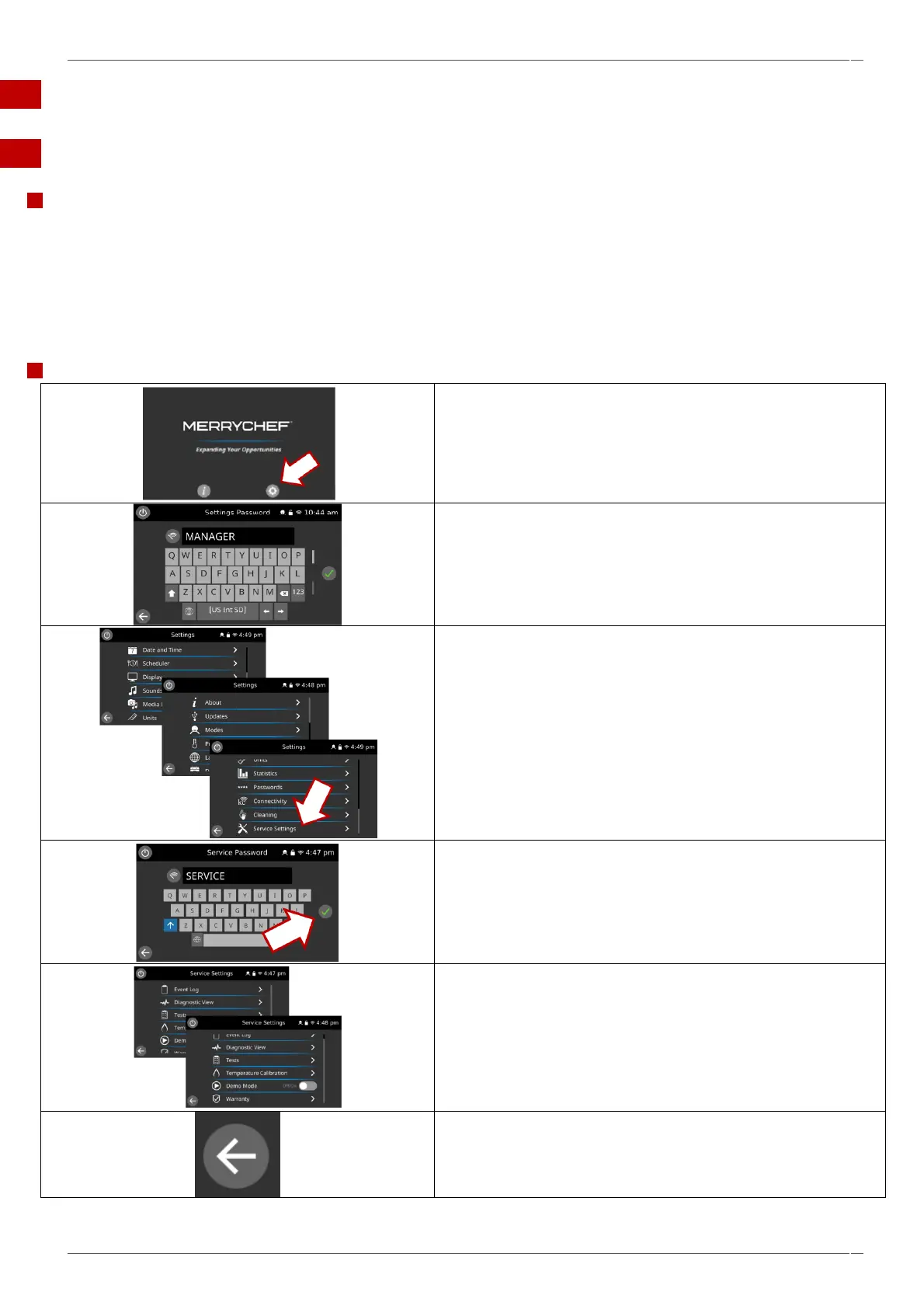
Enter service mode.
1. Switch on the oven and wait until the Merrychef screen is
displayed then select the settings icon.
2. Enter the user password "MANAGER" on the keypad or the full
serial number if the password is not recognised.
3. Scroll down and select service Settings.
4. Enter the service password “SERVICE” on the keypad or the full
serial number if the password is not recognised then select OK
(green tick) to display the service menu.
5. Select the relevant tab to access the following -
▪ Event log.
▪ Diagnostic view.
▪ Tests.
▪ Temperature calibration screen.
▪ Demonstration mode.
Select the back arrow at any point to return to the previous screen,
or to exit the Service Settings.



 To Next Page