1. Ensure the cavity is close to ambient temperature.
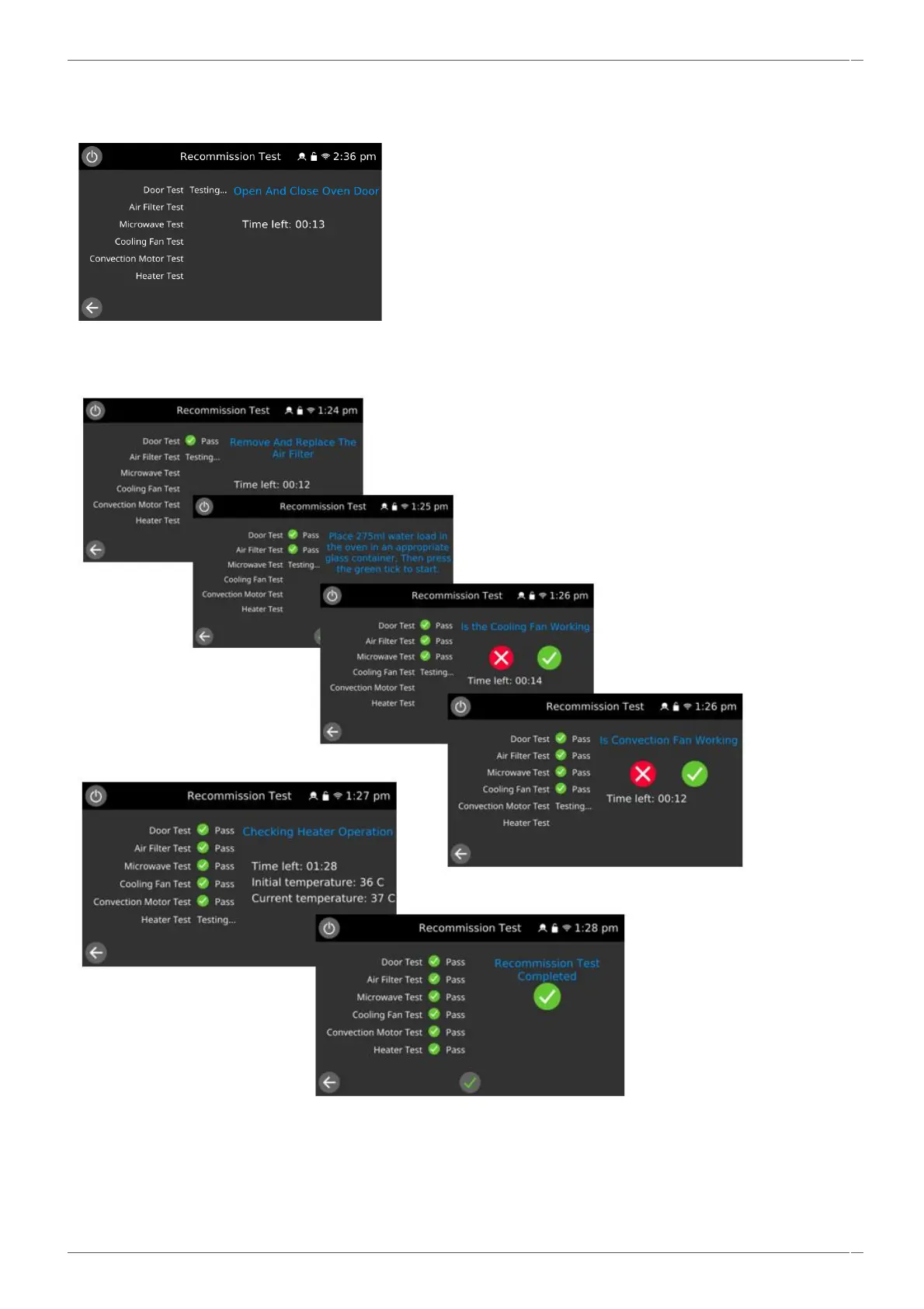
2. Enter the Service Settings / Tests and select ‘Recommission Test’ from the appliance tests.
The test will check the appliance in the following order:
▪ Door switch operation.
▪ Filter switch operation.
▪ Microwave circuits.
▪ Cooling fan operation.
▪ Convection fan operation.
▪ Heater circuit.
The test will stop at any point a failure is detected.
After a test has successfully passed, when requested select the green check mark to continue. Selecting the red check mark
as a result of a failure will terminate the recommission test sequence.
Note: If the door is opened during the microwave circuit test, the process will stop and record a failure.
3. When all the tests have been successfully performed the display shows the recommission test has passed. Select the
lower green check mark to confirm.
4. In the event of a recommission test failure, the detail will be recorded in the Error Log. Rectify any error and repeat
the recommission test.



 To Next Page