7. Installing the Node
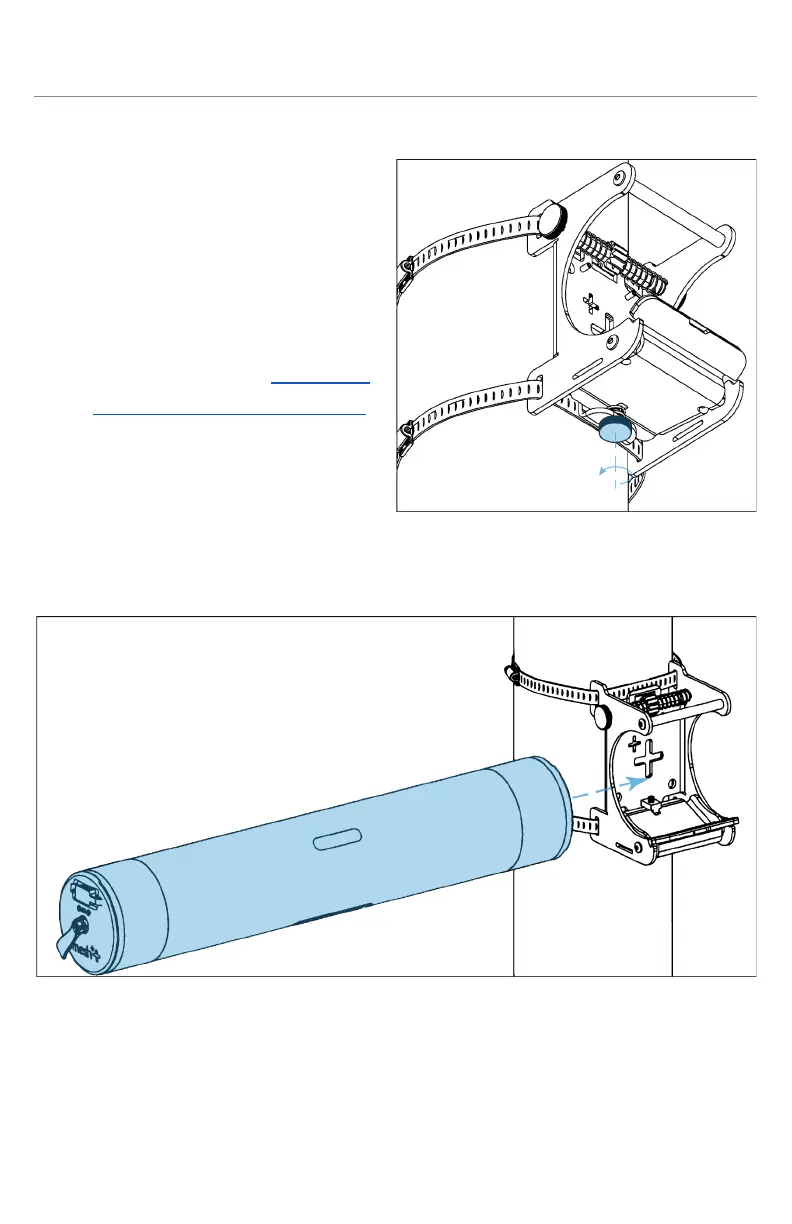
a. Placing a node in its mount
i. Before installing the
node onto the mount,
ensure that it has been
successfully set up in a
network and is
functioning properly. If
you need assistance with
this, please visit section 5
- Creating Your Network.
ii. Loosen the silver clamp
knob on the bottom of
the mount until the T-nut
inside the cradle is near
the end of the clamp bolt. This opens the clamp so the node
can be inserted from the side.
iii. When placing the node into the mount, please ensure that
the following statements are true:
1. The silicone padding on the lip of the clamp is aligned
with the rectangular cutout on the bottom of the node.



 To Next Page