e. Node modes
i. The S618 has a number of autoconfigured modes that
determine its specific function within a mesh network. Each
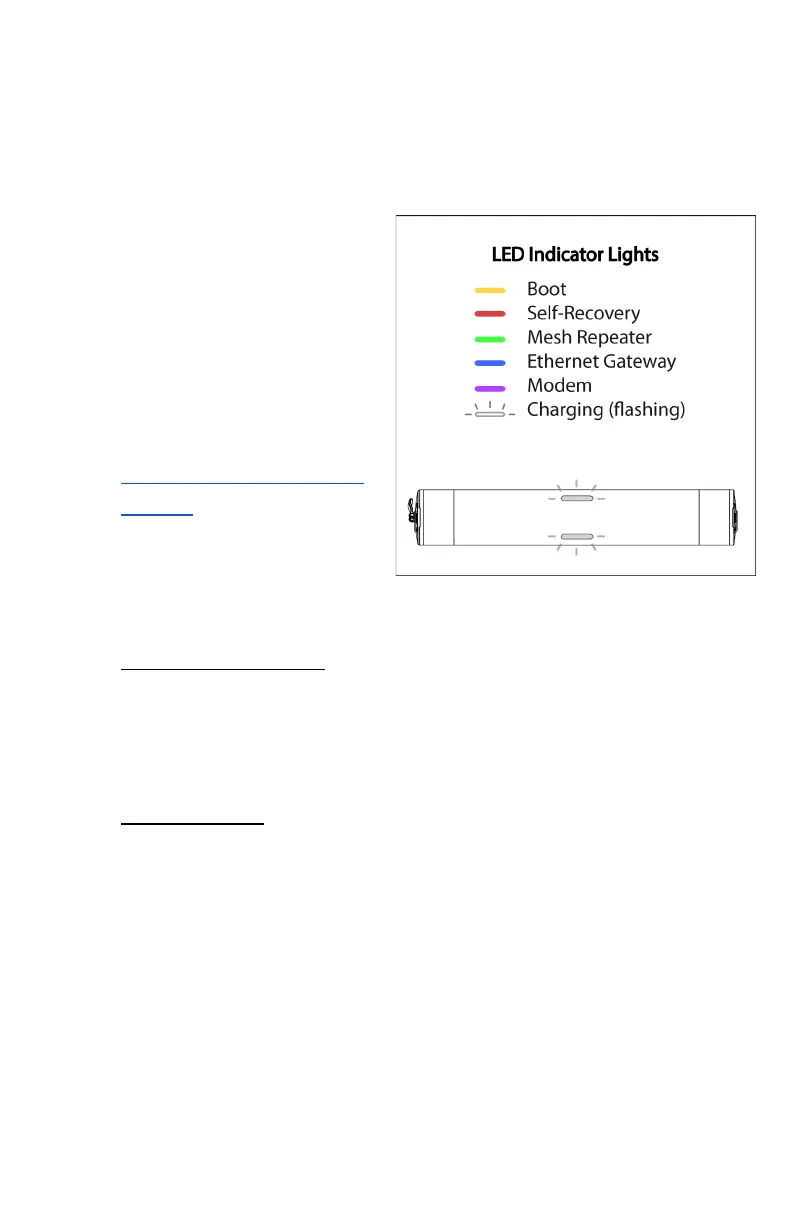
mode is identified by LED indicators located on the 2 LED
windows on the node’s outer case.
1. LED indicators may
take up to 5 minutes
to update their
current mode status.
2. If you are having
trouble reaching a
certain mode, please
visit the specific Issue
# listed below in
section 11.c - Common
Issues.
ii. The following LED
indicators correlate with
each node mode:
1. Yellow: Boot Mode - less than 1 minute
Boot Mode indicates that the node is entering its booting
sequence and will briefly enter this mode after being
powered on - Issue #2.
2. Offline Mode - consistent indicator
Offline Mode is disabled by default and can be toggled on
through the web dashboard. This mode allows the
network to stay up for internal network access in case of
an external outage. If connectivity is lost, the LED
indicators will turn yellow, meaning the network is offline
but still able to communicate internally (bridged). The
lights will return to their original mode once the internet
is restored.



 To Next Page