33
ZL6
4.7 COMMUNICATION TEST
A successful communication test will confirm that the ZL6 can transmit data to ZENTRA
Cloud servers as well as provide the quality of the Wi-Fi connection. Even a poor connection
status allows data to be successfully transferred. Prior to installing the sensors and the ZL6,
check the Wi-Fi connection quality at the location:
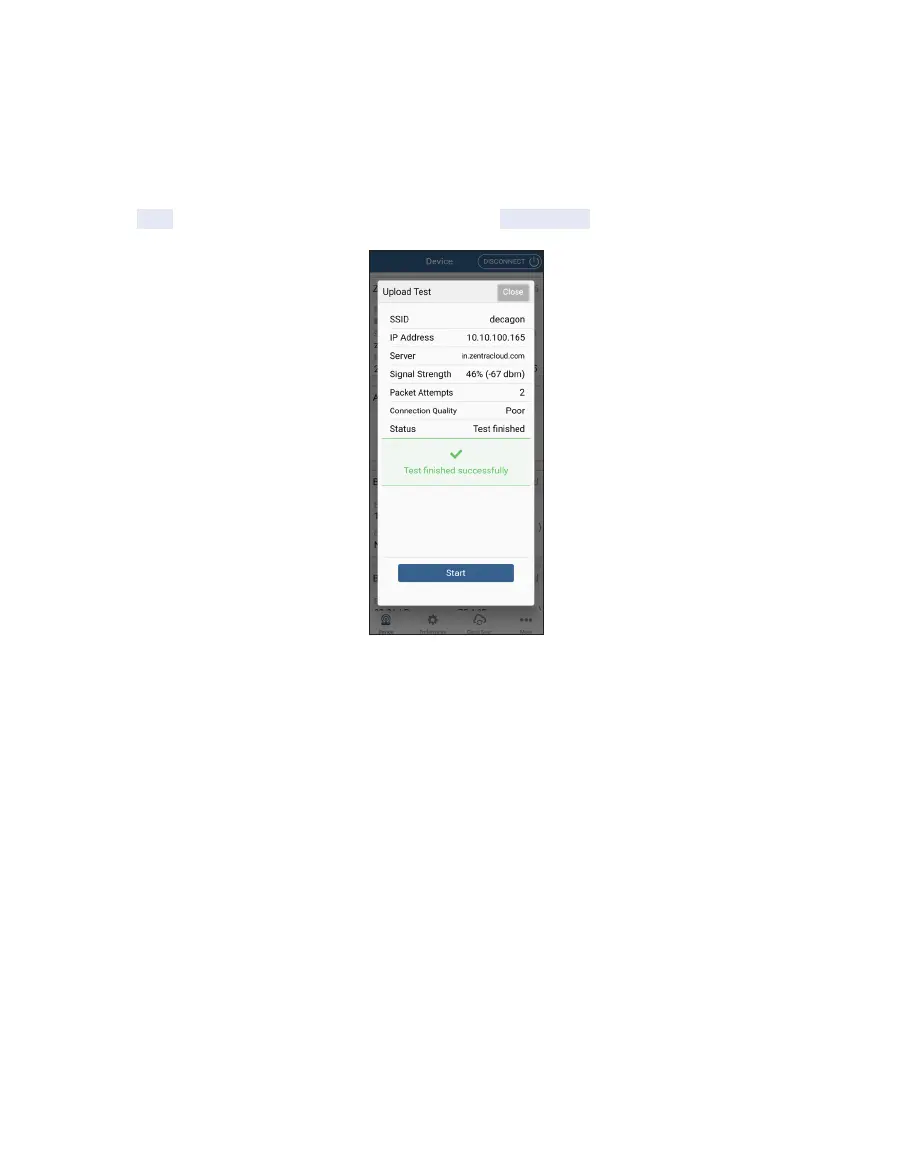
Tap the TEST button on the Actions panel and select Start Test.
Figure22 Upload test showing Wi-Fi information
Alternatively the Wi-Fi network access point may also be moved closer to the logger to
ensure good communications.
4.8 USING THE ZL6 INDOORS
The ZL6 is designed to withstand the weather of outdoor environments. It also works well in
a laboratory environment indoors. Deploying Wi-Fi enabled ZL6 loggers indoors is common.
The solar energy harvesting feature of the ZL6 may not work well enough indoors to keep
the rechargeable NiMH batteries charged. Consider using Alkaline batteries for indoor
applications. Contact Customer Support for additional power options.
4.9 TROUBLESHOOTING WIFI CONNECTIONS
For troubleshooting the ZL6 Wi-Fi connection see Table3 Troubleshooting the
ZL6 (Section6.2). Contact Customer Support if further assistance is needed.



 To Next Page