46
ZENTRA SOFTWARE
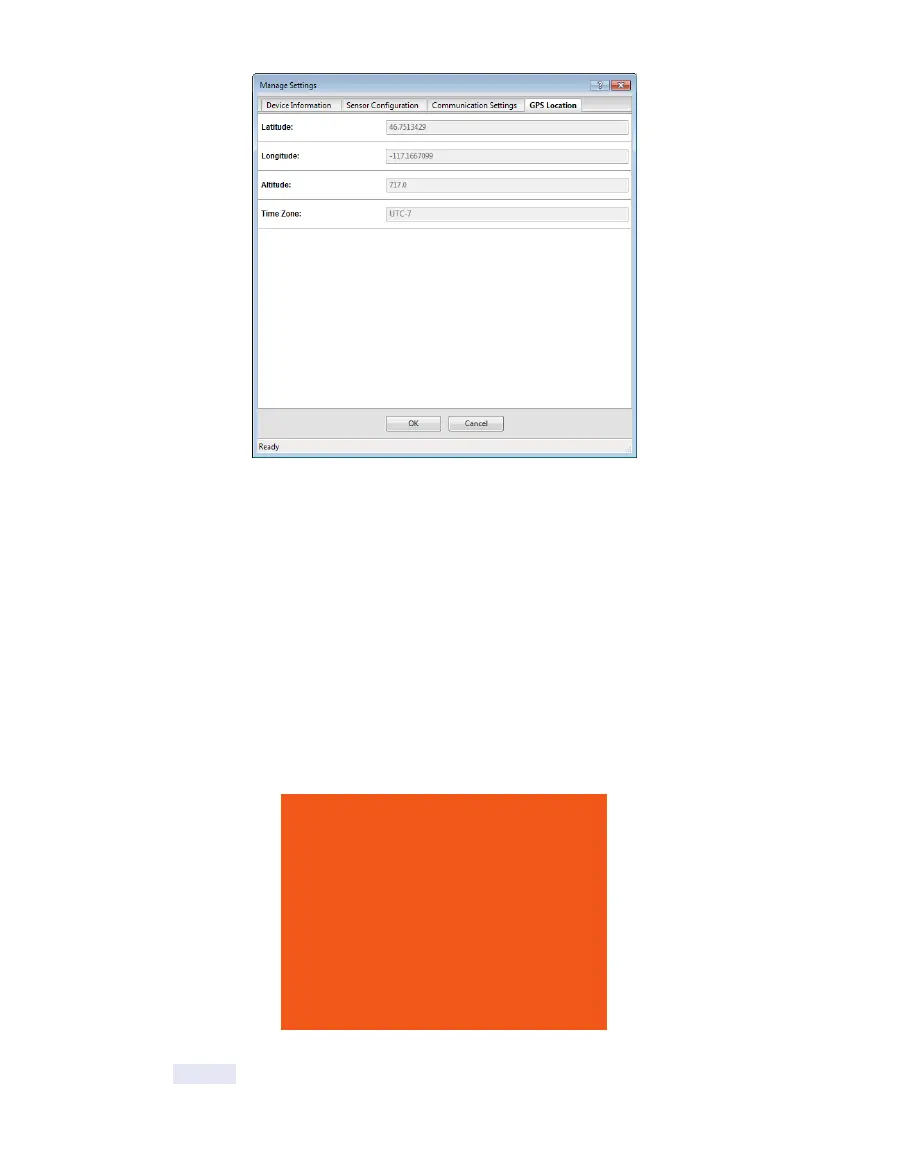
Figure34 Manage Settings GPS Location tab
5.3 ZENTRA CLOUD
ZENTRA Cloud is a cloud-based web application to download, view, and share ZL6 data as
well as change logger configurations. ZENTRA Cloud is also designed to make it easy to
share data with colleagues. A trial of ZENTRA Cloud is included with each ZL6 purchase. This
manual offers only instructions to logging in to ZENTRA Cloud. Use the online help files to
learn more about all the features of ZENTRA Cloud.
The first step to using the ZL6 with ZENTRA Cloud is to create a customer site (a group of
users and loggers).
1. Navigate to the server listed on the orange subscription card (zentracloud.com or
zentracloud.cn) (Figure28).
Device Subscription
Device Serial Number: z6-00901
Device Password: password
Server: zentracloud.com
Use this unique Device Serial Number and
Device Password to subscribe to this
logger on zentracloud.com
Keep this label in a safe place.
Do not leave it inside the device case.
Figure35 Sample device subscription card
2. Click the Sign Up button.



 To Next Page