34
ZENTRA SOFTWARE
5. ZENTRA SOFTWARE
The ZL6 is designed to work with ZENTRA Utility Mobile, ZENTRA Utility, and ZENTRA Cloud.
ZENTRA Utility Mobile communicates with the ZL6 using Bluetooth to configure the ZL6 and
upload data to ZENTRA Cloud (Section4.1). ZENTRA Utility communicates with the ZL6 via
USB to configure the ZL6, download data to a computer, and upload these data to ZENTRA
Cloud (Section4.2). ZENTRA Cloud is a web-based application to remotely view and share
environmental data, download spreadsheets, and configure the ZL6 (Section4.3).
5.1 ZENTRA UTILITY MOBILE
ZENTRA Utility Mobile for iOS or Android Mobile Devices is a user-friendly interface for
configuring and downloading data from the ZL6 logger that can be used on Apple (iPhone
iOS 9.0 and newer) or Google (Android 4.3 and newer) smartphones or tablets. With ZENTRA
Utility, the user can connect to ZL6 loggers directly to
• configure operation logger parameters,
• test ZL6 and ZL6 Pro cellular and Wi-Fi communications
• troubleshoot real-time sensor measurements (scan sensors).
ZENTRA Utility Mobile launches with an in-app tutorial to illustrate the important features
of the app. Select More > In-App Tutorial to review this tutorial at any time. Use the Connect
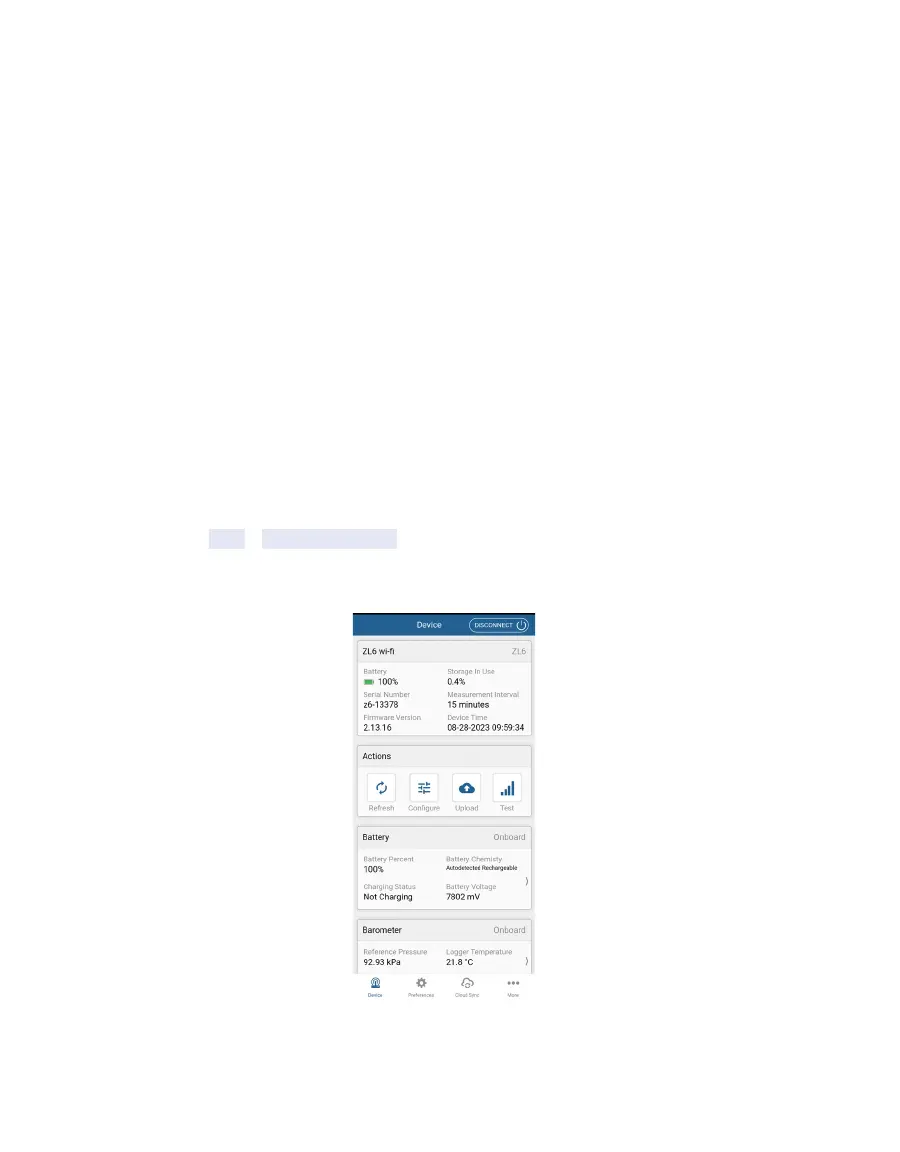
screen to select the ZL6 and use the ZENTRA Utility Mobile main screen to configure the
logger and check sensor measurements.
Figure23 ZENTRA Utility Mobile main screen



 To Next Page