9
ZL6
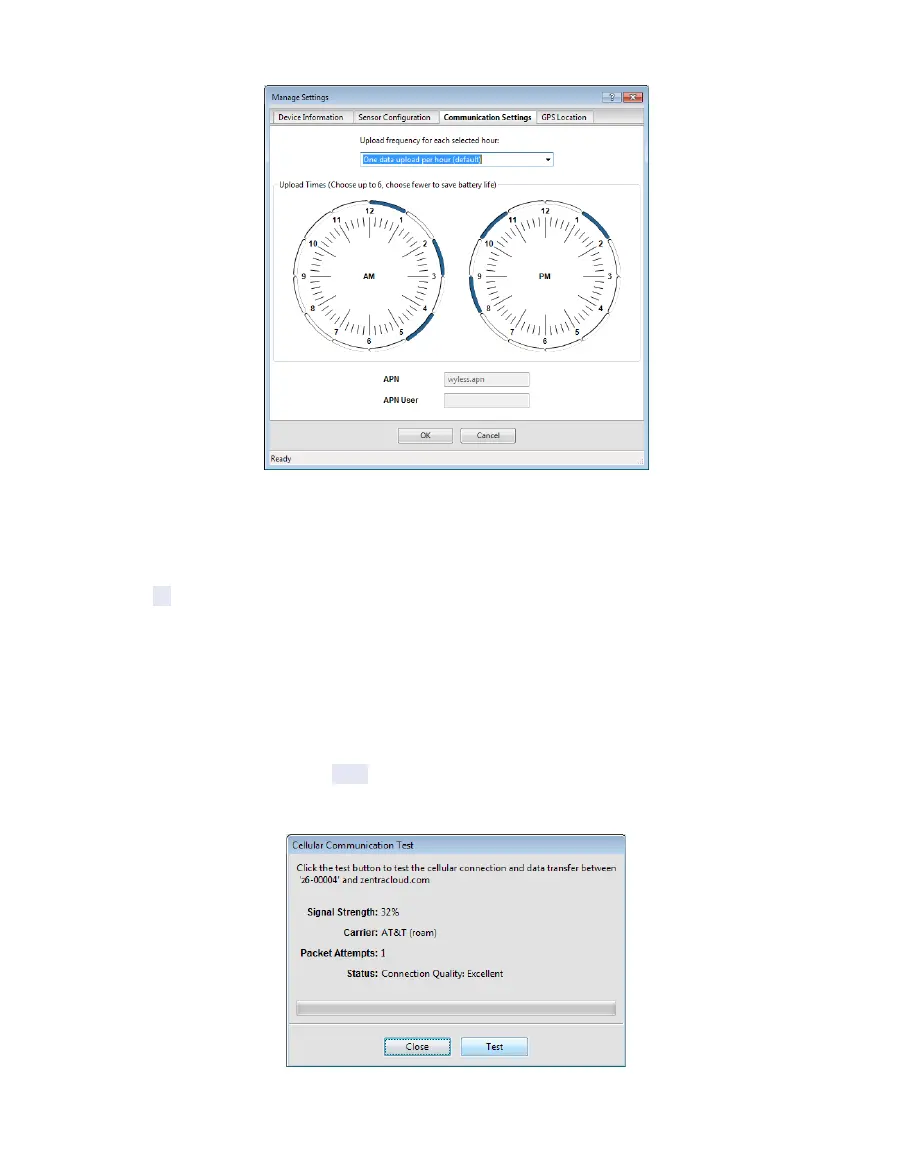
Figure6 Communication Settings tab
12. Select the time segments in Upload Times by clicking the arc segments for the hour
intervals.
The ZL6 will upload data during the selected intervals (Section4.2.5.1).
13. Click OK.
2.2.2 COMMUNICATION TEST ZL6 AND ZL6 PRO
A successful communication test will confirm that the ZL6 can transmit data to ZENTRA
Cloud servers as well as provide the quality of the connection. Even a poor connection status
allows data to be successfully transferred. Prior to installing the sensors and the ZL6, check
the quality of the connection at the location:
1. In ZENTRA Utility, click the Test button in the Button toolbar.
The Communication Test dialog will appear (Figure7).
Figure7 Cellular Communication Test dialog



 To Next Page