21
ZL6
TEST
ERROR
OK
(–)
(+)
(–)
(+)
(+)
(–)
(–)
(+)
(–)
(+)
(+)
(–)
Port 1 Port 2Port 3 Port 4 Port 5Port 6
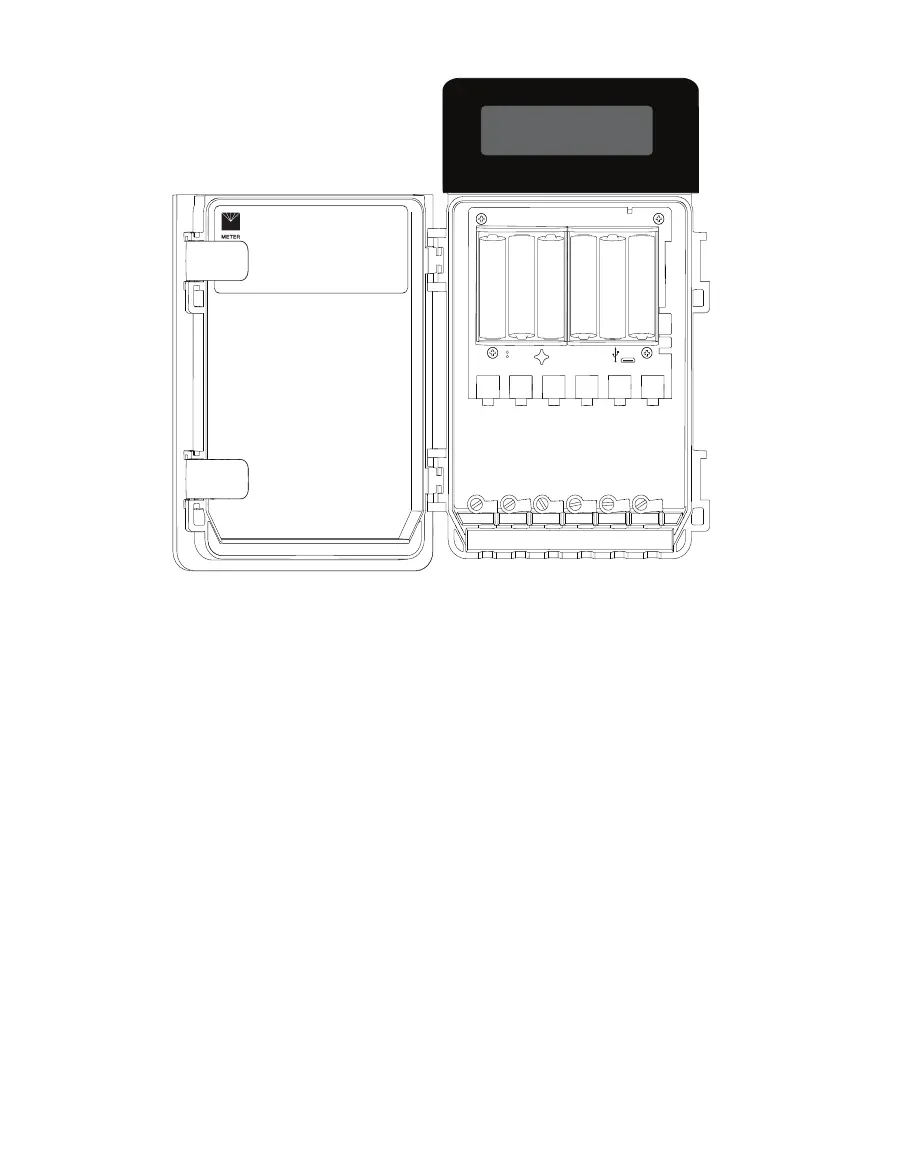
Figure15 ZL6 data logger interior
3.2.1 SENSOR INTERFACE
The ZL6 will detect the presence of METER sensors when connected to the sensor ports. For
METER digital sensors, the ZL6 will detect and autopopulate the Sensor Type dropdown on
the Manage Settings dialog in ZENTRA Utility (Section4.2.5.1). For METER analog sensors,
the ZL6 will show Unrecognized Sensor in the Sensor Type dropdown. Some sensors (such as
pulse sensors) will not be detected by the ZL6. In these latter two cases the sensor will have
to be manually selected from the dropdown menu.
NOTE: It is critical that the ZL6 is configured correctly for the attached sensors. Without correct configuration, the
ZL6 will not record useful sensor information.
The ZL6 is able to detect when many of the METER sensors are unplugged or malfunctioning.
The logger stores error codes in the place of normal sensor measurements in this event.
ZENTRA software will display these errors to help troubleshoot problems with the sensors.
The ZL6 cannot determine the difference between an intentionally uninstalled sensor and a
malfunctioning sensor. Update the sensor configuration each time sensors are removed from
or added to the ZL6.



 To Next Page